
Samsung One UI 9 Beta 1 Rolled Out (Download)


Subscribe for Updates
Samsung has officially rolled out the One UI 9 beta program for the Galaxy S26 series in the eligible countries, including South Korea and the United States. Built on top of Android 17, One UI 9 beta brings a thoughtful mix of creative tools, deeper customization, meaningful accessibility upgrades, and tightened security.
One UI 9 is particularly significant because it’s built on Android 17, Google’s Material 3 Expressive Redesign with Gemini Intelligence. The Gemini Intelligence will also come to Galaxy S26 devices.
What’s new in One UI 9 Beta?
Samsung Notes Gets a Creative Upgrade
One of the more delightful additions in One UI 9 beta is the refresh to Samsung Notes. The app has long been a productivity staple on Galaxy devices, but now it’s becoming a more expressive creative space.
New additions include:
- Decorative tapes — think digital washi tape for annotating and decorating your notes
- A wider variety of pen line styles — giving artists and note-takers more expressive options than ever before
These might sound like small touches, but for anyone who uses Samsung Notes seriously, these additions are meaningful. Especially great for students, artists, and professionals.
Contacts Meets Creative Studio
Another smart quality-of-life improvement: the Contacts app now offers direct access to Creative Studio, Samsung’s AI-powered creative tool. This means you can create personalized profile cards for your contacts without needing to jump between apps.
It’s a small workflow improvement, but it reflects a broader design philosophy Samsung seems to be doubling down on — reducing friction by bringing tools closer to where users already are.
Note: Creative Studio requires the app to be installed, a network connection, and a Samsung Account login. Availability may vary by country and device.
Quick Panel Gets Smarter and More Flexible
The Quick Panel — that control center you pull down from the top of your screen — has been redesigned for greater user control. Here’s what’s changed:
- Brightness, sound, and media player are now independently adjustable, rather than grouped together
- More size options give users the ability to configure the panel layout to their individual preferences
This is exactly the kind of granular control power users have been asking for. Instead of a one-size-fits-all approach, Samsung is finally letting you make the Quick Panel truly yours.
Accessibility: One UI 9 Takes a Big Step Forward
Samsung has consistently improved accessibility across One UI updates, and version 9 continues that trend with some genuinely impactful changes.
Adjustable Mouse Key Speed
For users who rely on Mouse Key — which lets you control the on-screen cursor using the keyboard — One UI 9 now allows you to adjust the cursor speed. This enables smoother, more precise cursor control and is a meaningful improvement for users with motor impairments who depend on this feature.
A Unified TalkBack Experience
Previously, Galaxy devices offered TalkBack features from both Google and Samsung as separate packages, which could be confusing and redundant. One UI 9 combines these into a single, unified TalkBack package, streamlining the experience for users who rely on screen readers.
This kind of consolidation matters — it means fewer settings to configure, less confusion, and a more consistent experience overall.
Text Spotlight — Making Reading Easier
Perhaps the most immediately useful accessibility addition is Text Spotlight. This new feature displays selected text in a floating window, either larger or more clearly than it appears in context. For users with low vision or reading difficulties, this is an elegant solution that doesn’t disrupt the existing reading flow.
One UI 9 Adds App Threat Detection
Alongside creativity and accessibility, Samsung is also tightening the security net in One UI 9.
When the system detects a newly installed high-risk app, One UI 9 will now:
- Warn the user about the potential threat
- Block the app from executing or installing further
- Recommend deletion through security policy updates
One UI 9 Beta 1 Full Changelog
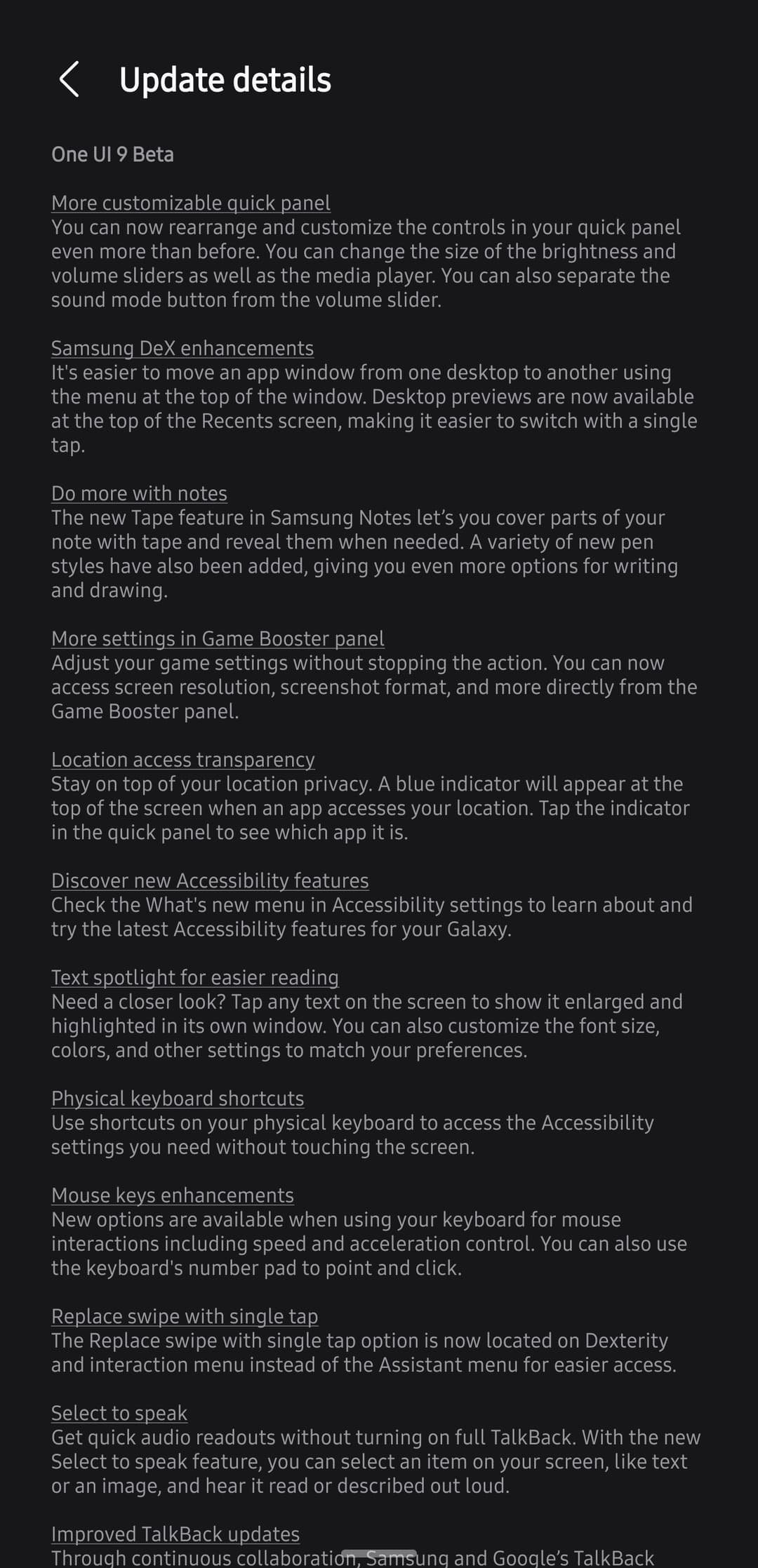
More customizable quick panel
You can now rearrange and customize the controls in your quick panel even more than before. You can change the size of the brightness and volume sliders as well as the media player. You can also separate the sound mode button from the volume slider.
Samsung DeX enhancements
It’s easier to move an app window from one desktop to another using the menu at the top of the window. Desktop previews are now available at the top of the Recents screen, making it easier to switch with a single tap.
Do more with notes
The new Tape feature in Samsung Notes lets you cover parts of your note with tape and reveal them when needed. A variety of new pen styles have also been added, giving you even more options for writing and drawing.
More settings in Game Booster panel
Adjust your game settings without stopping the action. You can now access screen resolution, screenshot format, and more directly from the Game Booster panel.
Location access transparency
Stay on top of your location privacy. A blue indicator will appear at the top of the screen when an app accesses your location. Tap the indicator in the quick panel to see which app it is.
Discover new Accessibility features
Check the What’s new menu in Accessibility settings to learn about and try the latest Accessibility features for your Galaxy.
Text spotlight for easier reading
Need a closer look? Tap any text on the screen to show it enlarged and highlighted in its own window. You can also customize the font size, colors, and other settings to match your preferences.
Physical keyboard shortcuts
Use shortcuts on your physical keyboard to access the Accessibility settings you need without touching the screen.
Mouse keys enhancements
New options are available when using your keyboard for mouse interactions including speed and acceleration control. You can also use the keyboard’s number pad to point and click.
Replace swipe with single tap
The Replace swipe with single tap option is now located on Dexterity and interaction menu instead of the Assistant menu for easier access.
Select to speak
Get quick audio readouts without turning on full TalkBack. With the new Select to speak feature, you can select an item on your screen, like text or an image, and hear it read or described out loud.
Improved TalkBack updates
Through continuous collaboration, Samsung and Google’s TalkBack features have been unified. TalkBack updates can now be applied with a simple app update from the Play Store.
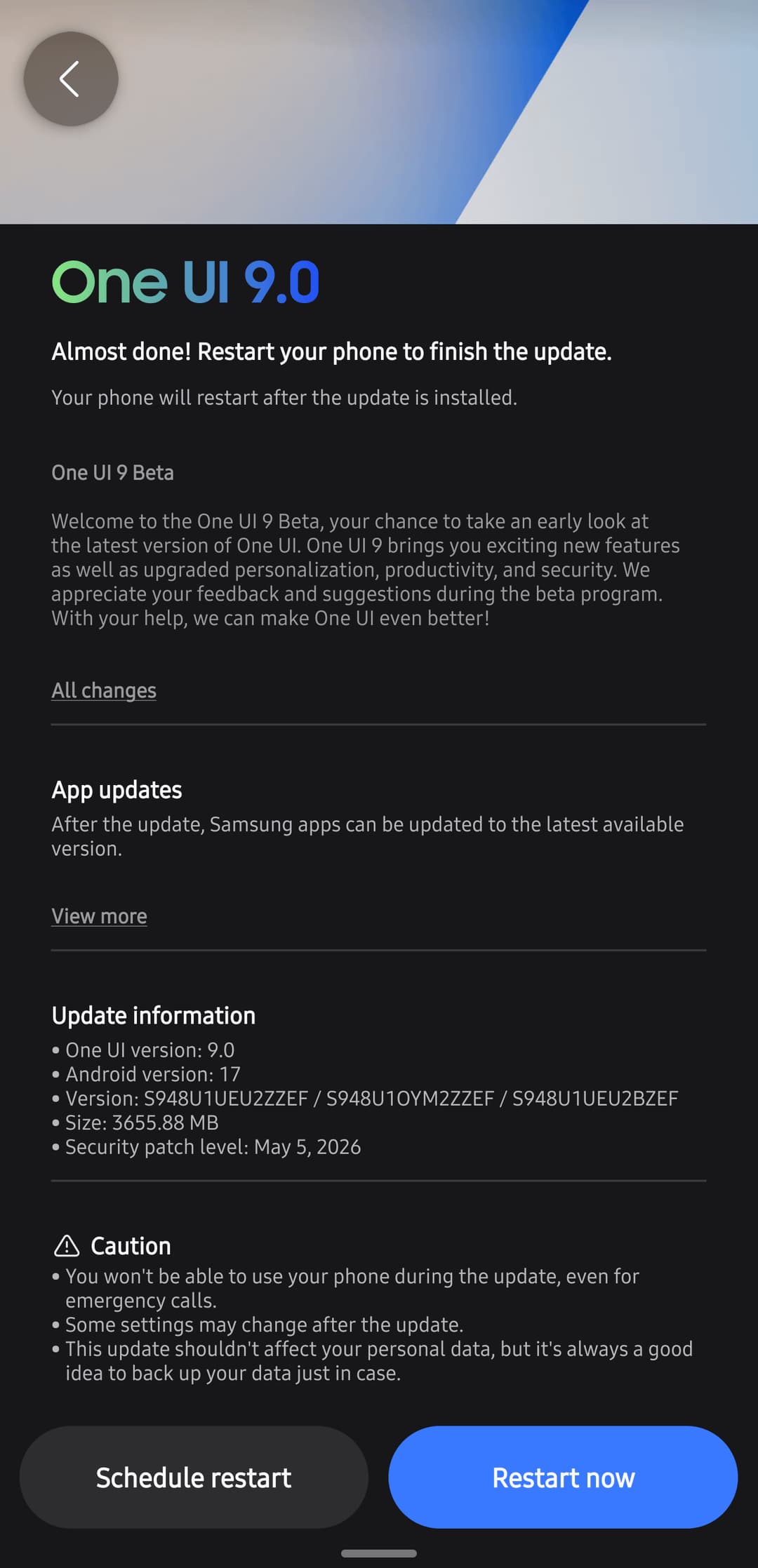
Update Information
- Update information
- One UI version: 9.0
- Android version: 17
- Version: S948U1UEU2ZZEF / S948U10YM2ZZEF / S948U1UEU2BZEF
- Size: 3655.88 MB
- Security patch level: May 5, 2026
How to Download One UI 9?
Galaxy S26 users in the above markets can apply to join via the Samsung Members app. Just open the app, look for the beta program enrollment section, and follow the prompts.
Meet Expressive Launcher — A Fresh Way to Android
The wait is over. Expressive Launcher has graduated from beta and is now stable and available to everyone on the Google Play Store. Download it today and experience a fresh way to customize your Android home screen.

Get started
