
Install Verizon Galaxy S8 (Plus) Latest Update To Fix Blueborne Vulnerability [G950USQS1AQI6]


Subscribe for Updates
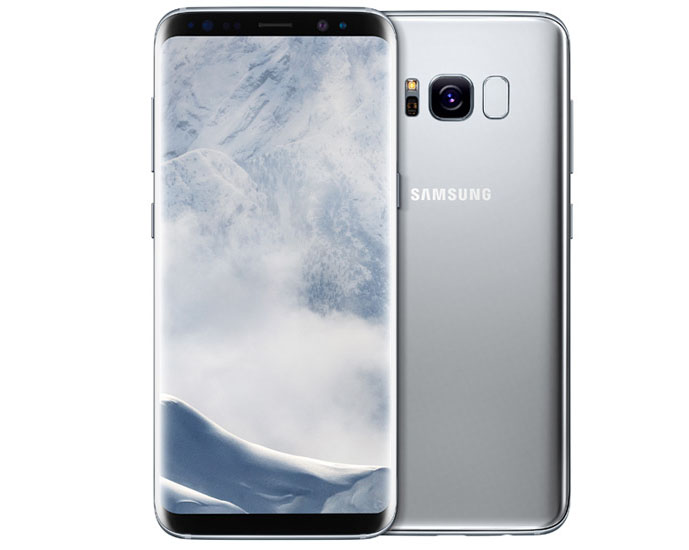
It seems Blueborne vector is still at large. It’s already October and Samsung is still in its effort to bring down the vulnerability. Last month we saw a lot of Samsung devices getting the update for this issue. And the process continues this month too. With respect to fixing the Blueborne loophole, Galaxy S8(plus) Verizon firmware October 2017 update is now rolling for its US variants. The latest update from the US-based tele-carrier solely aims to patch the Blueborne vulnerability.
The update is rolling out with the firmware build number G950USQS1AQI6 and G955USQS1AQI6 for Galaxy S8/S8 plus respectively. As Verizon variants of Galaxy S8 and S8+ receive the October OTA, you can see other variants to receive it too including Sptint, T-Mobile, etc. Go to settings and check for OTA (Over the Air) update. This update is still based on the August 2017 security patch. It will take some time to reach your device. But You can also download and install the update directly from the Samsung servers.
Changelog: Galaxy S8(plus) Verizon Firmware October 2017 Update
This update from Verizon mainly targets to put a patch to the Blueborne vulnerability issue. Although the kernel builds dates around the third week of September, the update still employs the August security patch. Both Galaxy S8 and S8 Plus will avail the Blueborne security patch the update is bringing.
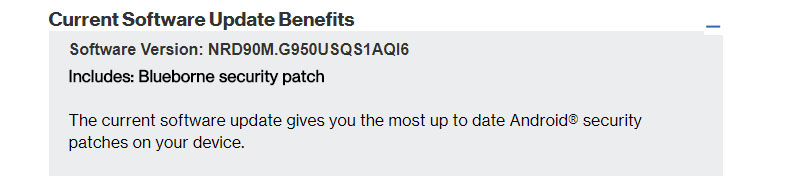
Firmware Info: Galaxy S8(plus) Verizon Firmware October 2017 Update:
Let us have a look at the firmware build details in a nutshell.
| Model | SM-G950U, SM-G955U |
| Model name | Galaxy S8, Galaxy S8 Plus |
| Country |
USA (Verizon)
|
| Version | Android 7.0 |
| Changelist | 11982677 |
| Build date | Mon, 18 Sep 2017 04:00:57 +0000, 03:56:37 +0000 |
| Security Patch Level | 2017-08-01 |
| Product code | VZW |
| PDA | G950USQS1AQI6, G955USQS1AQI6 |
| CSC | G950UOYN1AQI6, G955UOYN1AQI6 |
Download OTA: Galaxy S8(plus) Verizon Firmware October 2017 Update
Your device will automatically capture the OTA update as it becomes available. Otherwise, you can look it up manually by going into device Settings > Software updates > Check for Updates. If the update is available, download and install it.
How To Manually Install Galaxy S8(plus) Verizon Firmware October 2017 Update?
To manually install the Galaxy S8(plus) Verizon Firmware October 2017 Update, you have to use two tools called SamFirm and Odin Tool. SamFirm to download and Odin Tool to install the firmware.
Here are the steps to perform the download and installation of the latest update manually.
Steps of Installation
Step-1 Download the SamFirm and latest Odin Tool to the PC.
Step-2 Download the latest firmware using Samfirm.
Step-3 See how to restore the device to complete stock using Odin Tool.
Therefore, this update doesn’t bring anything except providing a defense against the Blueborne threat. But nevertheless, it is important to keep the device safe from this security issue. So, make sure to grab the update in time. Also, keep scrolling on AndroidSage for more such latest firmware updates on Galaxy S8(plus).
Meet Expressive Launcher — A Fresh Way to Android
The wait is over. Expressive Launcher has graduated from beta and is now stable and available to everyone on the Google Play Store. Download it today and experience a fresh way to customize your Android home screen.
Get started
