
Gemini v1.0.91 APK Released with a Redesigned Gemini UI


Subscribe for Updates
Google has quietly rolled out one of its most significant visual overhauls to the Gemini AI app on Android. Version 1.0.91 brings a sweeping redesign — dubbed Gemini UI 2.0 — that touches nearly every surface of the app. If you’ve been using Gemini on Android for a while, opening the updated app feels like stepping into an entirely different product. Here’s a deep dive into every change, what it means for users, and why this redesign signals something much bigger about where Google’s AI ambitions are headed.
What’s new?
The visual language borrows from Material 3 Expressive, Google’s latest design system iteration that emphasizes depth, intentionality, and emotional resonance. Dark backgrounds reduce cognitive noise. Subtle gradients add warmth. Every element has been considered in context of the whole.
The New Home Screen
The first thing you notice when opening the updated Gemini app is the home screen — and it’s immediately arresting.
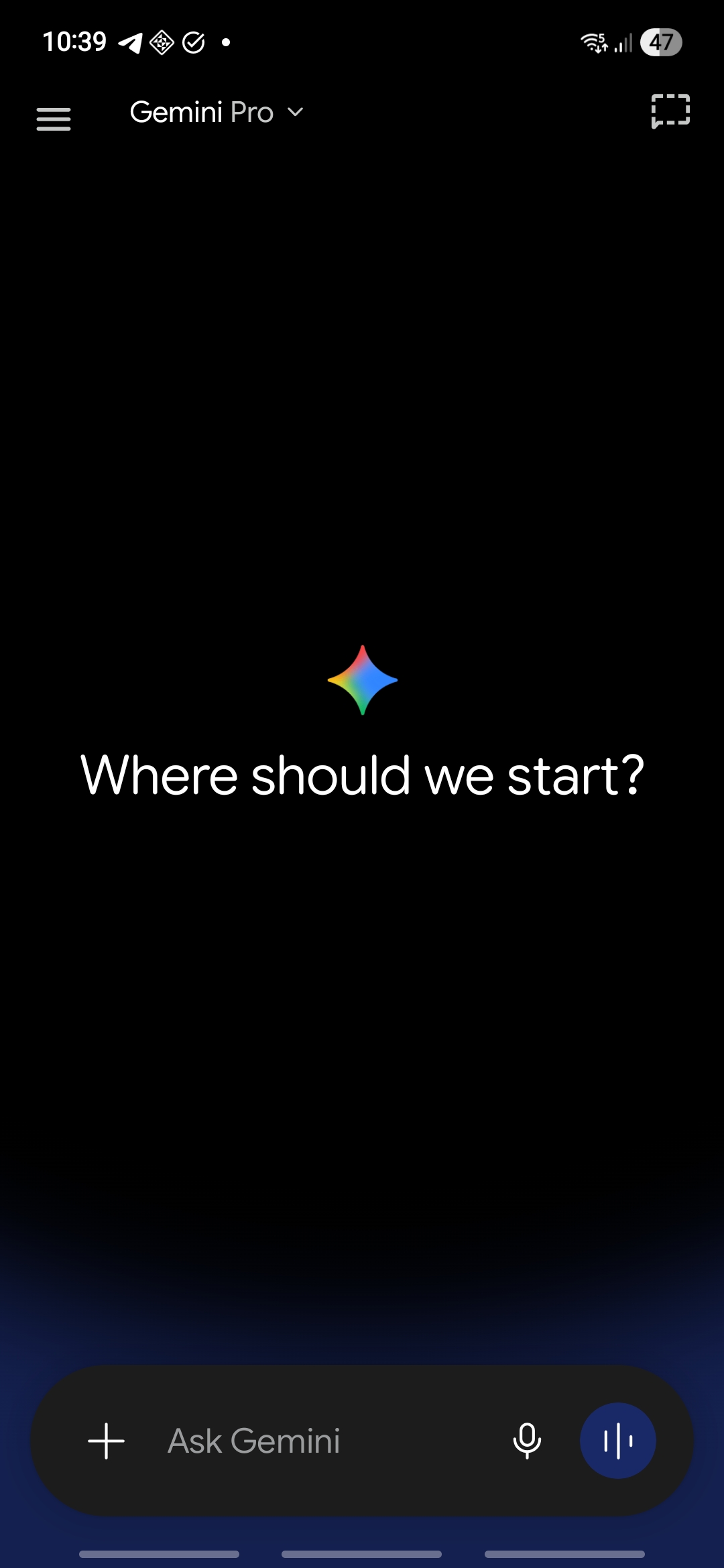
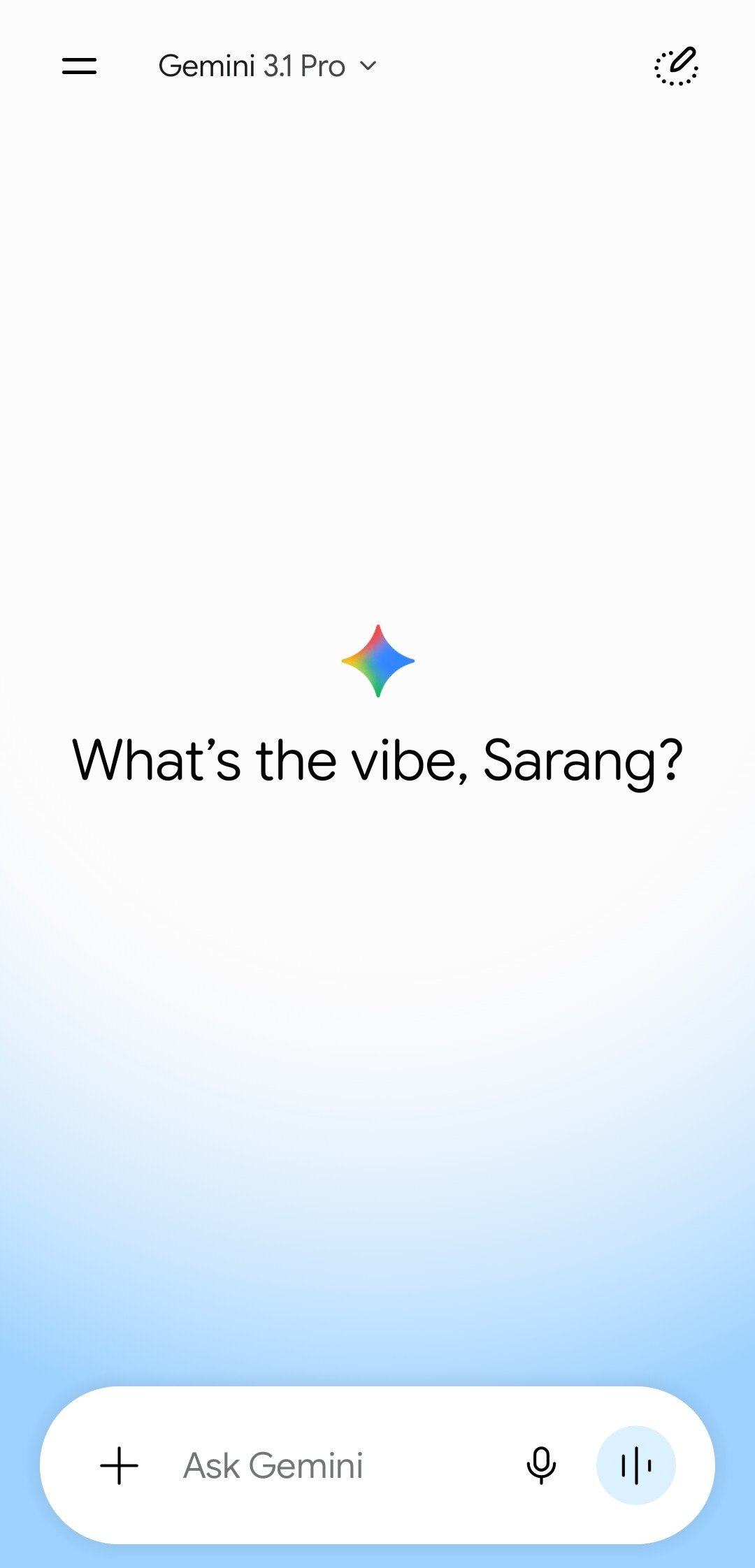
Gone is the previous interface’s lighter, more generic appearance. In its place:
- A pure black background spanning the entire screen. It’s functionally superior on AMOLED displays, which render true black by turning pixels off completely, saving battery life and improving contrast.
- A subtle deep blue gradient glow bleeding in from the very bottom of the screen. This single detail does a lot of heavy lifting — it adds a sense of depth and warmth, suggesting something alive and active beneath the surface, without breaking the minimal aesthetic.
- A redesigned “Ask Gemini” input bar anchored at the bottom, styled as a dark rounded pill. It includes:
- A “+” button on the left for attachments
- A microphone icon for voice input
- A distinct blue waveform button on the right for audio interaction
The Redesigned Navigation Drawer
Tapping the hamburger menu reveals a completely refreshed slide-out navigation drawer — and this is where Material 3 Expressive design principles shine most clearly.
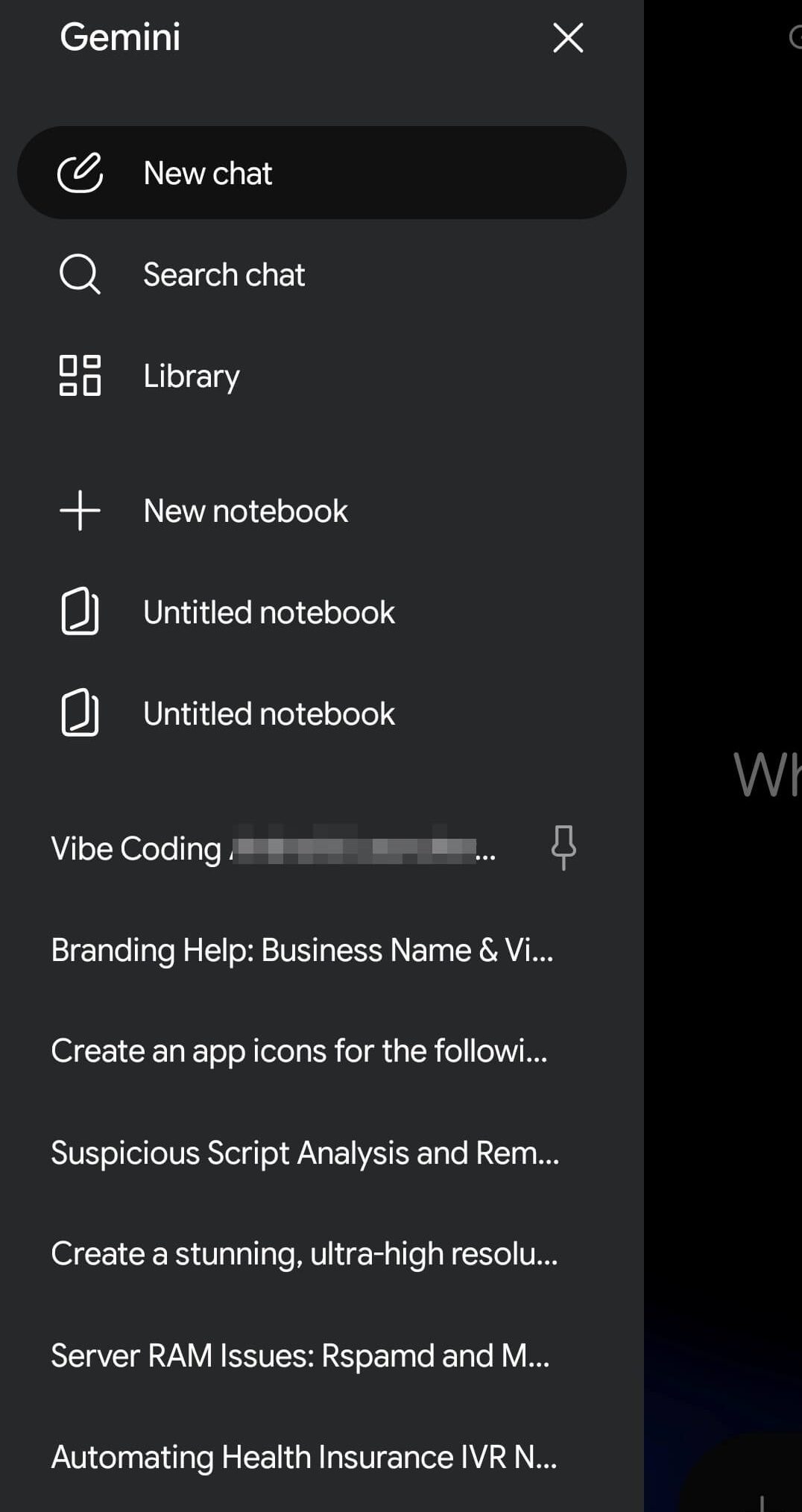
- A prominent “New chat” button at the very top, displayed as a bold filled pill.
- Clean icon-accompanied options for Search chat and Library, making conversation history far more accessible than before.
- A dedicated image library: All your AI-generated or shared images in one place.
- A Notebooks section in Gemini to easily keep track of projects.
APK Breakdown
We found the following code in the latest Gemini 1.0.91 APK.
<public type="attr" name="focusRingsEnabled" id="0x7f040289" />
<public type="attr" name="focusRingsInnerStrokeColor" id="0x7f04028a" />
<public type="attr" name="focusRingsInnerStrokeInset" id="0x7f04028b" />
<public type="attr" name="focusRingsInnerStrokeWidth" id="0x7f04028c" />
<public type="attr" name="focusRingsInset" id="0x7f04028d" />
<public type="attr" name="focusRingsOuterStrokeColor" id="0x7f04028e" />
<public type="attr" name="focusRingsOuterStrokeWidth" id="0x7f04028f" />
<public type="attr" name="focusRingsRadius" id="0x7f040290" />
<public type="attr" name="focusRingsShapeAppearance" id="0x7f040291" />

New and Upcoming Gemini Features Worth Knowing About
The visual redesign is the headline, but it arrives alongside — or shortly before — a wave of genuinely transformative feature additions. Here’s what’s coming to Gemini on Android.
Browse Smarter with Gemini in Chrome
Coming in late June, Android devices will gain a meaningfully upgraded web browsing experience through deep Gemini integration in Chrome.
Key capabilities include:
- Research assistance — Gemini can summarize complex articles, compare information across multiple web pages, and synthesize findings on your behalf.
- Chrome Auto Browse — Need to book a dentist appointment or reserve a parking spot? Chrome Auto Browse handles those mundane web tasks without requiring you to click through every step.
Intelligent Autofill
Forms on mobile are a persistent frustration. Tiny text fields, repetitive data entry, switching between apps to find reference numbers — it’s death by a thousand paper cuts. Google’s Gemini-powered solution is elegantly direct.
Rambler: Turn Spoken Thoughts Into Polished Text
Here’s a feature that will resonate with anyone who’s ever dictated a message and cringed at the result. We speak fundamentally differently than we write. We hedge, repeat ourselves, trail off mid-thought, and fill gaps with filler words.
Create My Widget: Build Custom Widgets with Natural Language
Android widgets have always been one of the platform’s differentiating features. Gemini Intelligence takes them to a new level with Create My Widget — a generative UI feature that lets you describe what you want and watch it materialize.
How to Download Gemini 1.0.91
The update is rolling out staged, reaching select users before broader availability — standard practice for Google when testing major interface changes.
Option 1: Google Play Store
The simplest path. Open the Play Store, search for Gemini, and update if the new version is available in your region.

Option 2: APK Sideload
Starting with Android 11, Google distributes apps in Split APK format — multiple packages covering the base app plus configuration files for specific device specs (DPI, screen resolution, architecture). This ensures compatibility across the incredibly diverse Android device ecosystem.
- Gemini v1.0.91 download
- APK Download
- APK Mirror (rename .APKM to .ZIP)
- Then Install Split APKS/XAPK/APKM/ZIP using SAI Installer (FOSS)
The Gemini Android version forgoes the animated particle effects of the iOS build in favor of cleaner, flatter depth.
Meet Expressive Launcher — A Fresh Way to Android
The wait is over. Expressive Launcher has graduated from beta and is now stable and available to everyone on the Google Play Store. Download it today and experience a fresh way to customize your Android home screen.

Get started
