
Android Auto Beta Program Open Again! Sign up for Gemini, YouTube Play, and Squiggle Bar


Subscribe for Updates
Google has reopened the Android Auto beta program, and this time it comes packed with some genuinely exciting upgrades. If you’ve been waiting for a smarter, more capable in-car experience, now is the time to sign up. This will get you the most anticipated Gemini AI, replacing Google Assistant, a playful new squiggle play bar for audio, and YouTube playback.
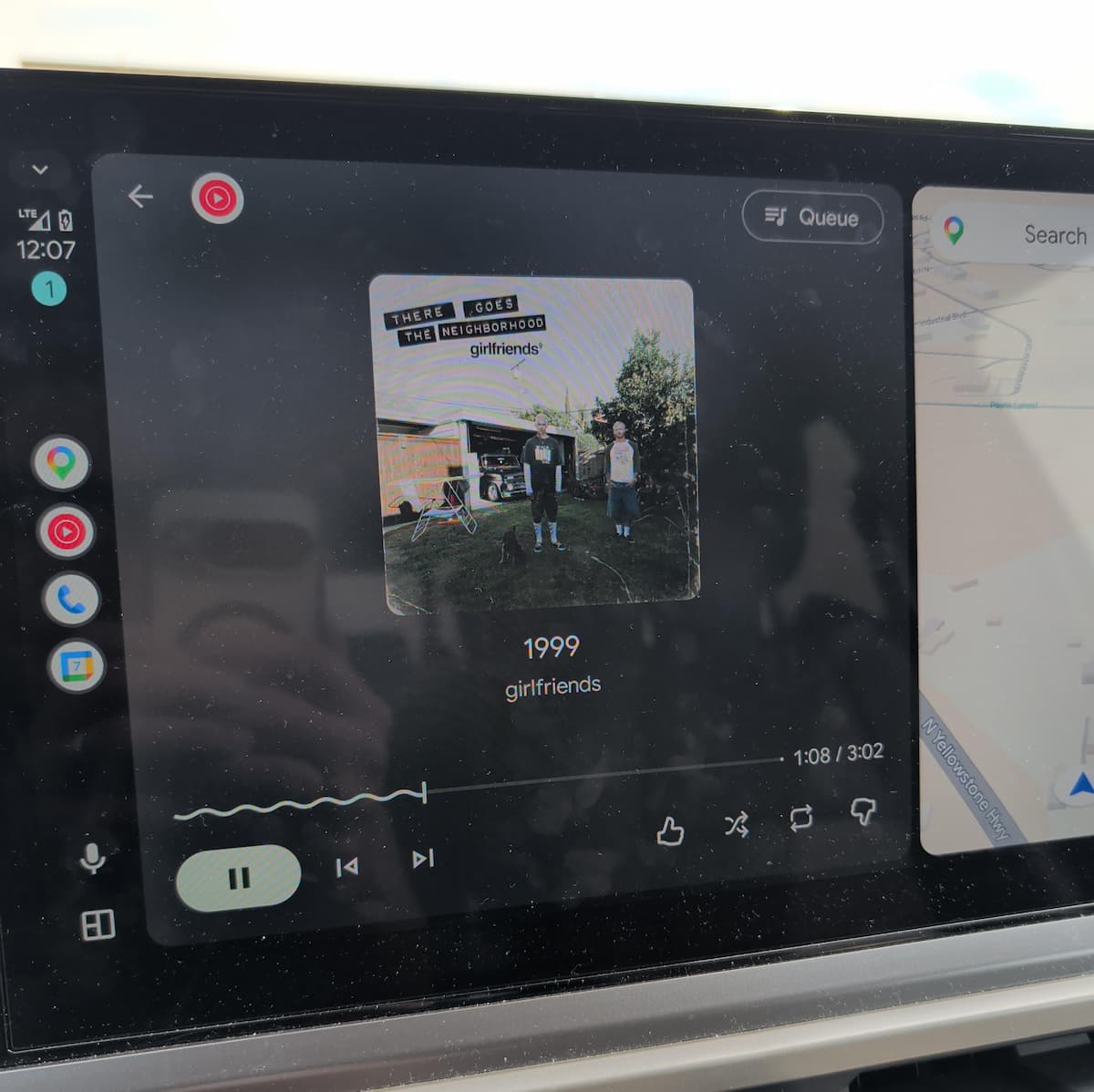
Android Auto Beta Program is open again. Users can sign up to instantly get Gemini, YouTube Audio Play, and the new squiggle play progress bar for audio. Both YouTube Music and YouTube player now show a squiggle bar.
What’s new in Android Auto?
The headline feature of this beta is the integration of Gemini AI into Android Auto. While the microphone icon in the interface stays the same, tapping it now activates Google’s powerful Gemini AI instead of the traditional Google Assistant.
Gemini brings a more conversational, context-aware intelligence to your car, making voice interactions feel far more natural and capable.
New Settings Enabled for Gemini
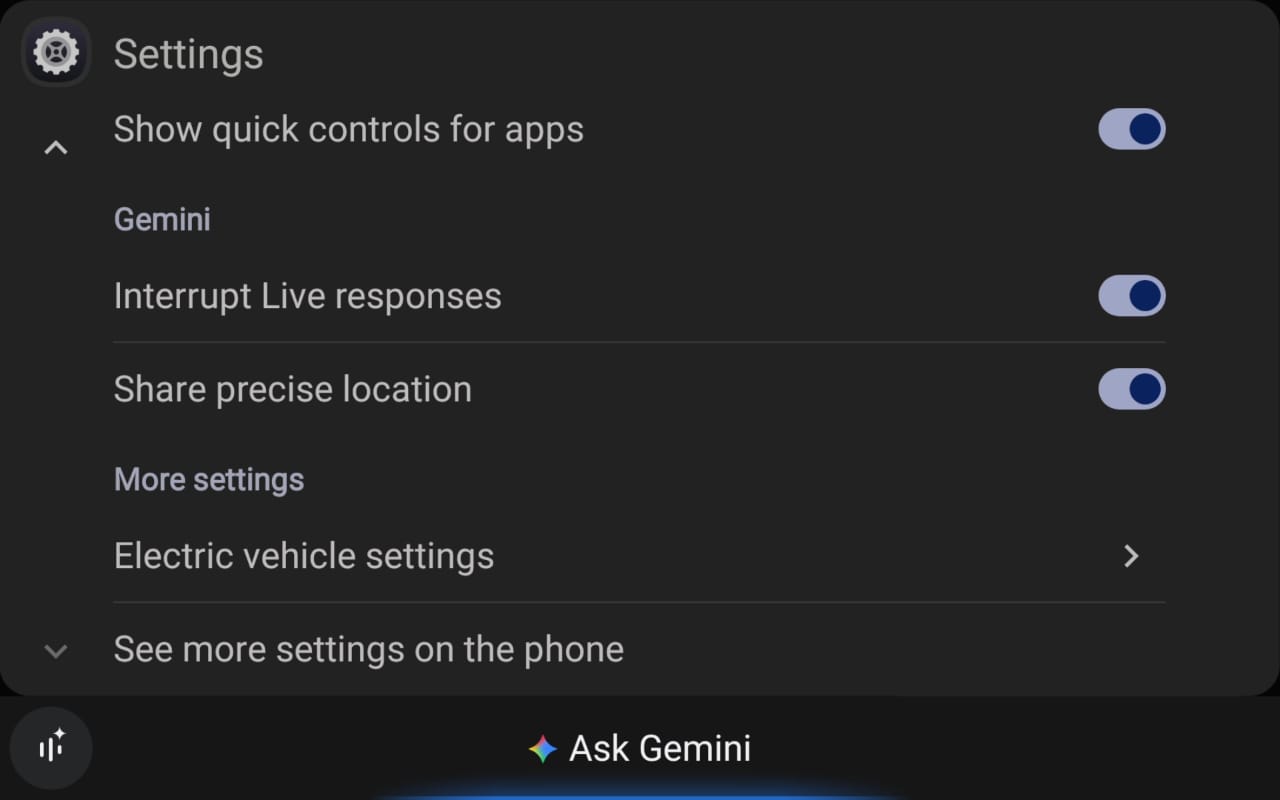
Two new settings appear in the Android Auto options alongside this update:
Share Precise Location — allows Gemini to use your exact GPS position for more accurate, location-aware responses and recommendations.
Interrupt Live Responses — lets you cut into Gemini mid-response, so you’re not stuck waiting for it to finish speaking before you can ask a follow-up.
Gemini Live: Hands-Free
One of the most compelling additions is Gemini Live, which enables a genuinely natural, back-and-forth conversation while you’re driving. Unlike the old command-and-response model of Google Assistant, Gemini Live feels more like talking to a knowledgeable co-pilot.
The key benefit here is safety. You can keep your hands on the wheel and your eyes on the road while still getting intelligent responses, setting reminders, getting directions, or just having a conversation.
The Squiggle Play Bar
This beta also introduces a new squiggle play progress bar for audio playback. Visible in both YouTube Music and the YouTube player on Android Auto, the squiggle bar replaces the traditional flat progress bar with a more dynamic, animated wave-style visual.
It’s a small but delightful UX touch that makes glancing at your audio player feel more alive, and it reinforces Google’s push to make Android Auto’s interface more expressive and modern.
YouTube Audio Play Comes to Android Auto
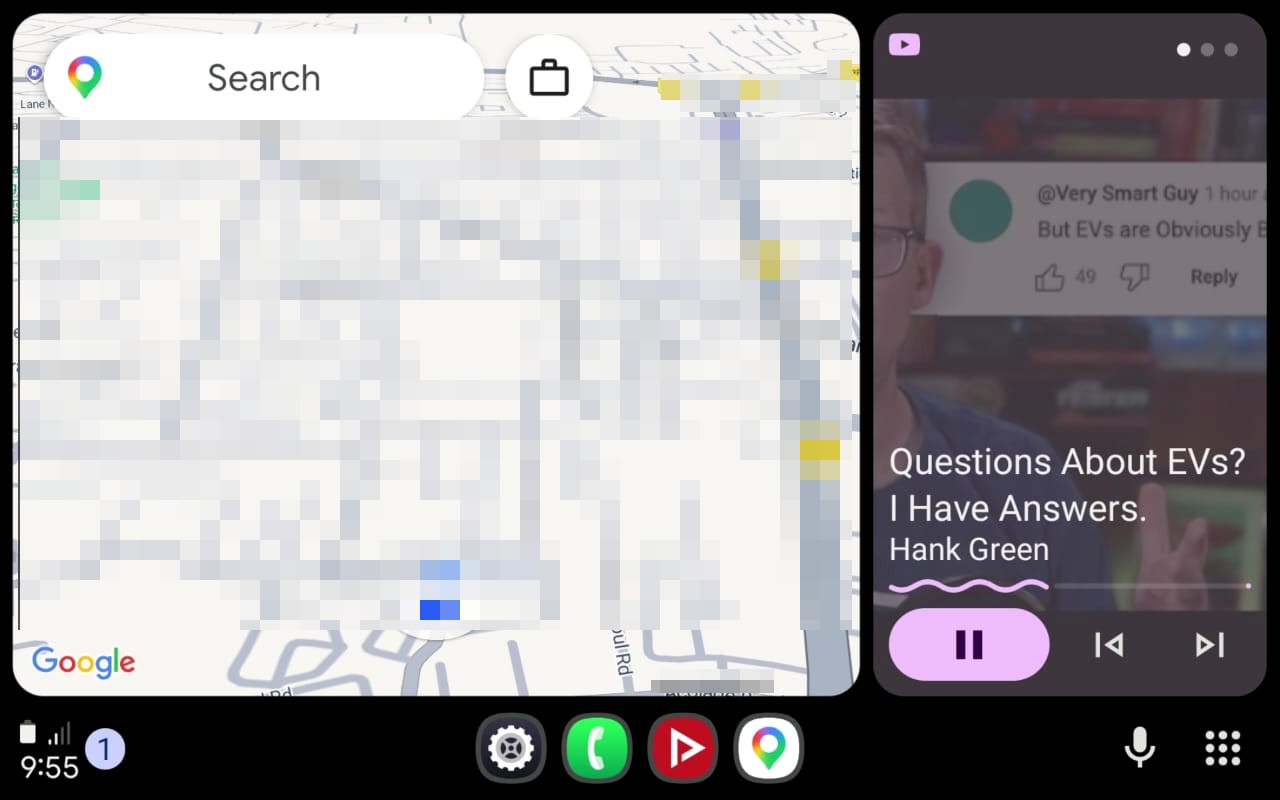
This update also brings YouTube Audio Play to Android Auto. This feature lets you stream audio from YouTube while driving. Think podcasts, interviews, music mixes, and more, without the video component. It combines with the new squiggle play bar.
Download Android Auto 16.9 APK
Get the latest Android Auto 16.9 beta from the official Play Store or download the APK from below.

APK Download
Starting with Android 11, Google released apps in Split APKs (multiple APKs) format. This means the app is split into several packages, including the base and config APK files. This resolves the compatibility issue and enables the installation of apps like the Google APK on any Android device with varying DPI, screen resolution, screen size, architecture, and more.
- Android Auto 16.9 beta download
- APK Mirror (rename .APKM to .ZIP)
- Then Install Split APKS/XAPK/APKM/ZIP using SAI Installer (FOSS)
Meet Expressive Launcher — A Fresh Way to Android
The wait is over. Expressive Launcher has graduated from beta and is now stable and available to everyone on the Google Play Store. Download it today and experience a fresh way to customize your Android home screen.

Get started
