
Gemini AI Gets a Stunning iOS Redesign: First Look at Gemini 2.0 UI


Subscribe for Updates
Google has quietly rolled out a striking visual overhaul of the Gemini AI iOS app, which may soon come to the Android app, featuring a dramatic new splash screen, glowing animated backgrounds, and a redesigned feature menu. Here’s your first detailed look at what’s changed.
Google also recently released the biggest update to the Gemini app with the April 2026 feature drop. In a single month, Google has pushed out an extraordinary volume of meaningful updates. Not simply incremental tweaks, but genuinely capability-expanding features that make the AI assistant extremely useful for your daily workflow. The latest Gemini update includes file generation, the 10th edition of Gemini Drops, and a dedicated MacOS app which is now available for download
Google Quietly Rolls Out a Major Gemini iOS Redesign
Google appears to have begun a staged rollout of a significant visual redesign for the Gemini AI app on iOS — and early screenshots reveal a dramatic departure from the previous interface. The update introduces a bold new aesthetic that leans into immersive dark visuals, animated particle effects, and a cleaner content layout, signaling a serious investment in the app’s premium feel.
The rollout appears to be limited to select users at this stage, characteristic of Google’s standard A/B testing approach before a wider public release.
The New Splash / Home Screen
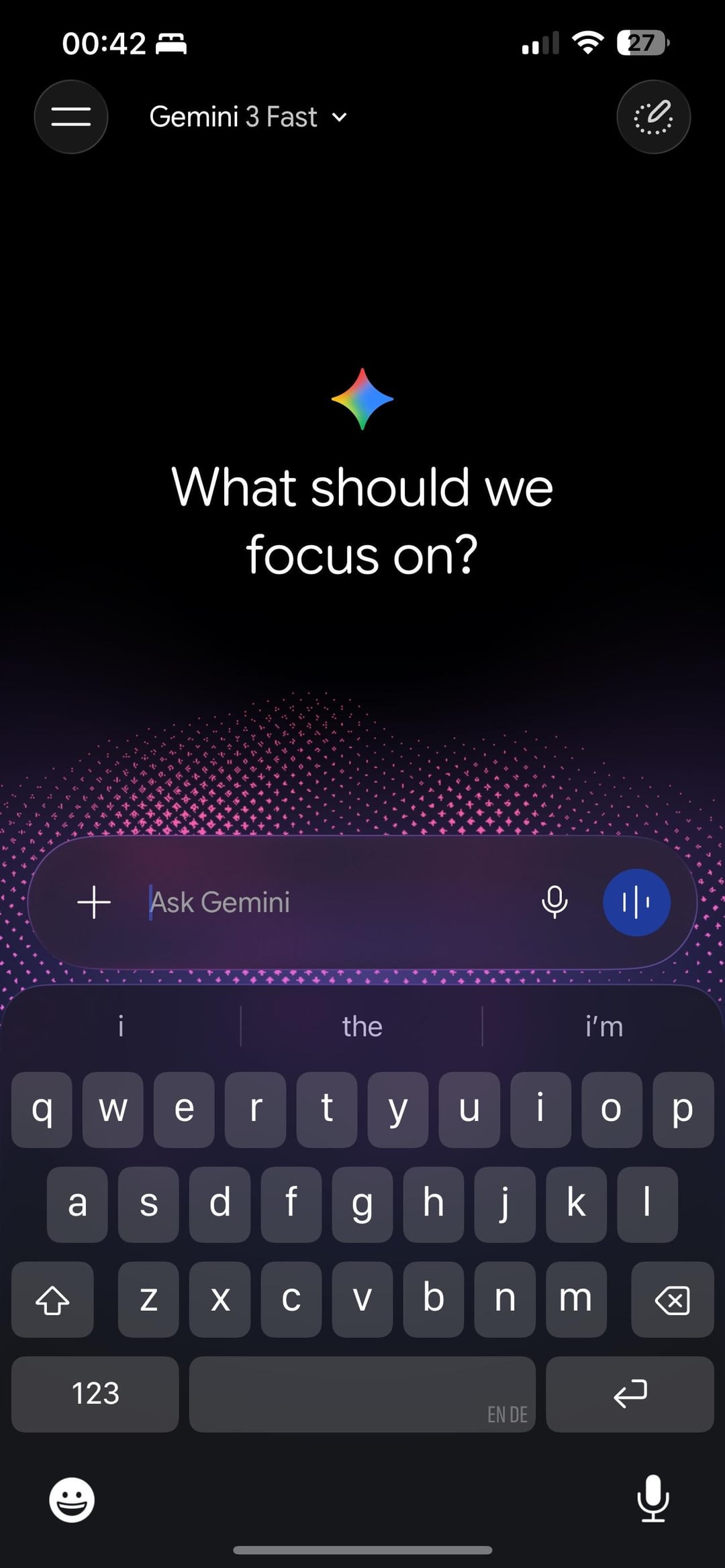
The most striking change is the completely redesigned welcome screen. Instead of a plain, utilitarian launch page, users are now greeted with:
- A deep black background that fills the entire screen, creating an immersive, premium atmosphere
- A glowing, animated particle field rendered in rich magenta and violet hues, cascading upward from the bottom of the screen like a living aurora
- A redesigned “Ask Gemini” input bar at the bottom, featuring a frosted-glass style pill shape with a “+” attachment button on the left, a microphone icon, and a distinct blue waveform/voice activity button on the right
The overall effect is cinematic — far closer in visual ambition to a premium consumer app than a utility tool.
The Redesigned Feature Menu
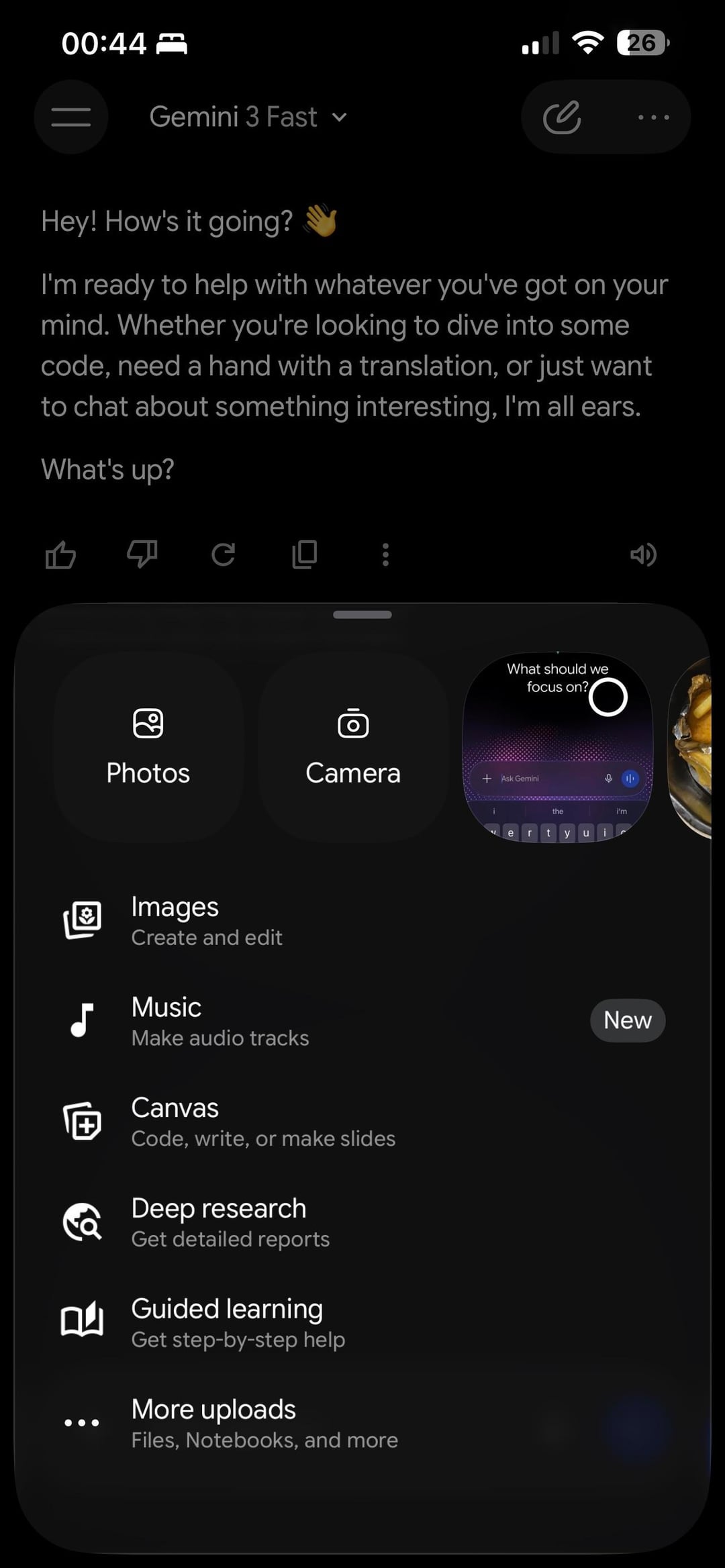
The second major change is visible in the expanded features/attachments panel, which now slides up as a well-organized bottom sheet. The new layout includes:
- Quick-access photo tiles at the top for Photos and Camera, displayed as large visual cards
- A neatly structured list of Gemini capabilities beneath, each with a dedicated icon and subtitle:
- Images — Create and edit
- Music — Make audio tracks (tagged as New)
- Canvas — Code, write, or make slides
- Deep research — Get detailed reports
- Guided learning — Get step-by-step help
- ••• More uploads — Files, Notebooks, and more
This is a substantial upgrade over the previous cluttered icon tray, making Gemini’s growing feature set far more discoverable and approachable for new users.
Gemini 2.0 UI?
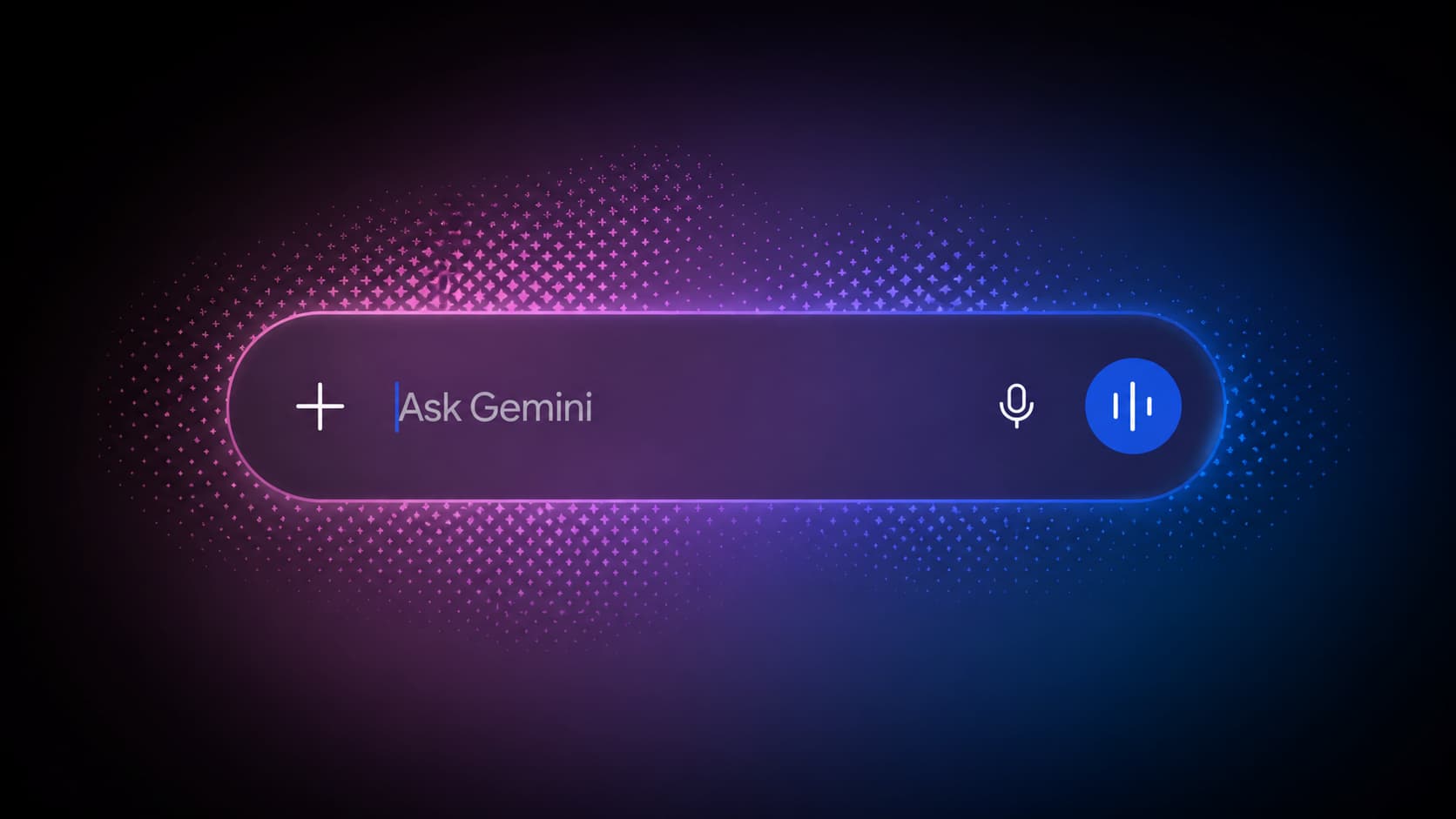
Google is working on a new Gemini 2.0 UI for Android. The design appears to be an early tease of the upcoming UI redesign from Google.
It is deeply integrated with iOS 26’s Liquid Glass design system — Apple’s latest UI framework that uses translucent, refractive material effects across interface elements. The frosted input bar, the smooth bottom sheet animations, and the layered depth of the new interface all point to Google deliberately building this version of Gemini to feel native to Apple’s newest design language.
For Android, however, leaked designs suggest Google is working on a parallel update featuring glowing background effects built on Material 3 Expressive design, which may be slightly different than this. This ensures both platforms receive visually refreshed experiences tailored to their respective design systems.
Coming to Android?
Given that this appears to be a staged rollout, a broader public release is likely imminent. Users who haven’t seen the new design yet should watch for an automatic update. No action is required, as the first reports confirm, the new interface appears upon relaunching the app after a background update.
A parallel Android redesign, featuring glowing gradient backgrounds called Gemini 2.0 UI, also appears to be in active development and could arrive alongside or shortly after the iOS update goes fully public with a similar design.
Meet Expressive Launcher — A Fresh Way to Android
The wait is over. Expressive Launcher has graduated from beta and is now stable and available to everyone on the Google Play Store. Download it today and experience a fresh way to customize your Android home screen.

Get started
