
Gemini for Wear OS 1.28 Update from Wear OS 6.1 Released (APK Download)


Subscribe for Updates
Google recently released the most anticipated Wear OS 6.1 software update for the Pixel range. It features intuitive gesture controls and powerful on-device AI. Today, Google released a major new update to Gemini for Wear OS, version 1.28, to correspond with the latest Wear OS software version, as well as adding some features of its own.
Google’s earlier move to replace the native Google Assistant on smartwatches with a dedicated Gemini for Wear OS app has been achieved, as it is now available for eligible devices worldwide. The initial rollout of the Gemini app began earlier this year for select devices and regions, but it has now achieved global availability.
Gemini for Wear OS APK is officially available on the Play Store, bringing the highly anticipated AI assistant to smartwatches. Many models, including the Pixel Watch, Samsung Galaxy Watch, TicWatch, OnePlus Watch, Oppo Watch, Xiaomi Watch, and Fossil Watch, can now download Gemini directly from the Play Store.
While the Wear OS team has only officially confirmed Gemini for Wear OS 4+ watches, users have been able to install it on Wear OS 3/3.5 across various manufacturers and device types. Furthermore, there are reports of Gemini functioning on Wear OS 3.0 and later versions. If the app doesn’t appear in the Play Store, you can still sideload Google Gemini on Wear OS 3+ using a dedicated tutorial.
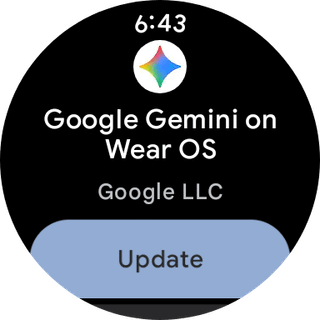
The current Play Store update is listed under the official name “Google Gemini on Wear OS” with version 1.28, which can also be sideloaded. Users have the option to download and install the latest Gemini update via the official Google Play Store or by sideloading. The installation process is simple, mirroring standard app installations, making it accessible to all users.
What’s new in Gemini for Wear OS 1.28?
Understanding that new gestures require a learning curve, Google has introduced an on-demand tutorial system for the Raise to Talk feature for Gemini. This educational approach ensures users can maximize the potential of their watch’s voice-activated capabilities.
The tutorial system provides:
- Step-by-step guidance on using the Raise to Talk gesture
- Interactive demonstrations of the feature in action
- Best practices for voice activation
Check out the Pixel Watch Help Center.
Enhanced Smart Replies: AI Power on Your Wrist
One of the most impressive technical achievements in this update is the enhancement of Smart Replies for Pixel Watch 3 and 4 users. Google has integrated a custom Gemma-based language model that runs entirely on-device, bringing powerful AI capabilities directly to your wrist.
Smart Replies now utilize a derivative of Google’s Gemma language model, specifically optimized for wearable devices. This represents a significant technological feat—compressing a powerful language model to run efficiently on the limited hardware of a smartwatch while maintaining response quality.
- 2x faster response generation compared to the previous system
- Nearly 3x more efficient in memory usage
- On-device processing when not connected to your phone
These improvements mean that Smart Replies are now m
APK Breakdown
Our APK breakdown series showcases what’s new in the latest Gemini for Wear OS APK. We teardown the APK and find what’s new in the source code of the latest update.
The latest update added an array of Gemini suggestions inclduing reminders, add note, find phone, lights off, and much more.
Here is what we found:
<public type=”array” name=”gemini_suggestion_array” />
<public type=”string” name=”gemini_suggestion_add_note” />
<public type=”string” name=”gemini_suggestion_festival_reminder” />
<public type=”string” name=”gemini_suggestion_find_phone” />
<public type=”string” name=”gemini_suggestion_lights_off” />
<public type=”string” name=”gemini_suggestion_playlist_run” />
<public type=”string” name=”gemini_suggestion_protein” />
<public type=”string” name=”gemini_suggestion_start_bike_ride” />
<public type=”string” name=”gemini_suggestion_start_run_music” />
<public type=”string” name=”gemini_suggestion_summarize_email” />
<public type=”string” name=”gemini_suggestion_timer_egg” />
<public type=”string” name=”suggestion_send_a_message” />
<public type=”string” name=”suggestion_set_a_5_minute_timer” />
<public type=”string” name=”suggestion_set_an_alarm_for_7_am” />
<public type=”string” name=”suggestion_summarize_my_last_email” />
<public type=”string” name=”suggestion_turn_off_the_lights” />
<public type=”string” name=”suggestion_weather_in_london” />
<public type=”string” name=”suggestion_whats_on_my_calendar” />
Gemini Suggestions
Gemini includes a range of smart, contextual actions designed to assist you with everyday tasks and routines.
List of Gemini Suggestions:
- Add a note
- Festival reminder
- Find phone
- Turn off lights
- Play running playlist
- Protein reminder
- Start bike ride
- Start run with music
- Summarize email
- Set egg timer
General Smart Suggestions
Alongside Gemini-specific prompts, the system also offers general quick suggestions for everyday use.
List of General Suggestions:
- Send a message
- Set a 5-minute timer
- Set an alarm for 7 AM
- Summarize my last email
- Turn off the lights
- Check weather in London
- View what’s on my calendar
We also found the following cod,e which adds more weather cards for Gemini for Wear OS:
<public type=”string” name=”settings_button_debug_live_mode_title” />
<public type=”string” name=”weather_card_header_high_temperature_content_description” />
<public type=”string” name=”weather_card_header_low_temperature_content_description” />
<public type=”string” name=”weather_card_header_precipitation_secondary_text” />
<public type=”string” name=”weather_card_header_toggle_units_separator” />
<public type=”string” name=”weather_card_header_wind_feels_like_secondary_text” />
Download Google Gemini on Wear OS
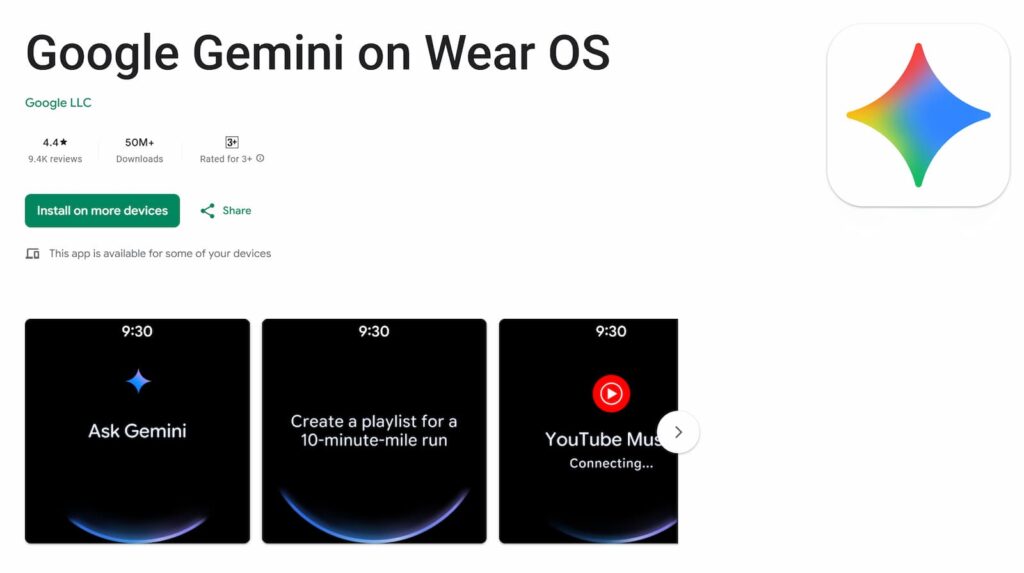
Download from the Play Store
Google has officially launched Gemini on the Wear OS app on the Play Store for major smartwatch brands.
Download the Google Gemini on Wear OS app from the Play Store. Visit the following link from your smartphone or Wear OS device.

APK Download
If none of the above methods work, just download the APK from below.
- Google Gemini on Wear OS
- How to install or sideload Android apps on Wear OS
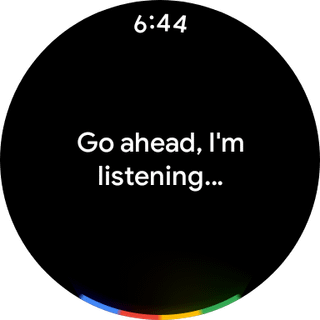
Activate Gemini by saying “Hey Google” or Ask Gemini pressing and holding your watch’s side button, or tapping the Gemini app icon on your watch screen.
Meet Expressive Launcher — A Fresh Way to Android
The wait is over. Expressive Launcher has graduated from beta and is now stable and available to everyone on the Google Play Store. Download it today and experience a fresh way to customize your Android home screen.

Get started
