How to Change CSC and Region on Samsung Galaxy Devices Without Root
Subscribe for Updates
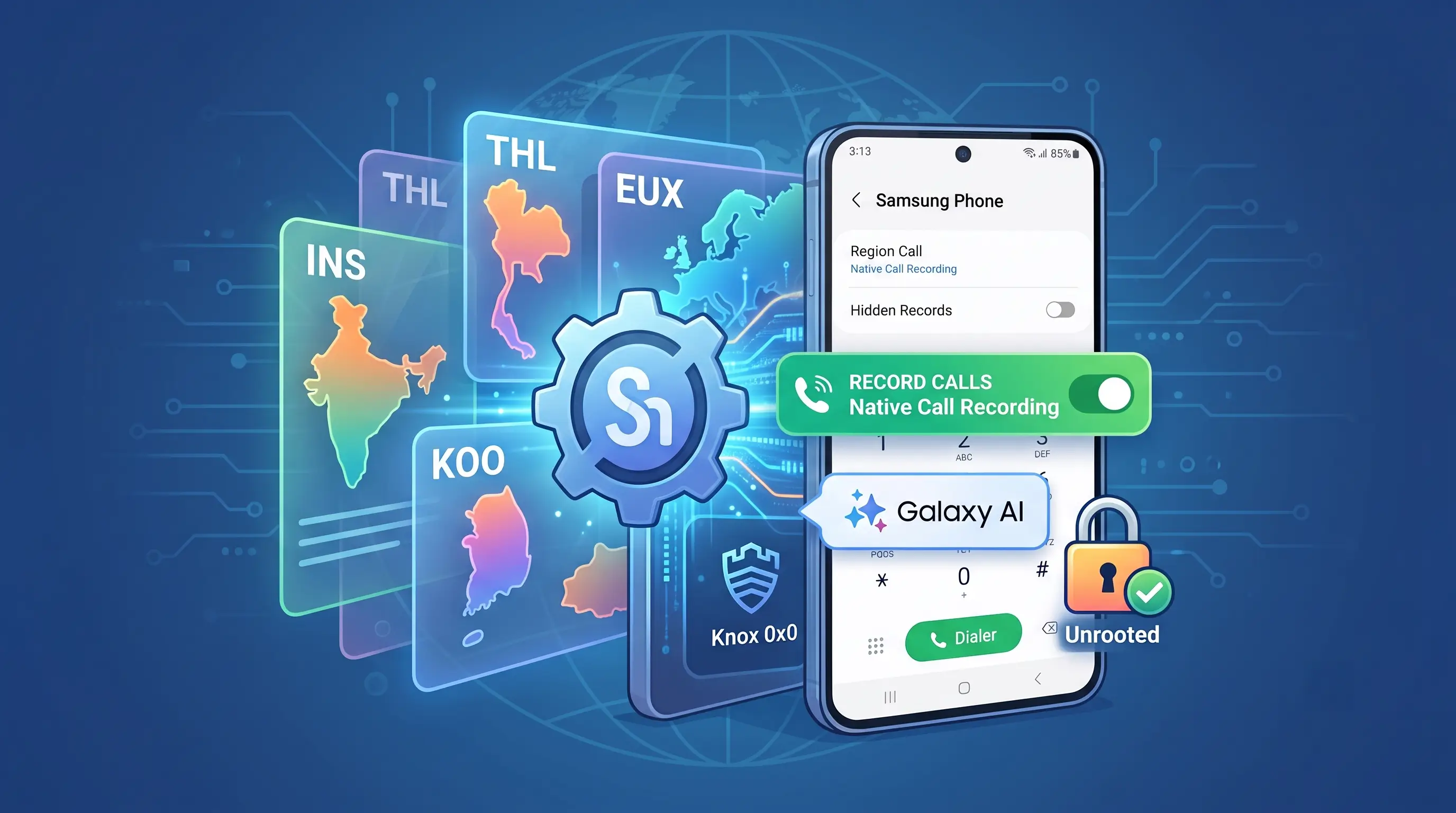
Samsung configures the features, updates, and service availability of Galaxy smartphones using a software identifier known as the CSC (Country Specific Code). By changing or spoofing this regional profile, Galaxy owners can bypass arbitrary geographical restrictions to enable features like native automatic call recording, localized Galaxy AI capabilities, latest software updates, and access to regional storefront features without tripping Knox or wiping device storage.
Quick Summary: Changing CSC on Samsung
- What It Does: Overrides regional software policies to unlock restricted features like native dialer call recording (e.g., via INS or THL profiles), regional Galaxy AI tools, and faster OTA server queries.
- The No-Root Method: Uses Samsung Region Override paired with Shizuku to elevate ADB-level runtime permissions, spoofing SIM operator identity, network MCC/MNC, and system country tags without flashing firmware.
- Zero System Tampering: Does not trip Samsung Knox (0x0 warranty remains intact), does not void warranties, and does not require unlocking the bootloader.
- Strict Hardware Rule: Works on physical SIM slots only; do not attempt this workflow on an active eSIM profile.
What is a Samsung CSC (Country Specific Code)?
The Country Specific Code (CSC) is a three-letter software parameter embedded within Samsung’s official firmware. It instructs One UI on how to behave based on local regulatory standards, carrier partnerships, and geographic regions.

Even if two devices share the exact same hardware silicon, their active CSC dictates:
- Feature Availability: Native auto-call recording in the Samsung Phone dialer, Samsung Wallet configurations, Smart Call caller ID/spam protection, and regional Galaxy AI tools.
- Firmware Update Schedules: When your phone receives monthly security patches or major OS upgrades.
- Network & Carrier Configurations: Supported VoLTE/VoWiFi profiles, 5G band aggregations, and regional APN defaults.
Most international Galaxy models run on a unified Multi-CSC package (most commonly OXM for global SM-S...B variants). This means your phone already contains dozens of global regional profiles. It simply hides or disables them based on the active SIM and software code assigned at setup. For a complete directory of regional codes, consult our comprehensive list of Samsung Galaxy CSC and Product Codes
Why Change Your Samsung Galaxy CSC?
Changing or spoofing your device’s regional parameters solves several common regional lockouts:
- Enabling Native Call Recording: While third-party call recorders are heavily restricted on modern Android builds, Samsung maintains an integrated, high-quality call recorder directly inside its stock Phone app in specific countries (such as India –
INS, Thailand –THL, and Vietnam –XXV). - Accessing Regional Galaxy AI & Store Services: Certain features within the Galaxy Store, Samsung Members, and localized AI toolsets deploy exclusively in select geographic zones due to language licensing or localized servers.
- Faster Access to Software Rollouts: Major firmware upgrades and monthly maintenance patches roll out in staged regional waves. Changing effective country parameters allows you to pull OTA updates from servers that receive firmware releases first.
Region Override vs. Hardware Firmware Flashing
Before proceeding, it is critical to understand the distinction between flashing via Odin and using runtime overrides:
| Metric / Dimension | Traditional Odin/SamFw Flash | Samsung Region Override (Shizuku) |
| System Modification | Rewrites system partitions | Spoofs telephony/system parameters at runtime |
| Data Loss Risk | High (Requires backup/potential wipe) | None (Zero data loss) |
| Knox Counter | Unaffected if using official binary | Completely untouched (0x0 safe) |
| PC Required? | Yes (Windows required for Odin/SamFw) | No (Configured entirely on-device via Wi-Fi) |
| Target Scope | Permanent OS-level CSC change | Intercepts carrier and app-level country tags |
The Compatibility Rule: This method works best on devices with global, open multi-CSC firmware branches (such as SM-...B running OXM). If your device is a carrier-locked US model (SM-...U), deep firmware locks may prevent certain non-domestic profiles from mounting.
Target Regions and Recommended CSC Codes
When selecting a regional profile to switch or disguise your device to, select a code that natively supports your intended features:
| Target Region | Primary CSC | Intended Features & Benefits |
| India | INS | Top recommendation: Full native call recording without shutter sounds, broad international frequency bands, and full global multi-CSC compatibility (SM-...B). |
| Thailand | THL | Reliable native dialer call recording; standard alternative for Southeast Asian variants. |
| Germany / Europe | EUX (or DBT) | Best choice for devices originating in the European Economic Area; receives prompt, consistent software updates. |
| United Kingdom | EUX (or BTU) | Standard alternative for European hardware variants. |
| South Korea | KOO | Open domestic profile for Korean market models (SM-...N). |
| United States | XAA / TMB | Open, unlocked firmware profile tailored exclusively for North American Snapdragon hardware (SM-...U/U1). |
Prerequisites
Before beginning the setup, confirm your device meets the following configuration requirements:
- Use a Physical SIM Card Only:Do not use an active eSIM for this process. Attempting to manipulate telephony profiles over a virtual eSIM can cause carrier credential de-registration or network configuration errors. Use an active or expired physical SIM card.
- Model Compatibility: Your phone must run stock One UI firmware compatible with the target regional branch.
- Active Wi-Fi Connection: Disguising carrier and network identifiers will temporarily disconnect your mobile data connection. Keep Wi-Fi active throughout the process.
- Shizuku App: Downloaded from the Google Play Store or official GitHub releases.
- Samsung Region Override APK: Installed on your Galaxy phone (v4.0.0 or later).
Step-by-Step Guide: Overriding Your Galaxy Region
Step 1: Initialize and Authorize Shizuku
Shizuku provides secure, command-line system permissions to user-facing apps without requiring root access. You can follow our detailed tutorial on how to setup Shizuku. Or follow the steps below.
- Download and install Shizuku from the Google Play Store or GitHub.
- Open your phone’s Settings ➔ Developer options. (If hidden, go to Settings ➔ About phone ➔ Software information and tap Build number seven times).
- Scroll down, toggle Wireless debugging to On, and tap the text to enter the configuration sub-menu.
- Tap Pair device with pairing code. A 6-digit code and port number will appear.
- Pull down the notification shade, open the Shizuku pairing notification, enter the code, and tap Send.
- Return to the Shizuku app and tap Start. Ensure the status screen displays: “Shizuku is running”.
Step 2: Configure Samsung Region Override
- Launch the Samsung Region Override app.
- When prompted for permission, tap Allow all the time to grant access via Shizuku.
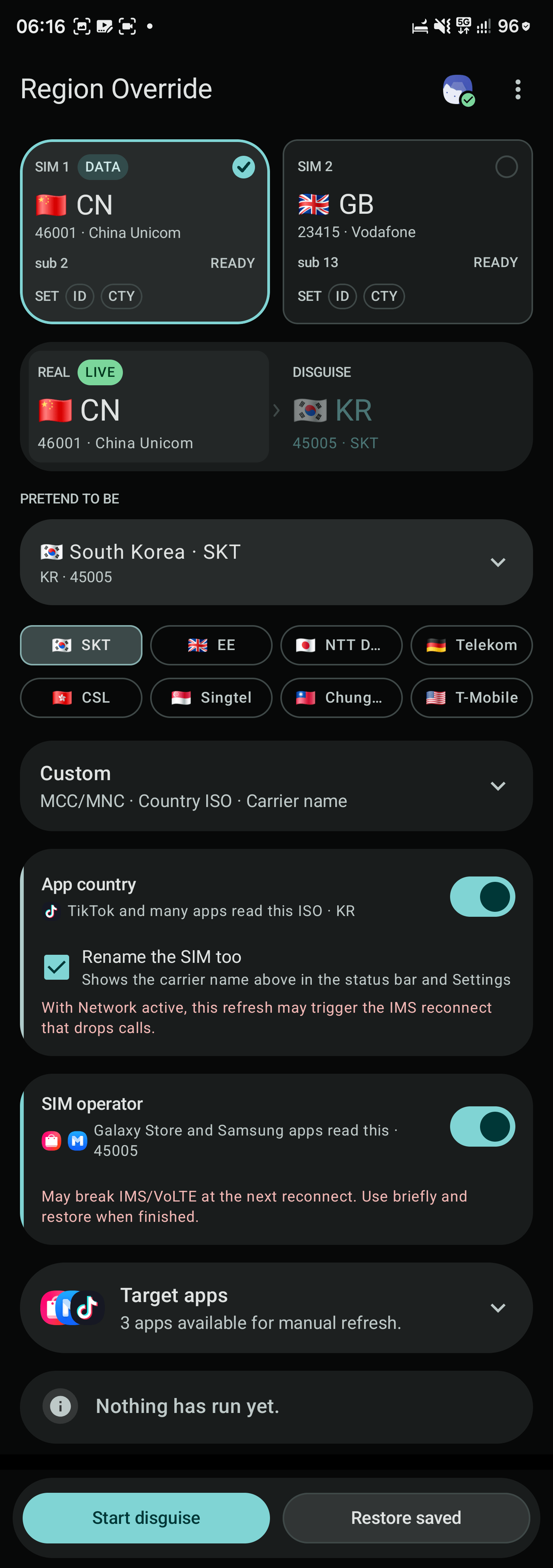
- In the SIM Selection tab, ensure your primary physical SIM card slot is checked.
- Open the Region / Preset menu and select your intended target CSC (e.g., India – INS for native call recording, or Germany – EUX).
- Toggle the operational modules:
- App Country: Set to ON.
- SIM Operator / Network: Set to ON (this overrides the Mobile Country Code / Mobile Network Code tags read by system packages).
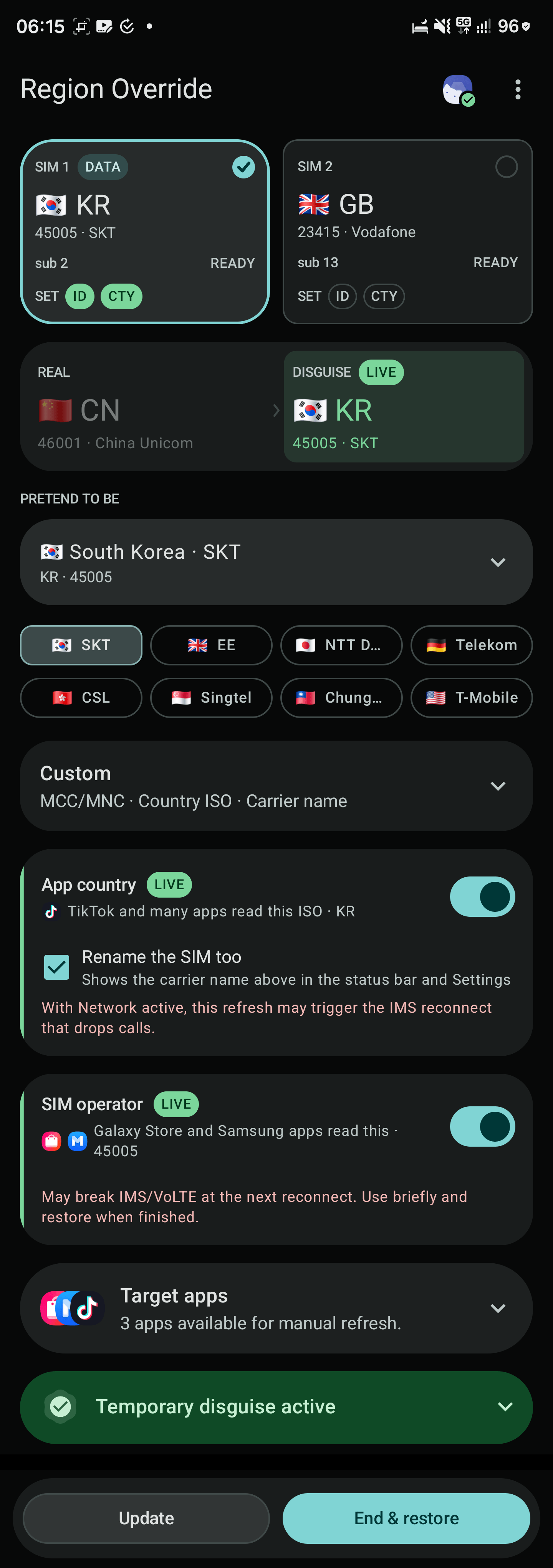
- Tap Start disguise. A persistent status notification will confirm that the simulated network identity is operational.
Step 3: Refresh Targeted System Services
To ensure the new region tags take effect across Samsung’s ecosystem:
- Inside Samsung Region Override, navigate to the Target apps panel.
- Select your target apps (such as Phone, Galaxy Store, or Samsung Members) and tap Stop & open (or tap Clear Cache).
- Open the stock Phone app, navigate to Settings, and confirm whether the native Record calls option is now accessible in the menu.
Step 4: Fallback Verification (If Apps Do Not Update)
If system applications continue to read your original domestic country profile:
- Install Shortcut Maker or Activity Launcher from the Play Store.
- Enable search for system components.
- Search for
Countryor locate the Samsung Setup Wizard (SecSetupWizard). - Find and launch:
com.sec.android.app.SecSetupWizard.UI.CountrySelectionActivity - Manually assign the selection to your targeted region (e.g., India or Germany).
- Reboot your device, re-engage the Shizuku service, and verify the settings inside Samsung Region Override.
Step 5: Restore Standard Telephony Settings
Leaving carrier MCC/MNC masks running continuously will prevent standard cellular calls, SMS messages, and VoLTE/VoWiFi IMS registration from completing.
- Pull down the Android notification shade.
- Tap Restore now on the active Samsung Region Override service banner (or open the app and tap End & restore).
- Your physical cellular data and operator parameters will immediately return to normal, while localized application settings and downloaded packages remain retained.
Video tutorial on how to change CSC to receive latest update
Thanks to @mikeydoestech on TikTok for the video tutorial. Enjoy One UI 9 on your device!
Experience Expressive Launcher
Clean, fluid Material 3 customisation engineered specifically for modern Android setups. Available now on Google Play, or join the community for regular updates.
Get on Google Play