
Download GTA 5 for Android Port

Subscribe for Updates
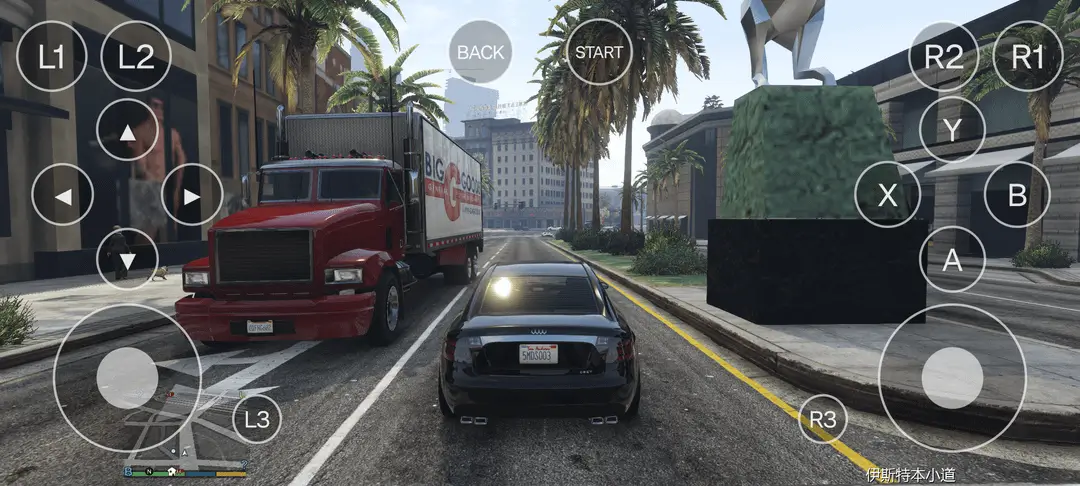
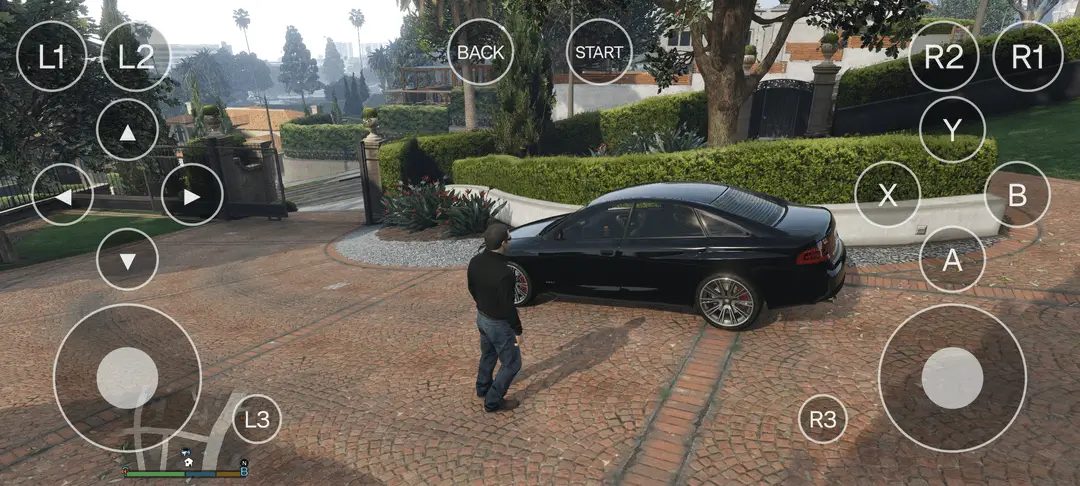
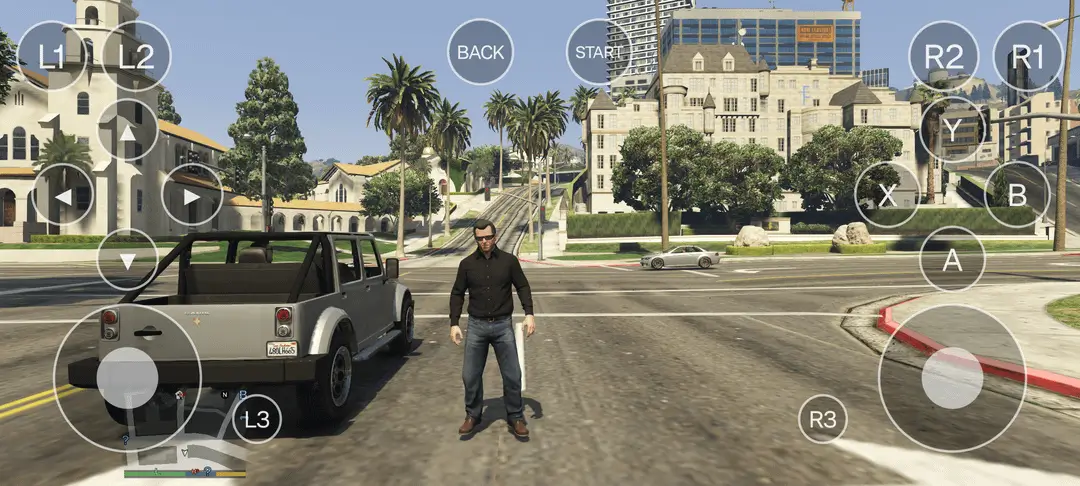
GTA V on Android Is no longer just a dream. Following the GTA Trilogy officially released by Rockstar on Netflix, iOS, and Google Play Store, the GTA V on Android has emerged with an unofficial port for the Android Emulators. GTA 5 runs great on certain Snapdragon processors. See the list below and download the GTA 5 to try it for yourself.
For years, Grand Theft Auto V running directly on an Android handset sounded like clickbait. Rockstar Games officially restricts GTA V to PC and consoles, while its mobile catalogue remains anchored to classic legacy ports like San Andreas, Vice City, GTA III, and Liberty City Stories.
Because GTA 5 is a huge game taking a whopping 100 GB in size, Rockstar may have held back on releasing GTA 5 to mobile. However, the emulation and homebrew communities have drastically shifted that reality. Various users have installed the GTA 5 port, and have confirmed that an early playable build compiled by a Chinese developer is available publicly.
Testers have downloaded, extracted, and booted the game onto modern flagship silicon, running Story Mode missions directly on ARM hardware.
Important Warning: This is an unofficial, unauthorized community mod leveraging leaked assets, not an official Rockstar Games release. Downloading untrusted binaries from third-party cloud hosts carries inherent malware risks, software bugs, and potential copyright violations.
What Exactly Is This “Chinese Port”? (Native vs. Translation Layer)
A debate immediately sparked within the community: is this an authentic source-level native port, or an advanced wrapper?
- The Architecture Reality: While distributed as an installable Android APK with local data folders, community teardowns reveal that it relies on internal translation and rendering wrappers—including DXVK and Wine/Box-based runtime hooks—packaged directly into a self-contained loader.
- The Leaked Source Catalyst: Commenters noted that the port relies on the landmark GTA V source code leak, allowing the developer to recompile and adapt components for ARM/Linux targets using AI-assisted programming tools.
- Independent Developers: The scene currently tracks two competing projects: the viral Chinese beta build circulating now, and an in-development native port headed by independent homebrew developer Mosjo (who worked on the unofficial Nintendo Switch port).
The Massive Storage: 66 GB to 165 GB
Mobile storage is the first major barrier for anyone attempting to test the build. The distribution is fragmented into several distinct community packages:
- Initial Cloud Distribution: ~106 GB archive (distributed across Chinese cloud storage platforms like 123pan).
- Stripped/Core Package: ~66 GB (created by testers like Reddit user
0nePlus, removing non-essential update packs). - Full Uncompressed Asset Build: Up to 110 GB – 165 GB (inclusive of high-resolution textures, uncompressed audio, and full DLC repositories).
Mobile Asset Compression
Simply stripping files to save phone storage creates severe mission bugs. Testers running the slimmed-down 66 GB build reported that the prologue bank robbery mission breaks: upon exiting the bank, the police squad cars and dynamic AI fail to spawn, making it impossible to trigger the getaway sequence. Restoring the uncompressed asset packages resolves the trigger, proving that aggressive pruning breaks the game’s delicate mission scripts.
Hardware Compatibility & CPU Requirements
A detailed compatibility breakdown surfaced in defining the supported SoC tiers. The build targets Qualcomm Adreno GPUs heavily, with emerging support for modern Samsung Xclipse (AMD RDNA) silicon:
Supported Processors & GPUs
| SoC Family | Compatible Chipsets | GPU Architecture | Status / Expectation |
| Snapdragon 8 Series | SD 865, 865+, 870, 888, 888+ | Adreno 650, Adreno 660 | Playable at low settings / 720p |
| Snapdragon Modern Flagships | SD 8 Gen 1, 8+ Gen 1, 8 Gen 2, 8 Gen 3 | Adreno 730, Adreno 740, Adreno 750 | 30–60 FPS with proper thermal cooling |
| Snapdragon 8 Elite / Next-Gen | SD 8 Elite, 8 Elite Gen 5, Gen 6 series | Adreno 830, Adreno 840, Adreno 850 | Native resolution, 60–80+ FPS capable |
| Snapdragon Sub-Flagships | SD 7+ Gen 2, 7+ Gen 3, 8s Gen 3, 8s Gen 4 | Adreno 725, Adreno 732, Adreno 735, Adreno 825 | Mid-range stability; shader drops common |
| Snapdragon Handheld & XR | Snapdragon G3x Gen 1/2/3, XR2 / XR2+ Gen 1/2 | Adreno 650, Adreno 740, Adreno A32/A33 | Experimental boot |
| Samsung Exynos (AMD RDNA) | Exynos 2200, 2400, 2400e, 2500, 2600 | Xclipse 920, 940, 950, 960 | Working via Vulkan / ANGLE layers |
| Exynos Mid-Tier | Exynos 1480, 1580 | Xclipse 530, Xclipse 540 | Low frame rates, heavy stuttering |
What About MediaTek Dimensity, Google Tensor, and Mali?
The developer documentation notes that platforms powered by Mali GPUs, PowerVR, and older MediaTek Helio chips are unsupported. Google Tensor chips and MediaTek Dimensity processors currently fail to initialize the custom translation layer due to missing driver extensions and specialized Vulkan instruction sets that Adreno and Xclipse handle natively.
Real-World Performance & Thermal Throttling
User testing across devices like the Poco F8 Ultra (Snapdragon 8 Elite) and premium foldables reveals promising frame rates accompanied by intense thermal loads:
- Frame Rates: Testers report hitting 60 to 80+ FPS on Snapdragon 8 Elite devices with “WildBoost” or performance profiles enabled.
- Thermals: The game pushes the battery and SoC temperature past 47°C within minutes. Without active external magnetic coolers, aggressive thermal throttling kicks in, cutting frame rates in half and introducing massive frame-time spikes.
- Crash Workaround: Editing the game’s internal
settings.xmlfile to force shadows completely off prevents the engine from crashing during shader compilation on several Snapdragon devices.
Game-Breaking Bugs in Early Beta
Despite moving past the proof-of-concept phase, the port remains riddled with early beta quirks:
- DXVK Startup Failures: Games crash immediately to the home screen after showing touch controls if the correct driver wrapper isn’t set.
- Video Playback Hangs: The opening cinematic frequently freezes visual rendering while the background audio track continues looping.
- Language Roadblocks: The initial build boots strictly in Chinese; switching the interface to English requires manually configuring internal config files or navigating nested UI menus.
- Script Failures: Beyond the Prologue bank heist bug, driving into densely populated Los Santos intersections can cause rapid asset pop-in or hard lockups.
Is GTA Online Possible?
The short answer is no.
While Story Mode assets can be rendered locally via modified loaders, GTA Online relies on Rockstar’s proprietary backend servers, encrypted Social Club authentication, real-time matchmaking, anti-cheat validation, and live service telemetry. Running an unofficial ARM translation layer on an open Android ecosystem cannot interface with official Rockstar infrastructure without immediate disconnection or account termination. Any current claims of “GTA Online APKs” remain outright scams.
Should you download the GTA 5 port?
I would advise no. Currently available port is an unstable Chinese port; possibly vibe coded and not optimized. May have severe bugs and will take up 100+ GB of storage on your phone. So unless you have a high end phone with massive available storage, you should wait for the official “native” port which will be released soon. Native in the sense that comes from a veteran developer who has ported PC games for Android emulators before.
Until developers solve the massive 100+ GB footprint, optimize asset streaming, and establish broad MediaTek and Tensor compatibility, this Chinese beta port remains a technical showcase reserved for tinkerers equipped with flagship silicon and external cooling accessories.
Download GTA 5 for Mobile
- Grand Theft Auto 5
- Download Link 1 (first official link)
- Download Link 2 (mirror)
- Download Link 3 (mirror 2)
How to install GTA 5 on any Android phone?
This build does not run inside a standard third-party emulator app like Winlator, Mobox, or GameHub.
Instead, it is packaged as a self-contained Android APK wrapper that bundles embedded Wine, Box64, DXVK, and native ARM translation libraries directly into the launcher itself. It launches straight from your Android app drawer just like a native mobile title, reading game data placed in your phone’s storage.
Requirements Before Starting
- Free Storage: At least 120 GB to 150 GB of free internal UFS storage (66 GB minimum for stripped packages, ~106 GB for the complete asset archive).
- Hardware: Snapdragon 8 Gen 1 / 8 Gen 2 / 8 Gen 3 / 8 Elite (or an Exynos chip with AMD Xclipse GPU). MediaTek Dimensity, Google Tensor, and Mali GPUs are currently unsupported.
- File Management: A tool that handles deep archive extraction, such as ZArchiver.
Installing GTA 5
1.Extract the Game Assets:
Download the multi-part .7z or .zip archive to your phone or PC. Using ZArchiver, extract the full archive. You will see an .apk installer and a primary game data folder containing standard PC .rpf files, x64 directories, and configuration scripts.
Verification: Verify that the extracted game folder is between 66 GB and 106 GB in size and contains files like common.rpf and x64a.rpf.
2.Move the Data Folder to Storage:
Move the extracted game assets folder to your phone’s internal storage root (or the exact path designated by the loader, typically /sdcard/GTAV/ or inside Android/data/[package_name]/files/ as outlined in the Chinese readme.txt).
Verification: Ensure file permissions allow the folder to be read and that no nested duplicate folders were created (e.g., avoid /GTAV/GTAV/...).
3.Install the Port APK:
Install the custom port launcher .apk. When Android prompts you for permissions on first launch, grant All Files Access (MANAGE_EXTERNAL_STORAGE) so the embedded wrapper can read the 100GB+ directory.
Verification: The app icon will appear in your launcher and open to a splash/controls screen instead of throwing a missing storage permission error.
4.Configure Crash Workarounds:
Open the extracted settings.xml inside the game directory using a text editor. Locate the <ShadowQuality> and <Lighting_Shadows> values and set them to 0 (Off), then set the game resolution to 1280x720.
Verification: Setting shadow quality to 0 prevents the Adreno driver from crashing during initial shader compilation.
5.Boot and Switch Language:
Launch the app. Once the on-screen touch overlay initializes and the game reaches the main menu, navigate to the Settings tab (设置) ➔ Language (语言) and switch the interface from Simplified Chinese to English.
Verification: Menu text will switch to English, and the Prologue sequence will begin rendering.
Meet Expressive Launcher — A Fresh Way to Android
The wait is over. Expressive Launcher has graduated from beta and is now stable and available to everyone on the Google Play Store. Download it today and experience a fresh way to customize your Android home screen.
Get started
