
Final Android 17 Beta 4 Released Before Stable Released (Download)



Subscribe for Updates
The Android release train keeps moving, and with Beta 4 now officially out, the clock is ticking for developers. This is the last scheduled beta before Android 17 hits stable, according to Google’s developers blog. This means if your app, library, or game engine isn’t tested and ready, you’re already behind. Let’s break down everything that matters in this milestone release and what you need to do right now.
As for the end user, Google’s Android Beta Program has officially rolled out Android 17 Beta 4 (build CP21.260330.008) to all eligible Pixel devices, based on Google’s April 2026 security patch. This release focuses heavily on stability and bug resolution rather than new features, a clear sign that Android 17 is closing in on a stable release.
Android 17 Beta 4 Is Here: Everything You Need to Know About Build CP21.260330.008
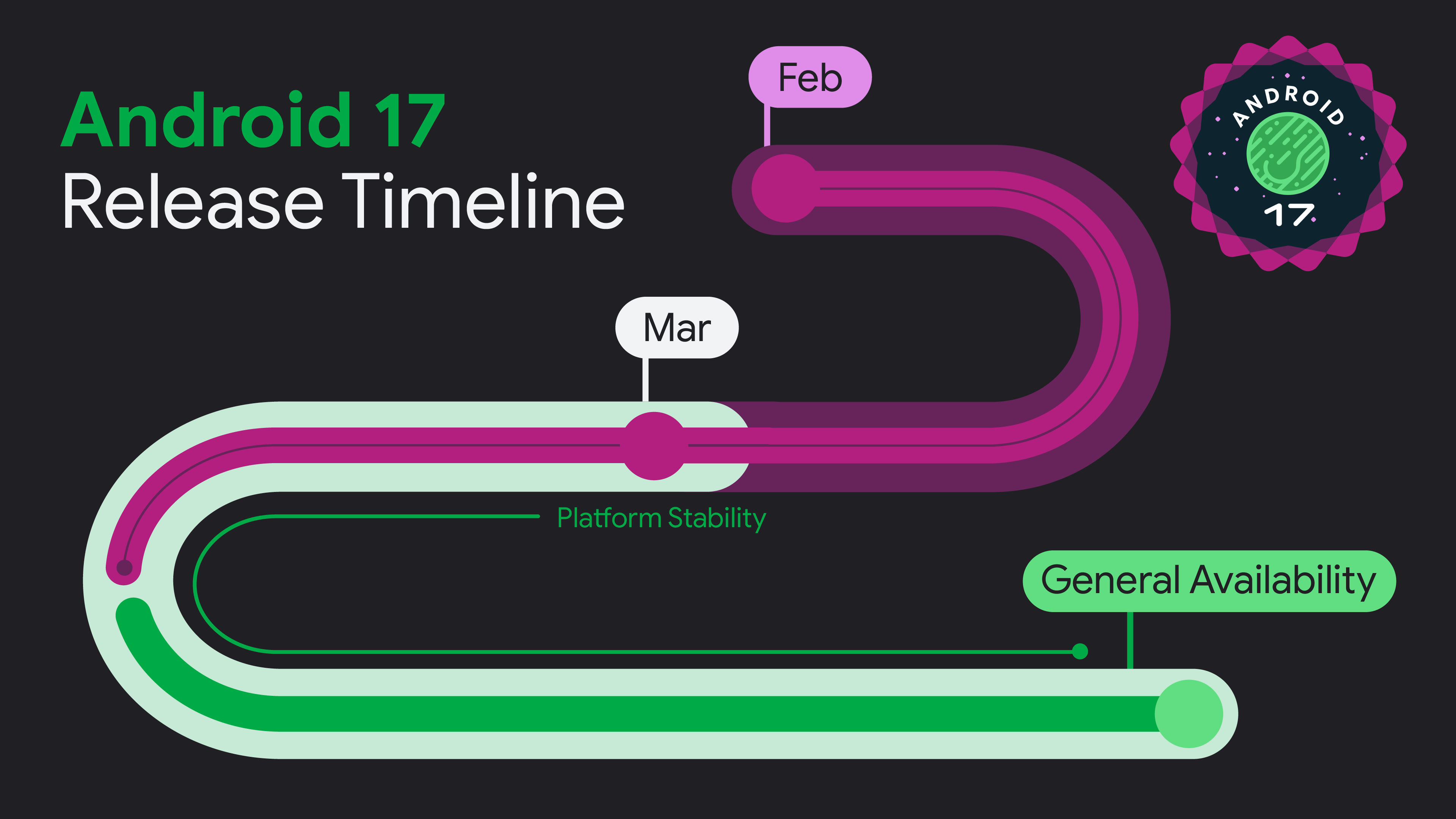
Why Beta 4 Is the Most Important Build Yet
Every Android beta cycle has a point of no return, and Beta 4 is it. Google has described this as the near-final environment for app compatibility testing. After this, the APIs are locked, the behavior changes are finalized, and the platform is essentially what ships to users worldwide.
If you’re still in “we’ll get to it” mode, this is your wake-up call. SDK and library developers especially need to act immediately — a failure on your part doesn’t just affect you, it blocks every downstream developer who depends on your tools.
Major Bug Fixes in Beta 4
Charging & Battery
- Slow charging near 80% — A frustrating bug caused charging speeds to drop significantly as the battery approached the 80% threshold, delaying bypass mode. This has now been resolved.
Display
- Multicolored horizontal lines — Random colored lines obscuring the screen affected multiple users across several device models. This rendering issue has been patched.
Connectivity
- Bluetooth re-enable failure — Users were unable to turn Bluetooth back on after disabling it through Settings or Quick Settings. Fixed.
- Wi-Fi analyzer apps broken — One of the most widely reported issues, Wi-Fi scanning apps were completely unable to detect available networks. The fix references no fewer than 24 separate bug reports, underscoring how widespread this was.
Messaging & Input
- Device freeze while typing — Phones were spontaneously freezing and restarting during use in messaging apps. Fixed.
Notifications
- Silent notifications playing sounds — Notifications marked with
setSilent(true)were incorrectly triggering alert sounds on Android 16 when multiple notifications were present. - Notification drawer causing System UI crash — Pulling down the notification shade during an active feedback report could freeze the entire device.
Accessibility
- Device becoming completely unresponsive — A serious accessibility bug rendered phones totally unusable.
- Split-screen interaction failure — Users couldn’t properly interact with apps after minimizing and returning to a split-screen session.
Media & UI
- Media control widget disappearing — The media control widget was vanishing or failing to switch between active media sessions.
- Dream services not responding — Dream services (screen savers/ambient display) failed to handle key events and lifecycle callbacks correctly.
Sharing & Wallpapers
- Webpage URLs appended to screenshots — When sharing a screenshot from the capture preview, URLs were being silently attached to image files. Now fixed.
- **Cinematic &.
Android 14 Beta 4 updates for developers
Resizability on Large Screens — No More Opt-Outs
One of the most significant UI-level changes in Android 17 targets apps on tablets, foldables, and large-screen devices. Once your app targets Android 17, you can no longer opt out of maintaining orientation, resizability, and aspect ratio constraints on large screens. The days of locking your app to portrait mode on a tablet and calling it a day are over.
This is a long-overdue enforcement. Google has been nudging developers toward large-screen support for years, and now they’re making it mandatory. If your app has hardcoded orientations or rigid aspect ratios, you need to audit your layouts now.
What to do:
- Test your app on a foldable emulator or large-screen device profile in Android Studio
- Review your
AndroidManifest.xmlfor anyscreenOrientationorresizeableActivityattributes - Use adaptive layouts with
WindowSizeClassto handle different screen configurations gracefully
Safer Dynamic Code Loading Extends to Native Libraries
Android 14 introduced Safer Dynamic Code Loading (DCL) protections for DEX and JAR files. Android 17 now extends these protections to native libraries. Any native file loaded via System.load() must be marked as read-only — fail to comply, and the system throws an ` experience win worth highlighting. Android Studio Panda adds LeakCanary integration directly into the Android Studio Profiler as a dedicated task, contextualized within the IDE and fully integrated with your source code. Previously, using LeakCanary meant adding it as a debug dependency and sifting through logcat. Now it’s a first-class profiling task right where you’re already working.
Memory best practices to follow:
- Establish a memory baseline for your app using the Profiler
- Audit for context leaks, static references, and unclosed resources
- Use
TRIGGER_TYPE_ANOMALYwithProfilingManagerto capture heap dumps at the moment memory limits are breached - Monitor
ApplicationExitInfoin your crash analytics
Profiling Triggers for App Anomalies
Android 17 introduces an on-device anomaly detection service integrated with ProfilingManager. This is genuinely powerful tooling for production debugging.
Using TRIGGER_TYPE_ANOMALY, your app can receive profiling artifacts — heap dumps, stack sampling profiles — triggered by system-detected events like excessive binder calls or memory overages. Critically, the callback fires before any system enforcement action, giving you a window to collect diagnostic data before the system terminates your app.
Here’s the setup in Kotlin:
val profilingManager = applicationContext.getSystemService(ProfilingManager::class.java)
val triggers = ArrayList<ProfilingTrigger>()
triggers.add(ProfilingTrigger.Builder(ProfilingTrigger.TRIGGER_TYPE_ANOMALY))

val mainExecutor: Executor = Executors.newSingleThreadExecutor()
val resultCallback = Consumer<ProfilingResult> { profilingResult ->
    if (profilingResult.errorCode != ProfilingResult.ERROR_NONE) {
        setupProfileUploadWorker(profilingResult.resultFilePath)
    }
}

profilingManager.registerForAllProfilingResults(mainExecutor, resultCallback)
profilingManager.addProfilingTriggers(triggers)
The ability to upload profiling artifacts to your server for post-hoc analysis means you can finally get actionable data from production environments where attaching a debugger isn’t possible.
Post-Quantum Cryptography Lands in Android Keystore
This is the headline security feature of Android 17 for enterprise and security-focused developers. Android Keystore now supports ML-DSA (Module-Lattice-Based Digital Signature Algorithm), a NIST-standardized post-quantum cryptographic algorithm.
On supported devices, you can generate ML-DSA keys in secure hardware and produce quantum-safe digital signatures. The two supported variants are ML-DSA-65 and ML-DSA-87, both exposed through standard Java Cryptographic Architecture APIs: KeyPairGenerator, KeyFactory, and Signature.
KeyPairGenerator generator = KeyPairGenerator.getInstance(
    "ML-DSA-65", "AndroidKeyStore");
generator.initialize(
    new KeyGenParameterSpec.Builder(
        "my-key-alias",
        KeyProperties.PURPOSE_SIGN | KeyProperties.PURPOSE_VERIFY)
    .build());
KeyPair keyPair = generator.generateKeyPair();
Why This Matters Right Now
Quantum computers capable of breaking current asymmetric encryption (RSA, ECC) aren’t here yet — but the threat of “harvest now, decrypt later” attacks is real. Adversaries can collect encrypted data today and decrypt it once quantum hardware matures. For apps handling sensitive long-lived data — financial records, healthcare information, identity credentials — transitioning to PQC now is a forward-looking but prudent move.
Which Devices Are Eligible?
Android 17 Beta 4 is available for a wide range of Pixel devices via OTA update:
- Pixel 6 series — 6, 6 Pro, 6a
- Pixel 7 series — 7, 7 Pro, 7a, Fold
- Pixel 8 series — 8, 8 Pro, 8a
- Pixel 9 series — 9, 9 Pro, 9 Pro XL, 9 Pro Fold, 9a
- Pixel 10 series — 10, 10 Pro, 10 Pro XL, 10 Pro Fold, 10a
- Pixel Tablet series
If you were already enrolled in the Android 17 Beta, the update will arrive automatically over the air.
How to Get Started with Android 17 Beta 4
- Visit the Android Beta Program enrollment page.
- Sign in with your Google account.
- Opt in your eligible Pixel device.
- Wait for the OTA update notification or check manually in Settings → System → System Update.
OTA Download Links
- Apply OTA images — can be installed without data reset and bootloader unlocking
- Factory Image Files (Downloads)
- Android Flash Tool Files (Install)
- Installation Instructions (Install)
- Download Android 17 GSI (Generic System Image)
Developers:
On an Emulator
No Pixel device? Use the 64-bit system images with the Android Emulator in Android Studio. These are available in the SDK Manager and provide a complete environment for compatibility testing.
Recommended Tooling
Google recommends using Android Studio Panda (the latest preview channel) for the best Android 17 development experience. It includes the new LeakCanary profiler integration and the latest build tools tuned for Android 17 APIs.
Should You Install It?
Beta 4 is a strong stability release. The sheer volume of fixes — especially for charging, display rendering, and system crashes — makes this a notably more polished build than its predecessors. That said, as with any beta, it’s best suited for developers and enthusiasts comfortable with occasional rough edges. Google recommends reviewing the official release notes and known open issues before installing.
With Beta 4 landing with such a comprehensive list of fixes, Android 17 appears to be on track for a polished stable release. The resolution of mass-reported issues like the Wi-Fi analyzer breakage and the 80% charging slowdown signals that Google is actively listening to beta tester feedback. If you’re on the fence about joining the program, now is a great time — the build is more stable than ever.
Meet Expressive Launcher — A Fresh Way to Android
The wait is over. Expressive Launcher has graduated from beta and is now stable and available to everyone on the Google Play Store. Download it today and experience a fresh way to customize your Android home screen.

Get started
