
Google AI Studio’s Biggest Update Yet: UI Overhaul and New Developer Features


Subscribe for Updates
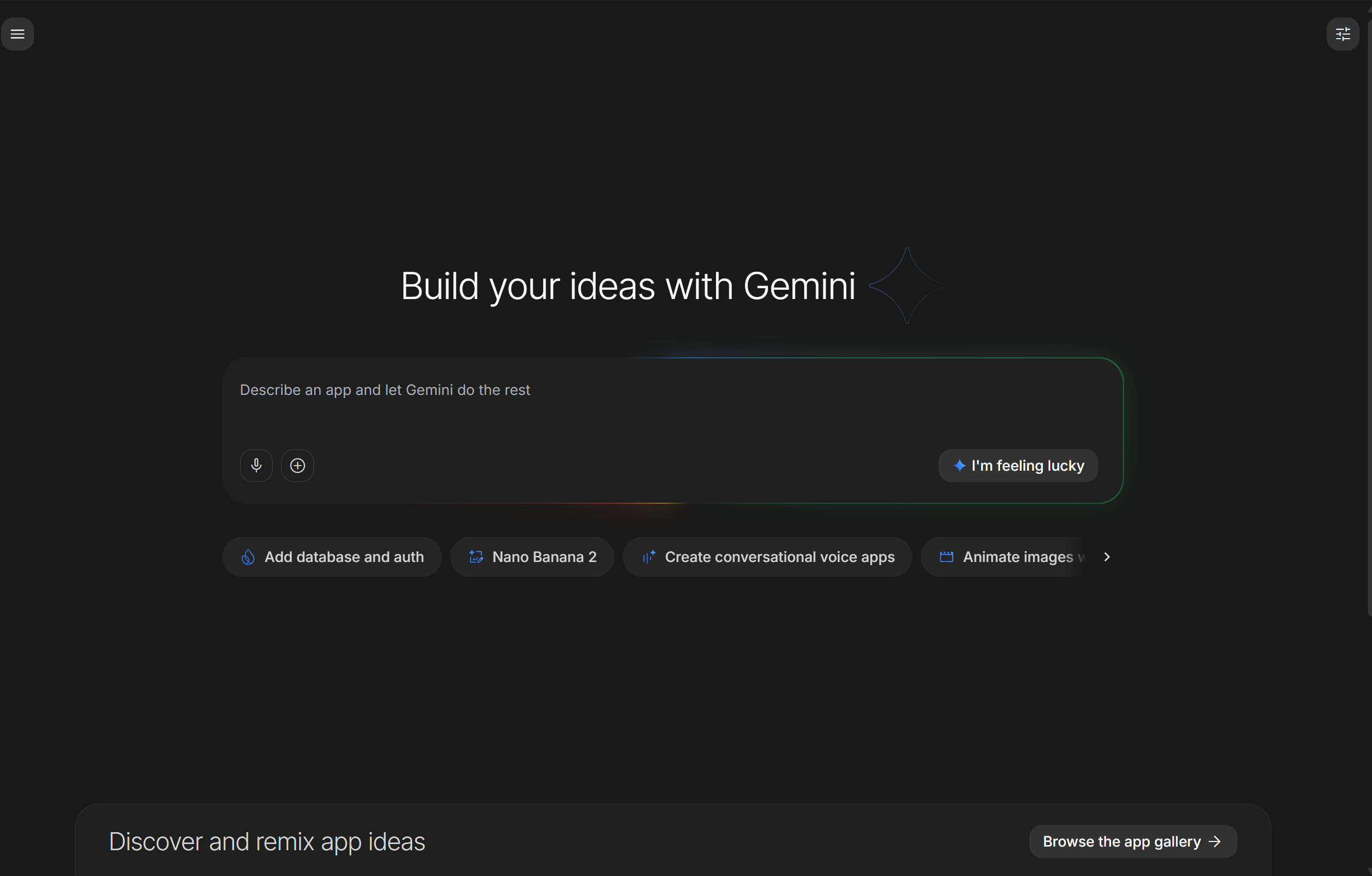
The Google AI Studio community erupted over what many are calling the platform’s most transformative release. And the enthusiasm is well-founded as it brings the biggest UI/UX overhaul, and the changes are substantial.
The best part is that Logan Kilpatrick, the technical staff working on Google AI Studio, said that there will be no extra AI Studio quota required for a Pro subscription, adding that it may soon come by the end of the month.
For users on the free tier, AI Studio is the best way to access the latest Gemini 3.1 Pro for free!
What Is Google AI Studio?
Google AI Studio is the primary developer-facing platform for building and experimenting with Gemini models. It offers access to the Gemini API, prompt testing, model fine-tuning, and media generation — all in one place. It serves as the entry point for developers looking to integrate Google’s latest AI into their applications.
Based on our testing, Google AI Studios gets the latest and greatest updates and AI models first. I have created several apps and plugins using AI Studio, which mostly perform better than the stable Gemini version.
The Core of the Update
One Playground
The new Playground is a single, unified surface where developers can use Gemini, GenMedia (with Veo 3.1 capabilities), text-to-speech (TTS), and Live models — all without losing their place or switching tabs. Previously, working across these modalities required jumping between different interfaces, which disrupted workflow and added friction.
Now, developers can go from prompt to image to video to voiceover in one continuous flow, with a refined Chat UI ensuring consistent controls across every conversation.
A New Welcome Homepage
A new homepage serves as a command center, showing platform capabilities, recent updates, and quick access to your projects. This is a notable quality-of-life improvement, especially for developers managing multiple concurrent builds.
Real-Time Usage Visibility
Developers can now see their usage and limits in real time with a new rate limit page, making it far easier to manage app performance and avoid hitting API ceilings unexpectedly.
The New Google Antigravity Coding Agent: What’s Changed
At the heart of this upgrade is the Google Antigravity coding agent, a more powerful and context-aware AI that fundamentally changes how apps get built inside Google AI Studio.
A Deeper Understanding of Your Project
Previous versions of AI coding tools often struggled with larger codebases — they’d lose context, make inconsistent edits, or require constant hand-holding. The new Antigravity agent maintains a deeper understanding of your entire project structure and chat history, which means:
- Faster iteration on complex, multi-file projects
- More precise multi-step code edits
- Less back-and-forth to clarify what you’re trying to build
This is a critical improvement. The difference between an AI that understands your whole project versus one that only sees the current file is enormous in practice.
Smarter Dependency Management
One of the most frustrating parts of modern web development is knowing which libraries exist and how to integrate them. The new agent handles this automatically. Want smooth animations? It installs Framer Motion. Need a polished UI component library? It brings in Shadcn. You describe the outcome, and the agent figures out the right tooling to get you there.
Key Features
Here’s a closer look at everything that’s new or upgraded:
1. Real-Time Multiplayer Experiences
You can now build apps where multiple users interact simultaneously. The showcase example — Neon Arena, a retro-style multiplayer first-person laser tag game built entirely from a prompt — is a vivid demonstration of what this looks like in practice. Real-time multiplayer used to require deep expertise in WebSockets, state management, and server infrastructure. Now it’s a prompt.
2. Secure API Key Management with Secrets Manager
Connecting to external services (payment processors, mapping APIs, third-party databases) requires API keys, and managing those securely has always been a concern in AI-assisted development tools. Google has addressed this directly with a new Secrets Manager in the Settings tab. The agent detects when a key is required and stores it safely — no more hardcoded credentials in your source code.
3. Persistent State Across Sessions
Close your browser tab and come back later — the app remembers exactly where you left off. This might sound minor, but it’s essential for anyone using AI Studio as a real development environment rather than a throwaway demo tool.
4. Next.js Support
In addition to React and Angular, Google AI Studio now supports Next.js out of the box. This is a significant addition given Next.js’s dominance in modern full-stack web development. You can select your framework in the updated Settings panel.
5. Bring Your Own API Credentials
Want to integrate Google Maps, Stripe, or your own backend services? You can now bring your own API credentials and connect to the services you already use. The agent handles the integration logic while your credentials stay secure in the Secrets Manager.
New Model Capabilities Inside AI Studio
Gemini 3.1 Flash & Pro — Now Generally Available
Gemini 3.1 Flash and Gemini 3.1 Pro are now generally available and accessible either free with limited usage or using the API and Vertex AI Studio. This is significant for production developers who were previously relying on preview endpoints.
Multimodal Embedding Model
Google released gemini-3.1-pro-preview. Their latest multimodal embedding model, supporting text, image, video, audio, and PDF inputs — mapping all modalities into a unified embedding space.
Built-In Tools + Function Calling Combo
A new Built-in Tools and Function Calling Combination feature makes it possible to use Gemini’s built-in tools alongside custom function calling tools in a single API call. This dramatically expands what developers can build without stitching together fragmented workflows.
Media Generation Gets a Major Boost
Gemini 3.1 Flash Image
Gemini 3.1 Flash Image is a new state-of-the-art image generation and editing model that allows for blending multiple images, maintaining character consistency, and targeted transformations using natural language, leveraging Gemini’s world knowledge.
Nano Banana Pro
Nano Banana Pro gemini-3-pro-image-preview. However, Nano Banana Pro is only available for paid tier usage. Link a paid API key to access higher rate limits, advanced features, and more.
Gemini 3 Pro Image Preview features the following:
1 State-of-the-art image generation and editing model.
$ Text . Input: $2.00 / Output: $12.00
$ Image (*Output per image) . Input: $2.00 / Output: $0.134
Knowledge cut off: Jan 2025
Imagen 4 Now Generally Available
Google announced the general availability of Imagen 4, its advanced text-to-image model, in the Gemini API and Google AI Studio, featuring significant improvements in text rendering. Imagen 4 and Imagen 4 Ultra also support up to 2K resolution image generation.
Enhanced Text-to-Speech Models
Google launched enhancements to its TTS models — Gemini 3.1 Flash TTS (optimized for low latency) and Gemini 3.1 Pro TTS (optimized for quality) — including enhanced expressivity, precision pacing, and seamless dialogue.
Grounding with Google Maps
One of the more unique additions is real-world location awareness. Developers can now ground models with Google Maps to bring real-world location data directly into their workflows. Grounding with Google Maps is supported for Gemini 3 models going forward.
What’s Coming Next: Vibe Coding Week
Google has teased a “vibe coding” initiative where Google AI Studio will introduce a new way to go from a single idea to a working, AI-powered app — faster than ever before. This hints at a low-code or conversational app-building experience powered by Gemini.
How to access Google’s AI Studio?
Google AI Studio can be accessed using a browser only for now. The AI Studio mobile app is in the works.
Meet Expressive Launcher — A Fresh Way to Android
The wait is over. Expressive Launcher has graduated from beta and is now stable and available to everyone on the Google Play Store. Download it today and experience a fresh way to customize your Android home screen.

Get started
