
Download Stable Oxygen OS 16 for OnePlus Devices


Subscribe for Updates
OnePlus has officially begun the global rollout of OxygenOS 16, marking a significant milestone in the company’s software evolution. Starting with the OnePlus 13 series, OnePlus 12 series phones, and OnePlus Pad 2, this update brings Android 16 features alongside OnePlus’s signature customizations, creating what may be the most polished OxygenOS experience to date.
OxygenOS 16 features deep AI integration, enhanced cross-device connectivity, and a refined user experience. Built on the foundation of speed and smoothness that OnePlus is known for, this latest iteration introduces intelligent features designed to seamlessly integrate into users’ daily digital lives while maintaining the brand’s commitment to a burdenless experience.
OxygenOS 16 comes with Android 16, AI-powered Plus Mind, Private Computing Cloud security, enhanced cross-device connectivity, and creative tools. Discover what’s new in this comprehensive overview of features, rollout schedule, and how intelligent features integrate into your daily digital life.
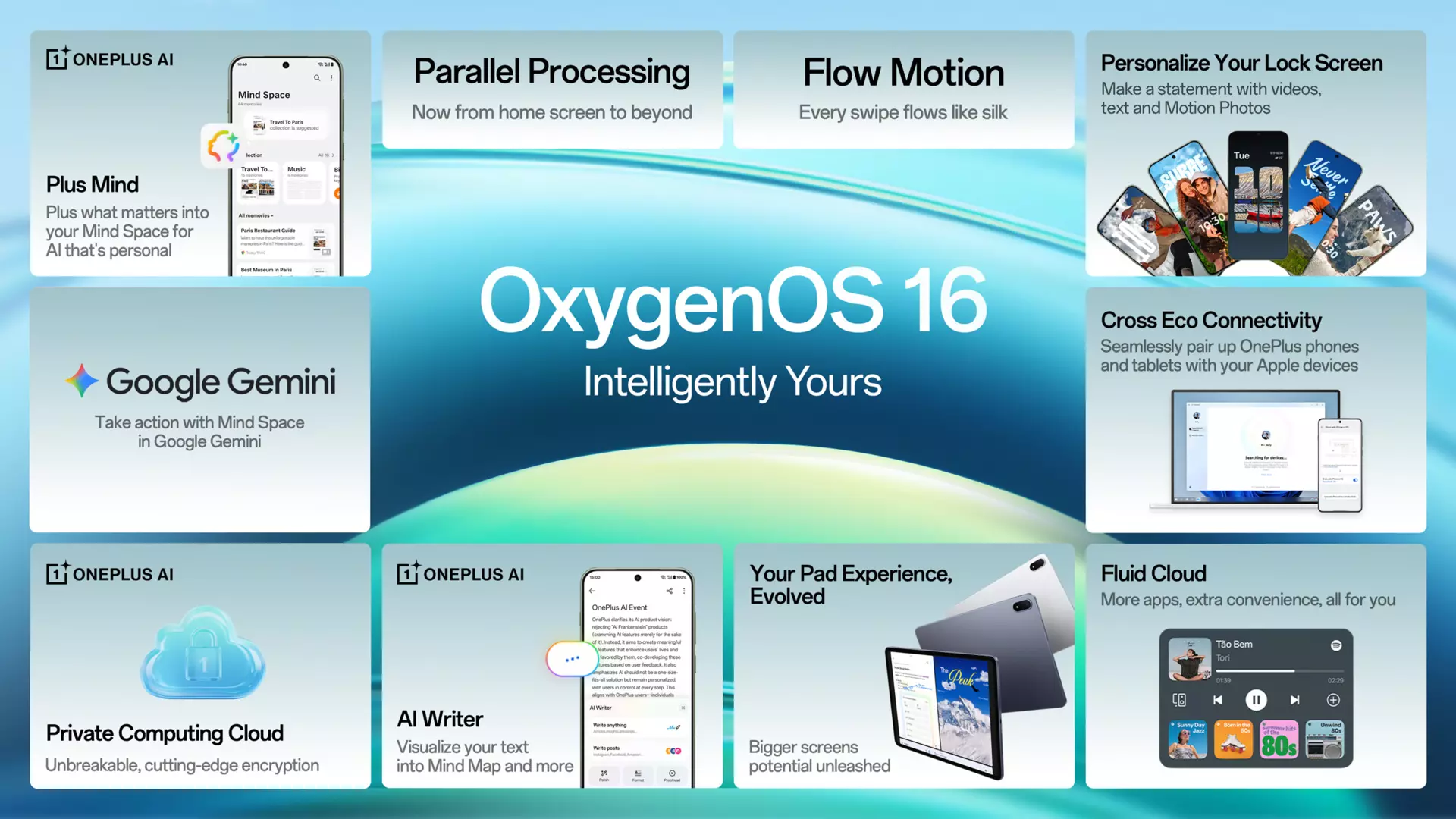
Here’s a list of top Oxygen OS 16 features:
- Light and shadow design
- OnePlus AI gets better with Plus Mind gets Gemini integration
- AI productivity for more Smartworks
- AI PlayLab
- Parallel Processing 2.0
- Fast and smooth Flow motion
- Seamless cross eco connectivity with Mac and Windows PC
- New Lockscreen Customization with Flux Themes 2.0
- New Homescreen Freedom with icons shapes
- Split Control Centre customizations
- Dark mode icons
- Enhanced Security
- Improved Fluid Cloud
The Rollout Strategy: India First, Global Later
OnePlus has adopted a phased rollout approach, beginning with Indian users on November 1st. The update arrives as build CPH2649_16.0.0.210(EX01) for OnePlus 13 devices in India, with other regions expected to follow in batches over the coming weeks.
This staggered rollout allows OnePlus to gather real-world feedback and logs from Indian users before expanding to EU, NA, and other global markets. While this approach frustrates users in other regions who feel like second-class citizens, it serves as a quality control mechanism that theoretically ensures a more stable experience when the update reaches your device.
OxygenOS 16 Features
Performance Enhancements: Trinity Engine Takes Center Stage
At the heart of OxygenOS 16 lies the enhanced Trinity Engine, OnePlus’s proprietary optimization system that manages workload and resources dynamically. The improvements are comprehensive and touch nearly every aspect of system performance.
Parallel Processing
The update introduces sophisticated animation systems that make every interaction feel more intentional and smooth. System apps now display animations that begin and end at intuitive places, creating a sense of continuity that was previously lacking. The fluid drag-and-drop animations for home screen elements deliver what OnePlus calls “a natural, uninterrupted interaction experience.”
Even small details receive attention—the text selection magnifier now fades in and out with fluid animations, and audio playback controls in Quick Settings get smoother visual treatment. These refinements accumulate into an experience that feels more premium and responsive.
Power Efficiency Improvements
Trinity Engine’s resource management has become more intelligent, handling high-load scenarios more efficiently while decreasing background resource drain during peak usage. Gaming performance benefits from intelligent analysis and prioritization of computational tasks, with concurrent operations like pop-up windows and video calls managed through smart scheduling.
Photo albums load faster with reduced power consumption when displaying thumbnails. A new network power-saving strategy specifically targets offline and roaming situations, while the tiered performance management in power saving mode adapts to battery levels for extended endurance without sacrificing smoothness.
OnePlus AI Intelligence
OxygenOS 16 represents OnePlus’s most aggressive push into AI-powered features, with intelligence integrated across multiple system apps and functions.
Mind Space Evolution
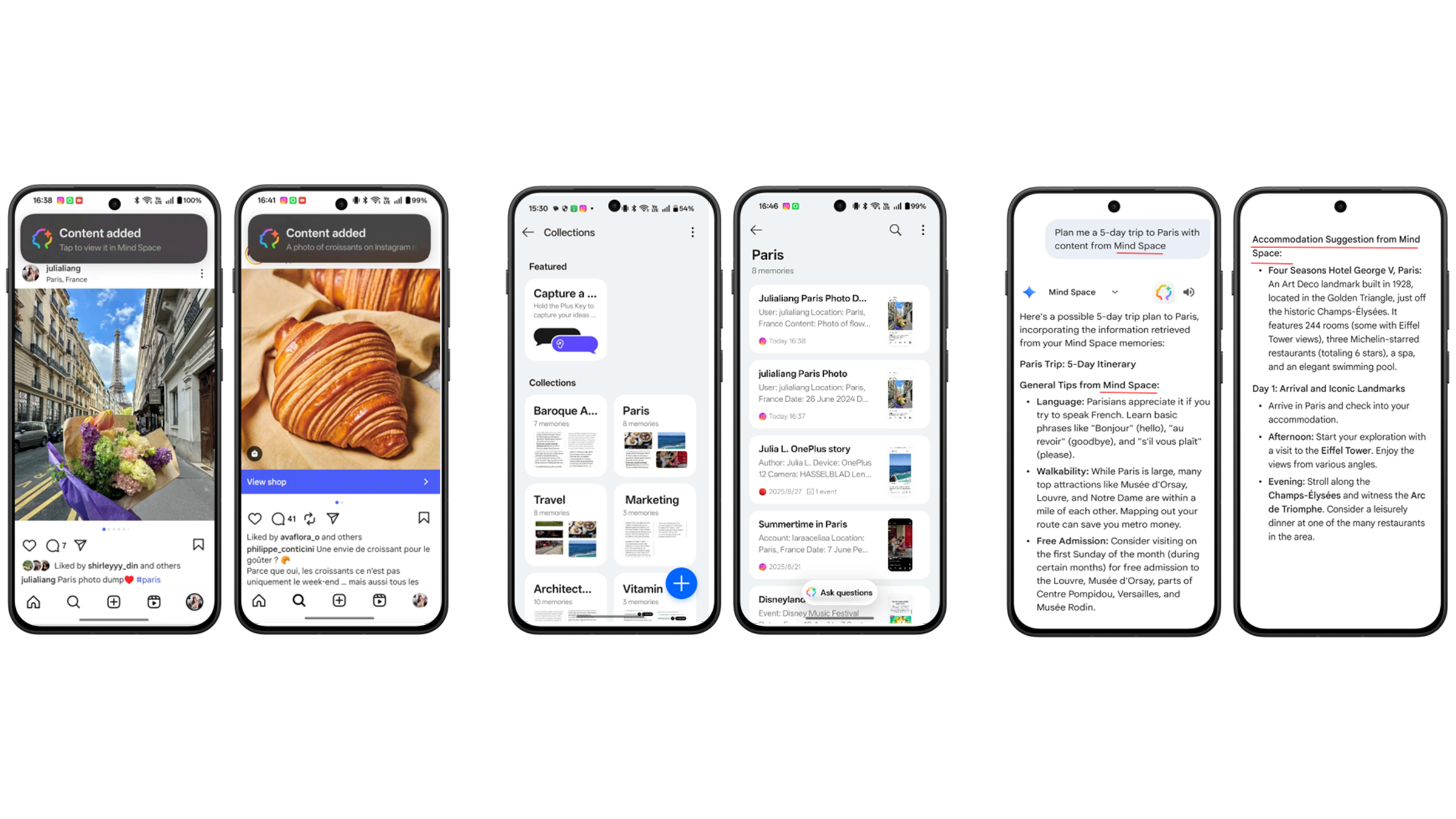
Mind Space, OnePlus’s content management system, receives significant upgrades. The new Mind Assistant allows natural language searches of saved content with options to favorite, copy, and organize. Collection suggestions help users organize content more efficiently, and landscape mode support makes capturing widescreen content seamless.
The integration with Plus to Mind Space on screenshot thumbnails enables instant content saving with a single tap—a small feature that significantly streamlines workflow for power users.
The integration with Google Gemini elevates Plus Mind from a storage solution to an intelligent assistant. Users can vocally search their Mind Space content and, more impressively, ask Gemini to answer questions using the context of saved information.
AI-Powered Photos Transformation
The Photos app undergoes a complete visual redesign focused on immersion and seamless browsing. Navigation becomes more intuitive with clearer categories and personalized sorting for frequently used albums. Swiping up reveals photo details and storage location instantly.
Video editing capabilities expand dramatically with features like splitting, merging, speed adjustment, transitions, and background music addition. Motion photo collages maintain quality and HDR effects, while motion photos can convert to slow-motion instantly.
The standout feature is AI Portrait Glow, which identifies challenging lighting conditions—dim light, backlight, or overhead lighting—and uses AI reconstruction to create balanced, natural-looking portraits. This addresses one of mobile photography’s persistent challenges without requiring manual intervention.
AI Writer and Recording Intelligence
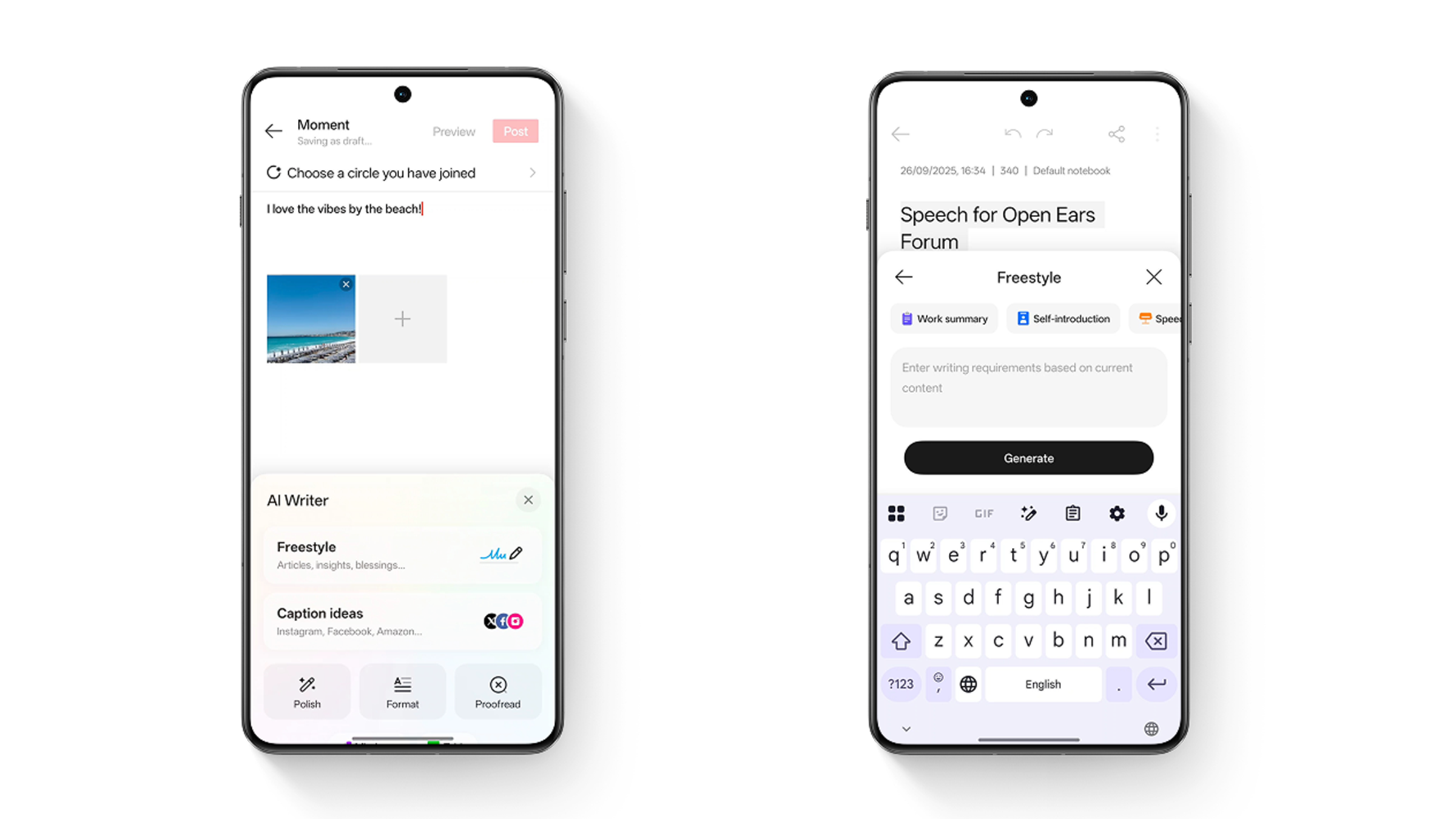
AI Writer becomes a system-wide writing assistant capable of generating text across contexts—from social media posts to work summaries, personal reflections, speeches, and self-introductions. The document creation feature can generate mind maps and tables from text instantly, streamlining productivity workflows.
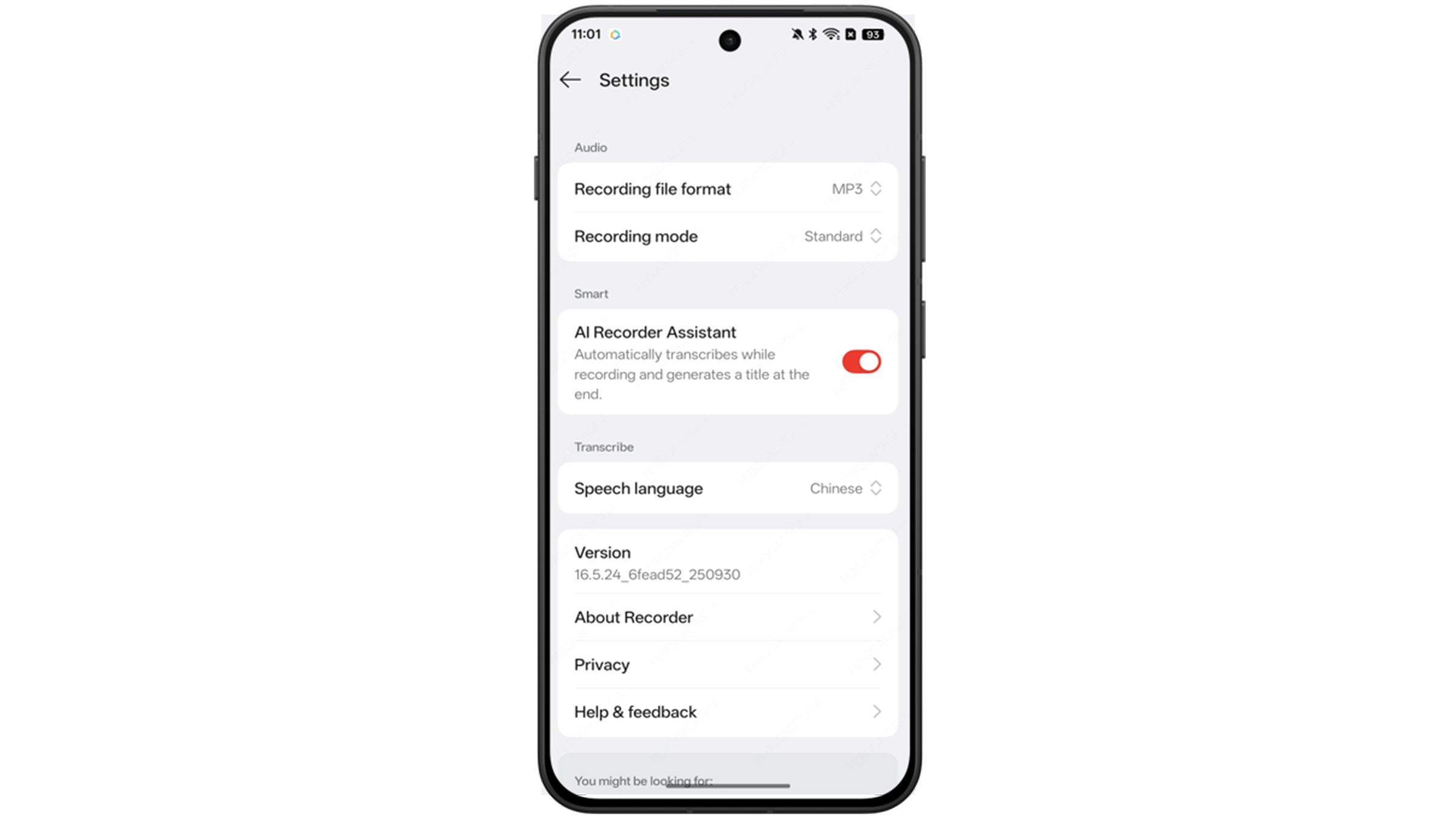
AI Recorder receives a complete redesign with AI-driven noise cancellation that reduces background noise while highlighting human voices. Smart context detection automatically identifies whether you’re recording a meeting, lecture, or interview, applying appropriate templates for optimal usability.
Visual Design: The Luminous Rendering Engine
OxygenOS 16 introduces OnePlus’s Luminous Rendering Engine, a sophisticated rendering system that brings light field animations and effects throughout the interface. This technology captures the dynamic interplay between light and surroundings, creating what OnePlus describes as an “authentic, immersive, and naturally beautiful visual experience.”
Aurora Effects and Progressive Blur
The Aurora visual effects upgrade includes enhanced particle effects, glow effects, ripple effects, and chromatic aberration that collectively create a more premium aesthetic. Progressive blur effects powered by Aurora enhance UI depth, creating greater transparency and immersion.
The subtle play of light and shadow enriches both the visual appearance and the tactile feel of the system. Even mundane interactions benefit from this attention to detail.
Flux Home Screen Customization
The Flux home screen receives extensive upgrades with light field styling for icons that showcase lifelike visuals and intricate detail. The optimized grid and layout create a cleaner, more organized appearance, while the ability to drag-resize icons and add app shortcuts enables unprecedented personalization.
Large folder layouts gain variety—hold to select 9-grid, 4-grid, or feature a bigger icon for the first app. An uncluttered design removes text beneath icons, and the home screen edit mode interface receives refinement with the ability to rearrange page order.
AI-Enhanced Flux Themes and Wallpapers
Flux themes leverage AI to highlight epic stills and vibrant moments from your content. The Sublime Grandeur motion wallpapers create dramatic effects as clouds part and sunlight floods your lock screen in dazzling hues.
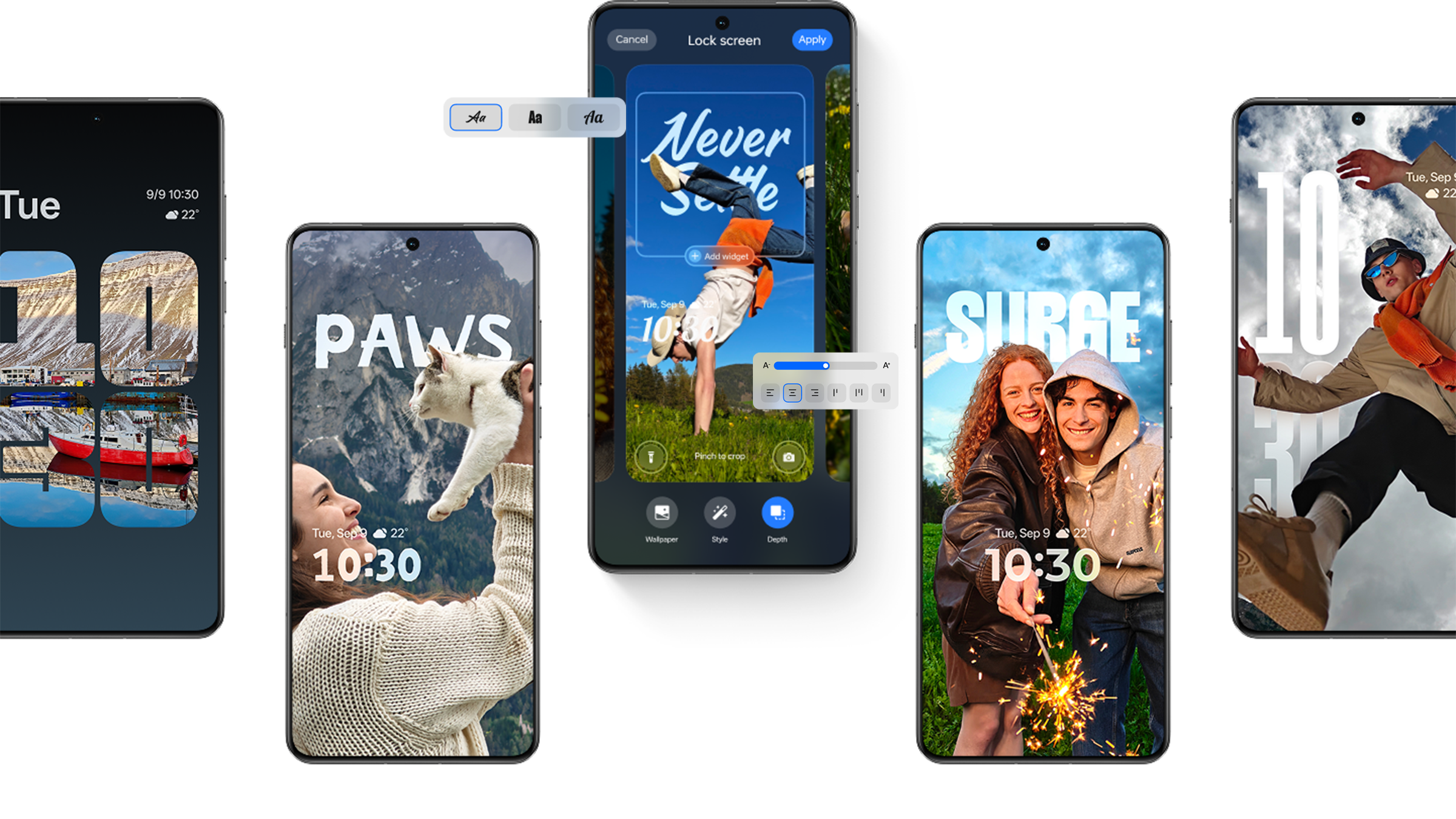
Motion photos and videos can become wallpapers with AI-powered depth effects, creating dynamic visuals each time your screen lights up. A modular, real-time editing framework shows changes instantly, offering greater creative freedom.
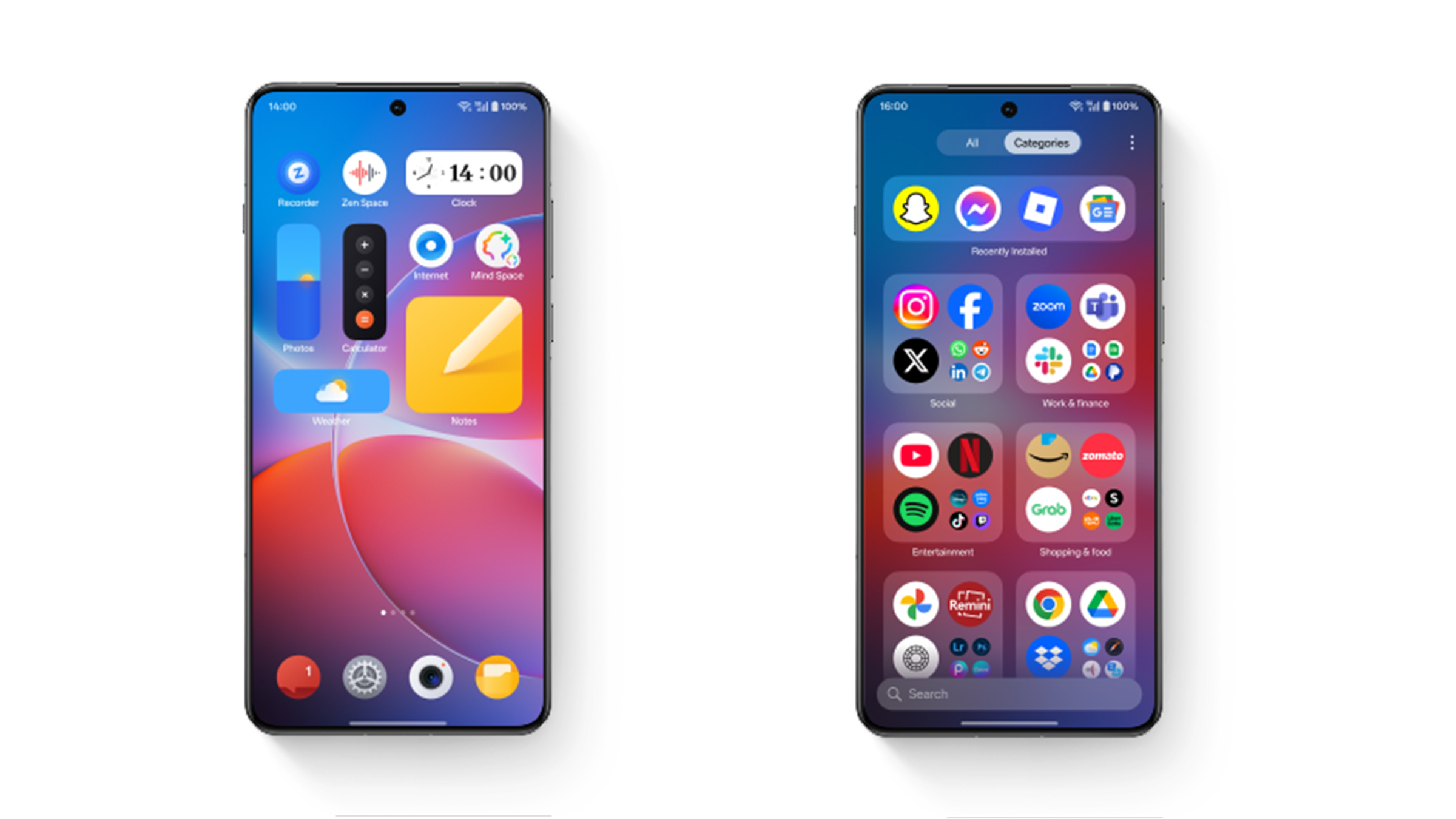
The full-screen Always-On Display showcases your lock screen wallpaper, widgets, notifications, and time even when the screen is off. Flux theme icon styles automatically adapt to wallpaper colors for cohesive aesthetics, while specially crafted Dark mode icon styles offer comfortable viewing that protects your eyes.
Connectivity and Cross-Device Experience
OxygenOS 16 emphasizes seamless connectivity across devices and platforms, recognizing that modern users operate in multi-device ecosystems.
OnePlus Connect Enhancement
Phone mirroring to PC becomes more powerful with the ability to unlock across devices, share files between systems, and open multiple phone windows simultaneously for true multitasking. Cross-device search lets you search files across PC and phone simultaneously, while cross-device clipboard sharing allows copying on one device and pasting on another.
Touch to Share and Smart Cars
Touch to share enables quick content and file sharing while viewing in Photos, Notes, and My Files. In-car Bluetooth pairing receives enhancements for more seamless experiences, addressing one of the common pain points in automotive connectivity.
The new My Devices hub in Quick Settings provides centralized control for all linked devices. Home screen widgets for individual devices or comprehensive device overviews simplify management for users with extensive OnePlus ecosystems.
Camera and Gaming Improvements
Master Mode Motion Photos
Master mode now supports motion photos with customizable style parameters, enabling photographers to capture unique animated moments with professional-level control. Enhanced Portrait mode offers creative control with seamless zoom and frame adjustment.
AI-enhanced Doc Scanner transforms physical documents into digital files instantly, while Text Scanner mode automatically corrects and crops photos of screens and projector screens—practical features for students and professionals.
Game Assistant Privacy and Quality
Gaming receives thoughtful improvements focused on privacy and quality. Gameplay recording now excludes notifications, Game Assistant, and floating windows to protect privacy. Recording quality selection includes high-definition motion photos and Flashback clips, while the combination of Motion screenshots and Flashback recording together streamlines the capture experience.
Practical Refinements Across the System
OxygenOS 16 demonstrates that sweating the details matters. Ringtones play only in earbuds when connected, preventing disturbance in public spaces. A dedicated AI settings page consolidates all AI features for easier management. Bosnian joins the available system languages.
Quick Settings customization expands with 2×1 tiles and the ability to remove, add, and rearrange audio, brightness, volume, and My Devices modules. Streamlined notification design maximizes space usage and delivers quicker browsing, while lock screen notifications intelligently position themselves below the fingerprint indicator to show more content at a glance.
The Smart Sidebar’s refined design includes options for single or two-column display with greater personalization of the floating sidebar icon. Sharing becomes faster and more flexible with a redesigned panel showing contacts and customizable app links.
Security and Privacy Focus
Security receives appropriate attention with Phone Manager using Live Alerts and notifications to warn when risky apps launch. Touch and hold any app icon on the home screen to access options for locking or hiding it—simple but effective security enhancement.
Banner notification interactions become more streamlined, with apps opening in small windows instead of full view to maintain context. Foreground and background activity times display on a redesigned battery page for accurate tracking of which apps consume resources.
User Feedback and Concerns
While OxygenOS 16 brings impressive features, early user feedback reveals some concerns. Several users report that AI Speaker and AI Write functionalities have been removed, contradicting the update’s AI-forward messaging. Battery performance complaints have emerged, with some users experiencing worse battery life than on OxygenOS 15.
The Mind Space data loss issue after factory reset surprises users who assumed server-side storage. AI Translation reportedly isn’t functioning as expected for some users, and the call summary feature only works with social media apps rather than the native dialer—a significant limitation that frustrates users who expected comprehensive AI calling features.
The regional rollout strategy continues generating frustration, particularly among EU and NA users who feel neglected compared to Indian and Chinese markets. Some users note they chose OnePlus expecting timely updates but find themselves waiting weeks or months longer than other regions.
How to Get OxygenOS 16
For eligible OnePlus 13 users in India, the update arrives through the standard software update mechanism. You can also join the Release Candidate Program by ensuring your device is on the detectable version, then navigating to Settings > System & Updates > Software update > Beta Program and clicking the update button.
If you experience serious issues, OnePlus provides a rollback package allowing return to OxygenOS 15. The process requires downloading the designated ROM rollback zip package, enabling developer mode, and performing a local install—though this erases all device content, so backup is essential.
Meet Expressive Launcher — A Fresh Way to Android
We're looking for beta testers to help shape the next great Android launcher. Try it early, share your feedback, and be part of something new.

How to join the beta
