
Wear OS 7 with Gemini Intelligence Announced: Everything New for your Smartwatch


Subscribe for Updates
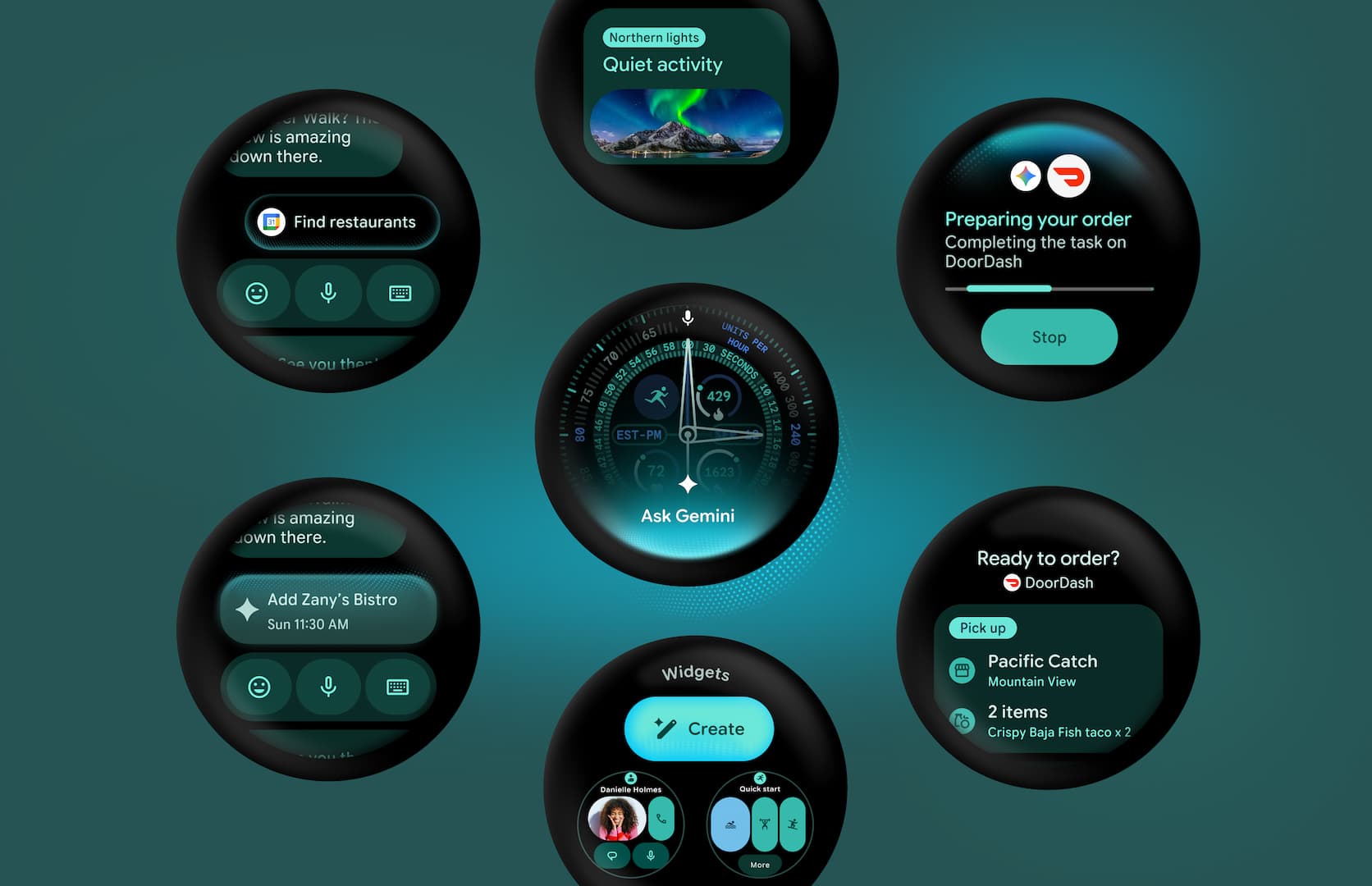
Google has officially unveiled Wear OS 7 at Google I/O 2026 today, and it’s one of the most significant updates to the smartwatch platform in years. It focuses on meaningful battery life improvements as well as Gemini Intelligence integration. Wear OS 7 signals a bold new direction for Android on the wrist. Google has unveiled developer building blocks for Wear OS 7.
Google is pursuing three parallel tracks simultaneously:
Unification — Wear Widgets align with the broader Android widget story, AppFunctions plug into the same agent infrastructure as phones, and Navigation 3 brings Wear OS in line with mobile Compose patterns. The watch is becoming a first-class citizen in the Android ecosystem rather than a separate silo.
Intelligence — Gemini on the wrist, AppFunctions, and task automation are all pieces of the same vision: a watch that doesn’t just display information but actively helps users accomplish things. Voice-first, proactive, and contextually aware.
Developer efficiency — The Wear Workout Tracker, Material3TileService, automatic resource collection in Tiles, and the Canary Emulator all reduce the cost of building high-quality experiences. Google seems acutely aware that the health of the Wear OS ecosystem depends on making development faster and less painful.
Why Wear OS 7 Matters
Smartwatches have evolved from novelty gadgets to genuine all-day companions. People check their heart rate, receive navigation updates, control music, and even order food — all from their wrist. But for wearables to truly fulfill that promise, two things have to be rock solid: battery life and intelligence. Wear OS 7 tackles both head-on.
Google’s announcement made it clear that the team understands the stakes. Watches upgrading from Wear OS 6 to Wear OS 7 can expect up to a 10% improvement in average battery life through software optimization alone. And with Gemini Intelligence arriving on select watches later this year, the platform is stepping into a new era of proactive, personalized assistance.

Gemini Intelligence Comes to the Wrist
Perhaps the most exciting headline from the Wear OS 7 announcement is the arrival of Gemini Intelligence on select smartwatches. As part of a broader rollout across the Android ecosystem, Gemini will provide proactive and personalized help directly on the wrist, helping users focus on what matters without constantly reaching for their phone.
Gemini on Wear OS is designed to anticipate needs, surface relevant information at the right time, and reduce friction in everyday tasks.

Key New Features for Users
Live Updates: Real-Time Information at a Glance
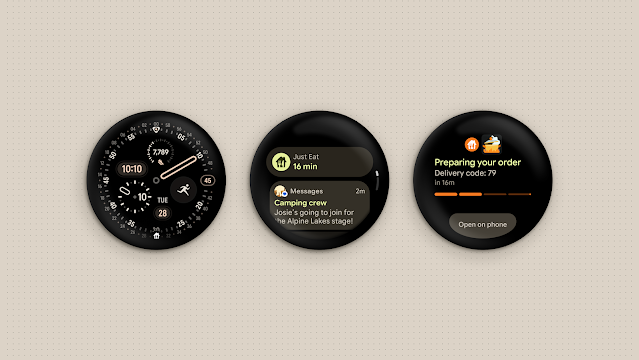
One of the most immediately useful additions for end users is Live Updates. This feature lets apps surface real-time, time-sensitive information directly on the watch face — think delivery tracking, ride status, sports scores, or workout progress.
For developers, Live Updates replaces the older Ongoing Activities API on Wear OS 7 devices. Even better, Live Updates published by a phone app will be bridged to the user’s watch for supporting OEMs, meaning broader reach with less duplicate work. Food delivery app Just Eat is among the early adopters, showcasing how delivery progress can be surfaced elegantly on the wrist.
Wear Widgets: The Next Evolution of Tiles
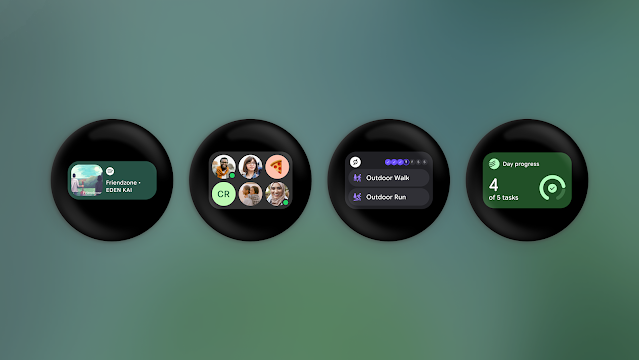
Full-screen Tiles have long been the go-to glanceable surface on Wear OS. With Wear OS 7, Google is taking that concept further with the introduction of Wear Widgets — a more flexible, dynamic approach powered by Jetpack Glance and the new RemoteCompose framework.
Wear Widgets support two new card layouts — small and large — that align with the 2×1 and 2×2 formats used on mobile. This means developers can maintain design cohesion across phone and watch while still tailoring experiences specifically for the smaller screen. The shift also signals Google’s intent to unify the widget story across the entire Android ecosystem.
Enhanced System Media Controls
Media control on Wear OS gets a significant upgrade in version 7:
- Per-app media auto-launch controls let users decide, on an app-by-app basis, whether media controls should automatically appear on the watch when media starts on the phone. For developers with existing media app implementations, this works without any additional effort.
- Remote Output Switcher is now integrated directly into the System Media Controls, letting users switch audio output devices (say, from phone speakers to Bluetooth earbuds) straight from their wrist while media is playing on a paired phone.
These might sound like small quality-of-life improvements, but for anyone who regularly juggles audio between devices, they’re genuinely significant.

Big News for Developers
AppFunctions: Integrating with Gemini and Agents
The AppFunctions API is one of the most forward-looking additions in Wear OS 7. It allows developers to integrate their apps with AI agents and assistants — including Google Gemini — so users can complete tasks using natural voice commands instead of navigating through menus manually.
The practical example Google provided is telling: a user can say “Start tracking my run” to Gemini, and it will interface directly with Samsung Health to kick off a workout session. No app launching, no button tapping — just natural language. An Early Access Program is currently open for developers who want to get ahead of the curve.
Task Automation: No Development Work Required
Also on the horizon is task automation support that requires zero development effort. For selected phone apps, users will be able to invoke and track automated tasks directly from their watch — Google cited placing a DoorDash order as an example. This is made possible through Android’s broader computer control and automation infrastructure, and it hints at a future where the watch becomes an active agent in daily workflows rather than just a passive display.
Wear Workout Tracker: High-Quality Fitness Built In
Building a comprehensive fitness tracking experience from scratch is genuinely difficult. Heart rate monitoring, GPS integration, media controls, workout state management — the list of requirements is long. Google’s answer is the new Wear Workout Tracker, a rich, standardized workout tracking experience that will be built into Wear OS later this year.
The Wear Workout Tracker includes heart rate monitoring, media controls, and a collection of fitness-relevant features out of the box. Google has already been working with ASICS Runkeeper to bring this to their users. For smaller teams or developers who want to offer fitness features without the overhead of building them from scratch, this is a major time-saver.
Watch Face Format 5 (WFF5)
Watch face developers get love too. WFF5 arrives with a slate of enhancements:
- Enhanced Alignment Options for text elements, including
verticalAlignfor aligning multiple text elements on the same baseline — essential for polished typography on circular displays. - Auto-Size Enhancements extend
isAutoSizesupport toTextCircularelements, with a newminSizeattribute to prevent text from shrinking too small. - Blend Modes on
GroupandComplicationSlotelements, opening up new creative possibilities for layered visual effects. - Stroke Joins for
StrokeandWeightedStrokeelements add fine-grained control over how line endpoints connect. - Hierarchical User Styles allow settings to be nested conditionally, enabling cleaner customization UIs where certain options only appear when other settings have specific values. Style options can also now enable or disable complication slots directly.
How to Get Started with Wear OS 7
Developers don’t have to wait for hardware. The Wear OS 7 Canary Emulator, based on Android 17, is available now, letting teams start testing app compatibility and exploring new APIs before the platform ships on real devices.
Google has made it easy to begin exploring Wear OS 7 right now:
- Download the Wear OS 7 Canary Emulator from the Android developer documentation and start testing your existing apps for compatibility.
- In Android Studio, click Tools > SDK Manager.
- In the SDK Platforms tab, expand the Android 16.0 (Baklava) section and select either Wear OS 6 – Preview ARM 64 v8a System Image or Wear OS 6 – Preview Intel x86_64 Atom System Image:
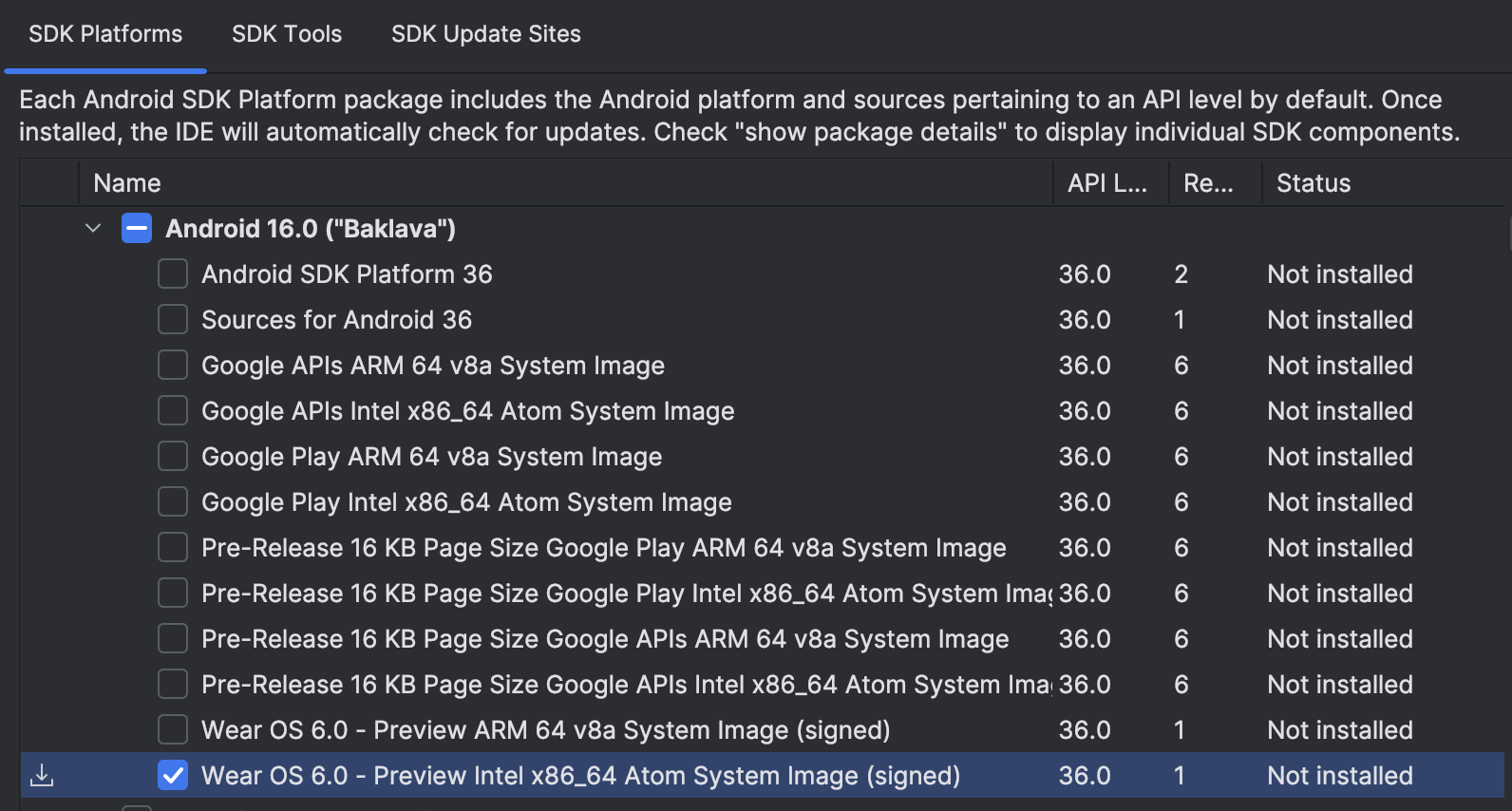
- The SDK Manager page where you can choose the emulator system image to download and install.
- Click OK. When the Confirm Change window appears, click OK again.
- Click Next and then click Finish.
- Review the what’s changed guide to understand any breaking changes or deprecated APIs.
- Explore Wear Widgets via the Jetpack Glance documentation and the new Getting Started Guide.
- Sign up for the AppFunctions Early Access Program if you want to integrate your app with Gemini.
- Check out the updated Wear OS samples on GitHub for hands-on reference implementations of the new APIs.
Meet Expressive Launcher — A Fresh Way to Android
The wait is over. Expressive Launcher has graduated from beta and is now stable and available to everyone on the Google Play Store. Download it today and experience a fresh way to customize your Android home screen.

Get started
