
Gemini’s new Usage Limits Shows Exactly When When You Hit It


Subscribe for Updates
For a long time, AI tools like Gemini operated on a straightforward premise: you get X messages per day, and that’s your limit. Simple, predictable, and easy to plan around. That era is now officially over.
Effective May 17, 2026, Google overhauled its AI assistant Gemini by replacing daily usage limits with compute-based quotas, where usage is calculated in real time based on prompt complexity, features used, and conversation length. The change affects all users aged 18 and older, and it marks one of the most significant structural shifts Gemini has made since launch.
This piece draws on Google’s official support documentation to give you a complete picture of what’s changed, who it affects, and whether it’s actually a good thing.
Gemini gets a New Usage Dashboard
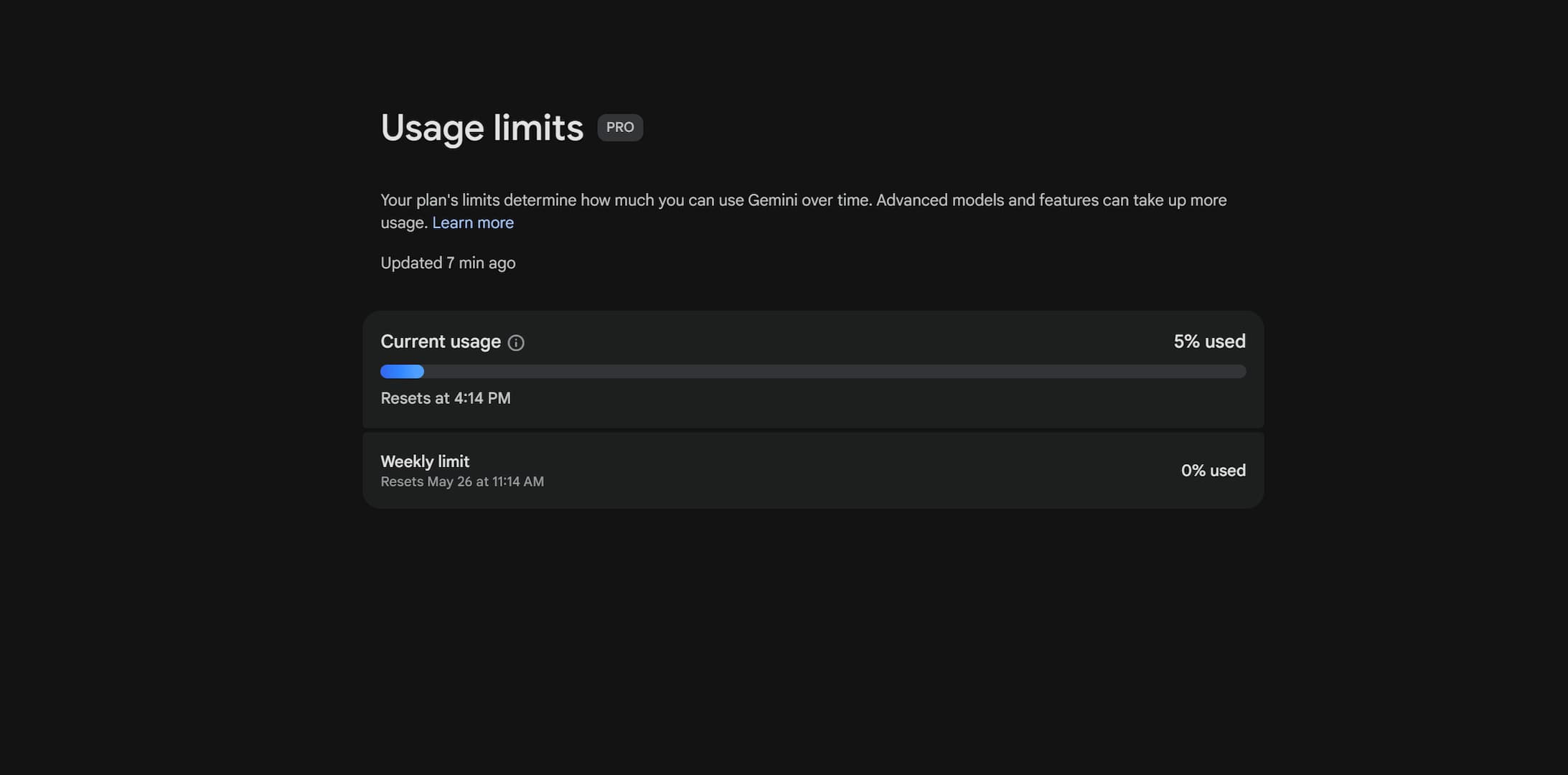
Let’s start with a new Usage Limit section in the Gemini app and Gemini desktop, where it shows you exactly when you hit the limit and when it resets.
The new option can be found under Settings & Help.
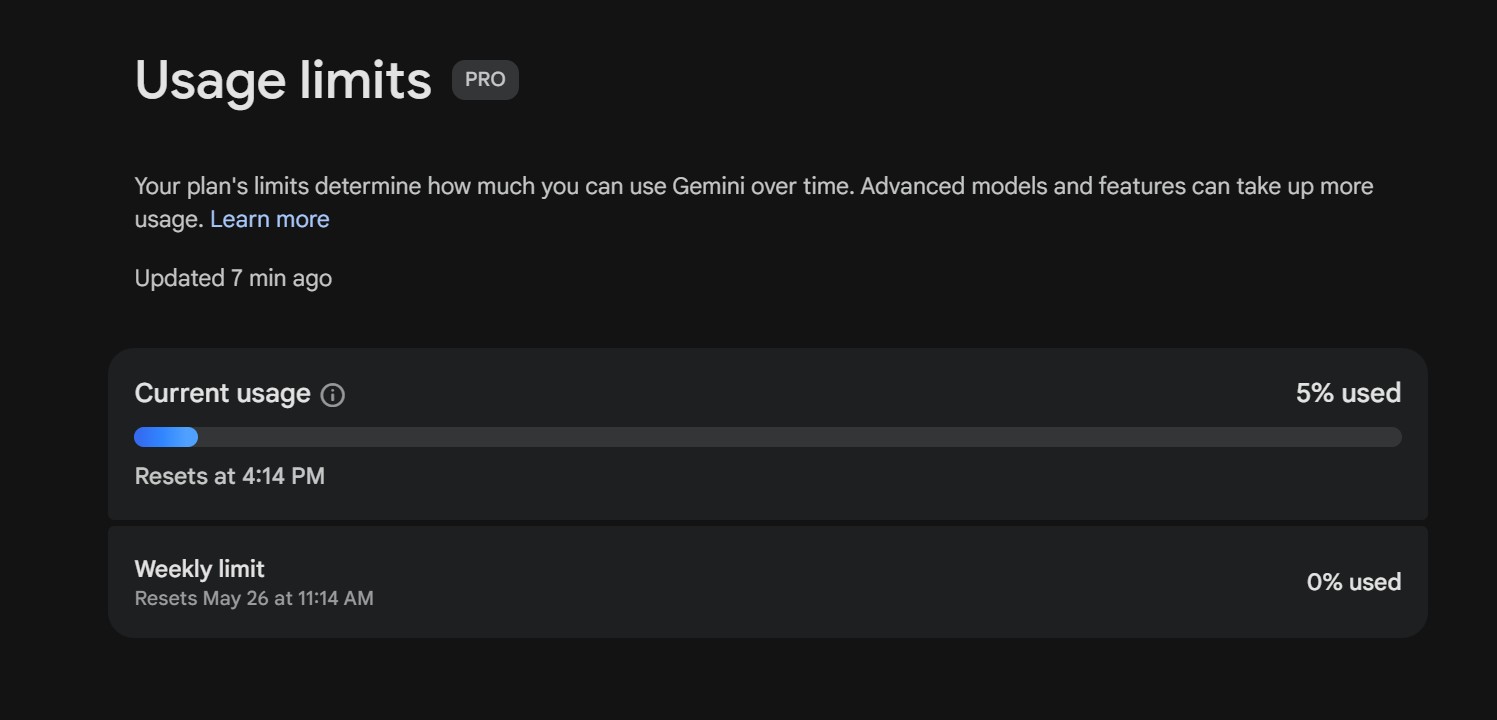
To help users navigate these new limits, Google introduced a dedicated Usage Limits dashboard directly inside the Gemini app. The dashboard shows:
- Your exact usage percentage — a real-time view of how much compute you’ve consumed
- A precise countdown timer — showing exactly when your next five-hour reset occurs
- Your weekly limit tracker — a broader view of your remaining weekly allowance
This level of visibility is genuinely useful, and arguably overdue. Previously, users had little insight into how close they were to hitting limits until they actually hit them.
Gemini’s New Usage Limits: The Full Breakdown
The old system was blunt: send too many messages, hit your cap, wait for tomorrow. The new system is considerably more nuanced.
Gemini now uses compute-based usage limits that refresh every 5 hours until users reach their weekly limit. The calculation factors in the complexity of each prompt, the features being used, and the length of the chat.
In plain terms: a one-line question asking for a word definition costs almost nothing. A multi-document Deep Research session spanning thousands of tokens costs a lot. The system treats these tasks as what they actually are, fundamentally different workloads.
The Weekly Cap: A New Constraint
One detail that deserves more attention than it’s getting is the weekly cap. The new system refreshes every five hours and also includes an overall weekly limit — meaning even if you pace yourself carefully through each five-hour window, you can still hit a ceiling over the course of the week. For heavy users, this is a meaningful new constraint that didn’t exist before.
Who Is Affected?
The changes listed in Google’s official documentation only apply to users who are 18 or older. If you are under the age of 18, there are currently no changes to your usage limits.
Subscription Tiers: The Full Pricing Picture
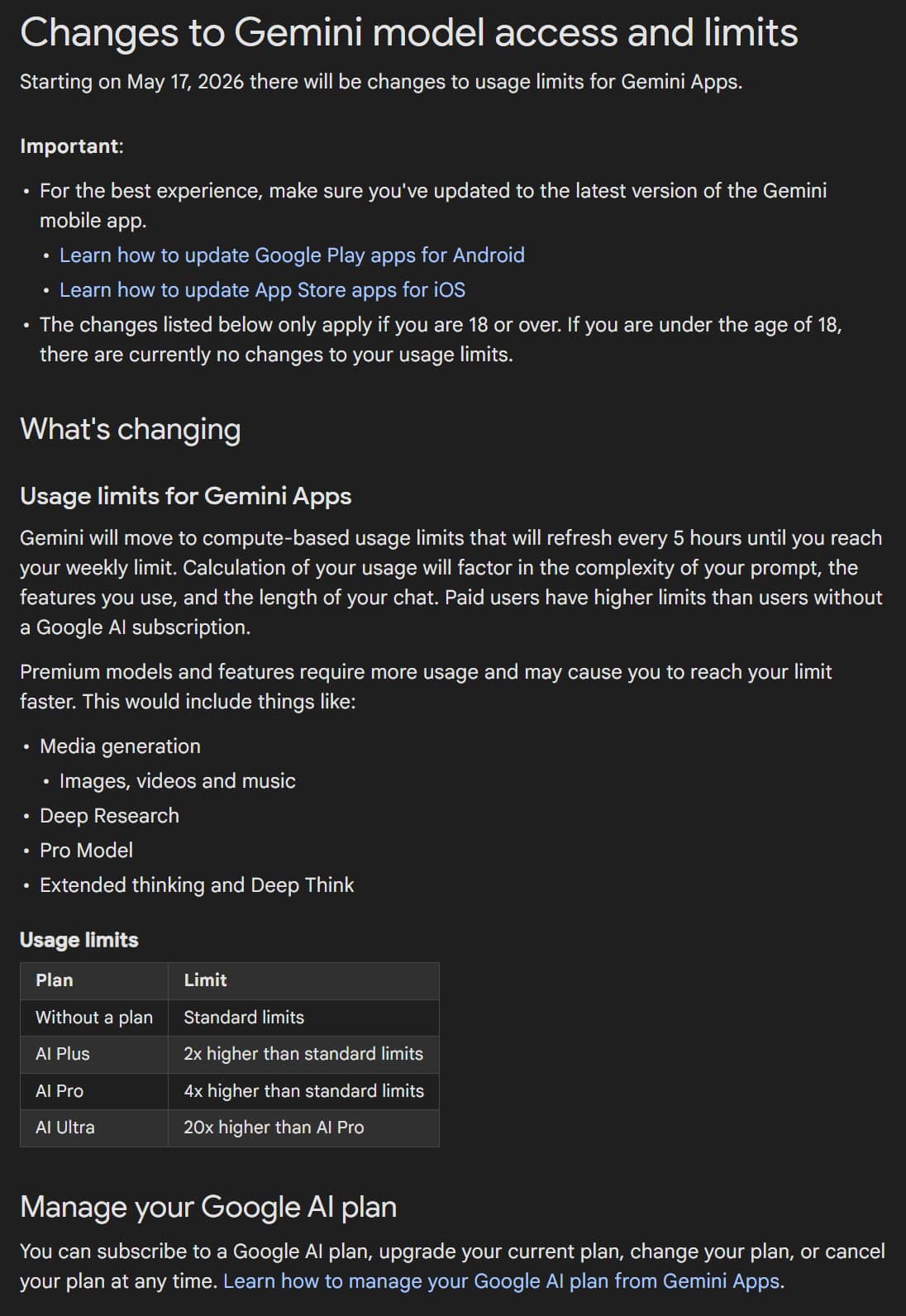
The new compute-based limits scale dramatically by subscription tier. Here’s the complete breakdown from Google’s official documentation alongside pricing data:
| Plan | Monthly Cost | Compute Limit |
|---|---|---|
| Free (No Plan) | $0 | Standard baseline |
| AI Plus | $8/month | 2× standard |
| AI Pro | $20/month | 4× standard |
| AI Ultra | $250/month | 20× AI Pro |
AI Plus subscribers at $8/month receive double the quota of free users, AI Pro subscribers at $20/month receive four times the quota, and AI Ultra subscribers at $250/month receive twenty times the quota of free users.
That jump from AI Pro to AI Ultra is enormous, both in price and in compute headroom. For casual users, the free or Plus tier may be perfectly adequate. But for professionals doing daily intensive work with Deep Research or video generation, the math changes quickly.
Which Features Drain Your Quota Fastest?
Not all Gemini features are equal. Premium models and features require more usage and may cause users to reach their limit faster. The heaviest offenders include:
- Media Generation — images, videos, and music creation
- Deep Research — multi-step, multi-source research tasks
- Pro Model — the more powerful model tier consumes more compute per response
- Extended Thinking & Deep Think — longer reasoning chains require significantly more processing
Under the new system, simple questions will not be equal to heavy tasks — a change Google says is designed to address the enormous operational costs and technical pressure resulting from operating advanced features and the increasing complexity of requests, such as Deep Research tools, generating images and videos, processing complex code, and preserving the context of long conversations.
The Problem
While Google does mention 2×, 4×, and 20× standard usage limits, the bigger issue is that the “standard” limit itself is never clearly defined. That makes the restriction particularly concerning, since standard usage can effectively vary at Google’s discretion on any given day. It may be lower or higher, and users have no reliable way of knowing in advance unless they constantly monitor their usage limits — which can quickly become exhausting.
One of the most common complaints is that while the dashboard shows how much compute you’ve used, it doesn’t clearly explain how individual actions are weighted. Users have no way to know in advance whether a specific prompt will cost 2% or 20% of their remaining quota. This uncertainty makes planning difficult and creates anxiety for anyone with deadline-sensitive work.
Many users who assumed they could pace themselves through the five-hour refresh windows have been surprised to discover there’s also a weekly ceiling. As Tom’s Guide noted, AI isn’t unlimited anymore, and most users didn’t realize it. For power users who rely on Gemini as a core productivity tool, discovering mid-week that they’ve exhausted their weekly allowance is a serious workflow disruption.
Users on mid-tier plans — particularly AI Pro at $20/month — have been questioning whether the 4× compute multiplier justifies the cost, especially when premium features like Deep Research can burn through allowances rapidly. The jump to AI Ultra at $250/month feels inaccessible to most individual users, even those with professional needs.
Meet Expressive Launcher — A Fresh Way to Android
The wait is over. Expressive Launcher has graduated from beta and is now stable and available to everyone on the Google Play Store. Download it today and experience a fresh way to customize your Android home screen.

Get started
