
Gemini 1.0.86 APK Released With Gemini 3.1 and Performs Multi-Step Daily Tasks in Background

Google recently released Gemini 3.1, featuring their latest and most intelligent AI model yet. It can help you create apps and web apps, with just a single prompt. Recently, the Gemini app got updated with a new UI for Gemini Live and features like live camera sharing and live screen sharing. Here, download the first Gemini 2026 update from the feature drop.
What’s new in the Gemini 2026 update?
Google has released Gemini 3.1 Pro, a significant reasoning upgrade over Gemini 3 Pro that more than doubles performance on the ARC-AGI-2 benchmark, and is now available across consumer, developer, and enterprise platforms.
IN addition to this, here’s everything new in the new Gemini update!
Gemini on Android Can Now Handle Your Multi-Step Daily Tasks
We’ve all been there: stuck in a meeting, hands full of groceries, or just mentally exhausted — and yet your phone demands your full attention to complete a simple task like ordering food or booking a ride. Google’s latest move with Gemini on Android might just be the answer to that everyday frustration.
On February 25, 2026, Google announced an exciting early beta preview: Gemini on Android can now handle multi-step tasks autonomously on your behalf. This is more than just a chatbot trick. It’s a leap towards AI automation, not just answering questions.
This comes after the Samsung Galaxy S26 Ultra launch, which also has this feature.
What Exactly Is This New Gemini Feature?
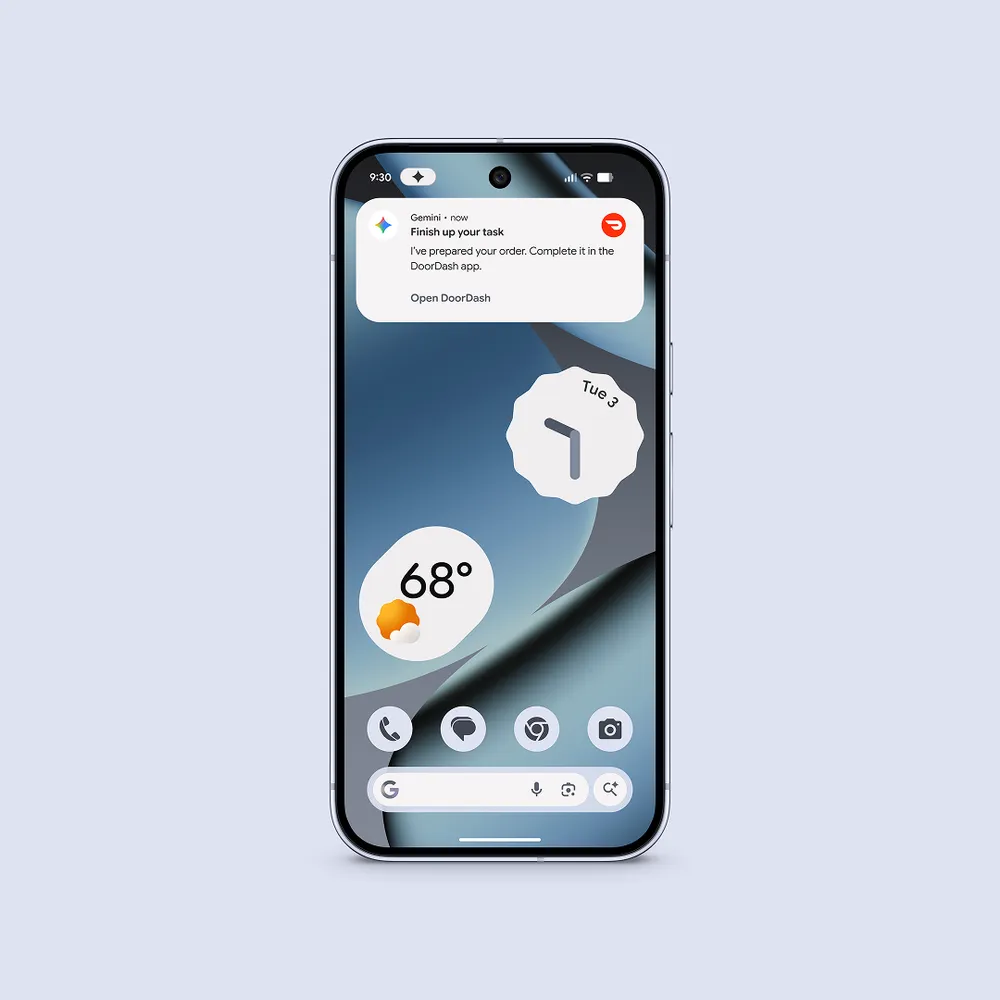
Google is rolling out a beta feature in the Gemini app that allows users to offload multi-step tasks directly to the AI assistant. Rather than simply giving you information or drafting a message, Gemini can now navigate apps, make decisions across multiple steps, and complete real-world tasks — all while you get on with your life.
The feature is launching soon for:
- Pixel 10 and Pixel 10 Pro
- Samsung Galaxy S26 Series
Initially, it will be available in the United States and South Korea.
How Does It Work?
The interaction model is refreshingly simple. Long-press the power button on your device to summon Gemini, then describe what you need done. Examples include:
- “Book me a ride home”
- “Reorder my last meal on DoorDash”
From there, Gemini takes over. It runs the relevant app in a secure, virtual window on your device and completes the task in the background — meaning you can keep using your phone for other things while Gemini works.
Safety and Privacy
One of the most thoughtful aspects of this announcement is how Google has baked safety and privacy into the feature’s architecture from the ground up, rather than treating them as an afterthought.
Control
Every automation begins with a direct command from you. The moment the task is complete, Gemini stops. There is no persistent background agent lurking or taking unsolicited actions.
Transparency
You can monitor Gemini’s progress in real time through live notifications. At any point, you can view exactly what it’s doing, jump in manually, or stop the task entirely. This is a crucial feature — it keeps humans firmly in the loop.
Limited Access
Gemini operates through a secure, sandboxed virtual window. This means it can only interact with the specific app needed for the task. It does not have access to the rest of your device, your files, or other applications. This is a smart architectural decision that significantly limits the potential blast radius of any errors or misuse.
Which Apps Are Supported at Launch?
For the initial beta, Google is focusing on three high-utility:
- Food delivery (e.g., DoorDash)
- Grocery ordering
- Rideshare booking
These are precisely the kinds of tasks that are repetitive, predictable, and time-consuming enough to benefit from automation — but structured enough that an AI can handle them reliably. It’s a smart, conservative starting point that prioritizes getting the experience right before expanding.
New Circle to Search Feature from Gemini
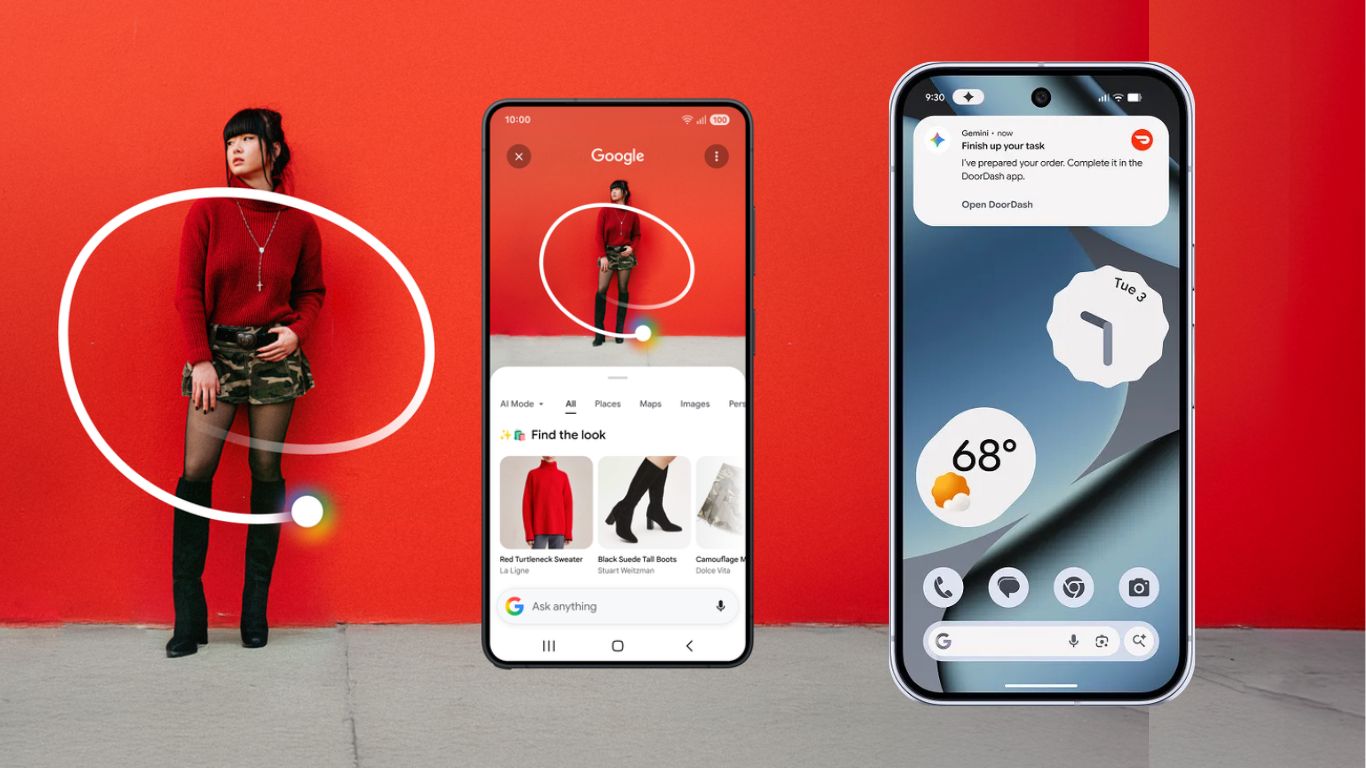
Circle to Search has already transformed the way people interact with more than 580 million Android devices. With the introduction of multi-object image recognition, you can now draw inspiration from everything on your screen at once, not just a single element.
Whether you’re planning a gallery wall and need to source multiple pieces at once, or you’ve stumbled across an outfit online and want to capture the full aesthetic rather than just one item, Circle to Search now makes it effortless. A single gesture is all it takes to identify visual matches for an entire look — from tops and accessories down to footwear — so you can explore, refine, and curate a style that feels entirely your own.
And the experience doesn’t stop at discovery. We’re expanding virtual try-on capabilities directly within Circle to Search, so you can see how a piece of clothing actually looks on you before you commit. Simply upload a photo and try on similar styles from your favorite brands — all without leaving the app.
Download Gemini 2026 Update
New Google Gemini 1.0.86 APK is now available for download, featuring new AI models including Gemini 3.1 Pro, Nano Banana 2, and soon Gemini 3.1 Flash.
Download Gemini from App Store
To experience the new UI, ensure your Google App is updated to the latest version. You can download the update via the Play Store, App Store, or grab the APK directly below.
Associated apps
- Update the Google App from the Play Store
- Update from Google Play Store (Android)
- Update from Apple App Store (iOS)
- Access via Browser
Read More:
APK Download
Alternatively get the Google Gemini 1.0.869192867 (120-640dpi) (Android 9.0+) APK from below.
Starting with Android 11, Google released apps in Split APKs (multiple APKs) format. This means the app is split into several packages, including the base and config APK files. This solves the compatibility issue and helps install apps like the Google Camera APK on any Android device featuring different dpi, screen resolution, screen size, architecture, and more.
Here is the installation method for split APKs, bundled APKM, or zip files on Android devices.
- Google Gemini 1.0.86
- APK Download (Telegram channel)
- APK Mirror (rename .apkm to .zip)
- Installation method: How to Install Split APKS/XAPK/APKM/ZIP
