
Download Google Home 4.2 APK with Gemini AI and New Logo for Android & iOS


Google has integrated Gemini AI throughout its ecosystem, deploying the technology across Pixel phones, Wear OS 6, Android Auto, and Google TV. Google Home now joins this expanding roster of AI-enhanced platforms. Here, download the latest Google Home 4.2.51.1 APK for Android.
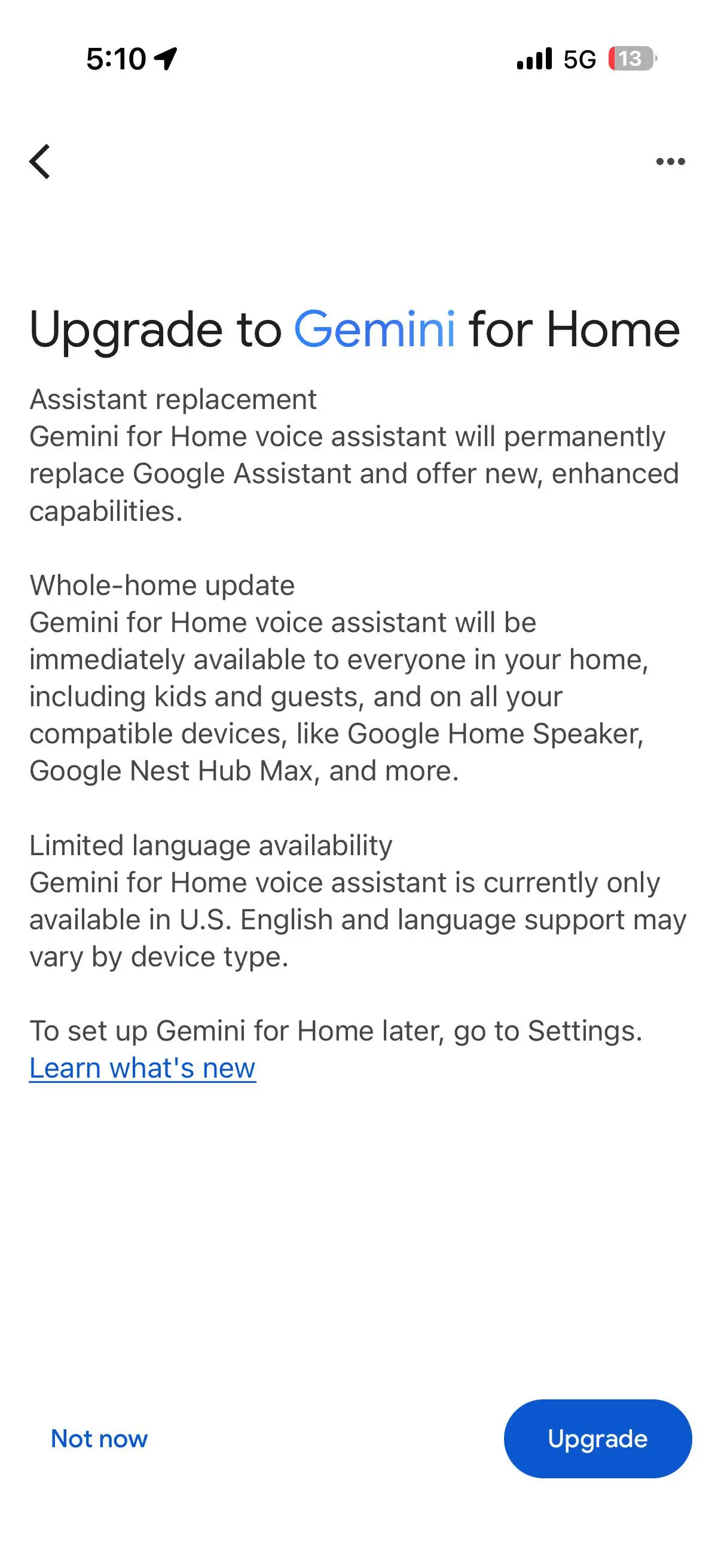
Earlier this month, the tech giant announced Gemini for Google Home alongside an AI-driven redesign. Today represents a major milestone with the launch of Google Home version 4.1 for Android and v4.2 for iOS, which implements this redesign and activates Gemini AI functionality. This integration builds on the recent Material 3 Expressive redesign for TV, reinforcing Google’s commitment to embedding AI across its entire product portfolio.
Within the last 24 hours, Google has deployed three successive updates to Google Home: versions 4.0, 4.1, and 4.2. Version 4.2 delivers all previously announced features and activates Gemini AI for eligible users.
Google’s CPO for Home and Nest announced the Gemini AI rollout begins today. Users who interact with speakers or smart displays using “Hey Google” can now access the first wave of early access for the Gemini-powered voice assistant, starting right now in the United States and Japan.
The Google Home app also features a refreshed logo with gradient colors. Google has been adopting gradient icons across all its applications, following its iconic logo—the first to receive the gradient treatment. The Google Home 4.2 update introduced this new visual identity.
Google Home App Update Features
The smart home landscape just got a significant upgrade. Google has unveiled a completely redesigned Google Home app, built from the ground up to harness the power of Gemini AI. This potentially improves how users interact with their connected homes, prioritizing speed, reliability, and intelligent automation.
Speed and Stability
Google says they are focusing on speed and stability first. Before diving into flashy AI features, Google addressed what users consistently flagged as pain points: performance and reliability. The company took user feedback seriously, making these concerns the cornerstone of the redesign.
The results are impressive. The new app launches over 70% faster on some Android devices, while app crashes have plummeted by nearly 80% compared to just months ago. These aren’t minor tweaks.
Battery consumption and memory usage have also been optimized, addressing concerns that plagued earlier versions. For homes with security cameras, the improvements are particularly notable: live camera views now load 30% faster with 40% fewer playback failures. Camera tile previews appear instantly, and scrolling through recorded footage is dramatically smoother, boasting a frame rate improvement of more than 6x.
Throughout the year, Google deployed over 100 feature and performance enhancements, creating an app that’s not just functional but genuinely responsive and resilient.
Nest Integration Complete
One of the most welcome changes is the complete integration of Nest devices and features into the Google Home app. Previously, users often found themselves switching between apps to access different features—a frustrating experience that broke the flow of home management.
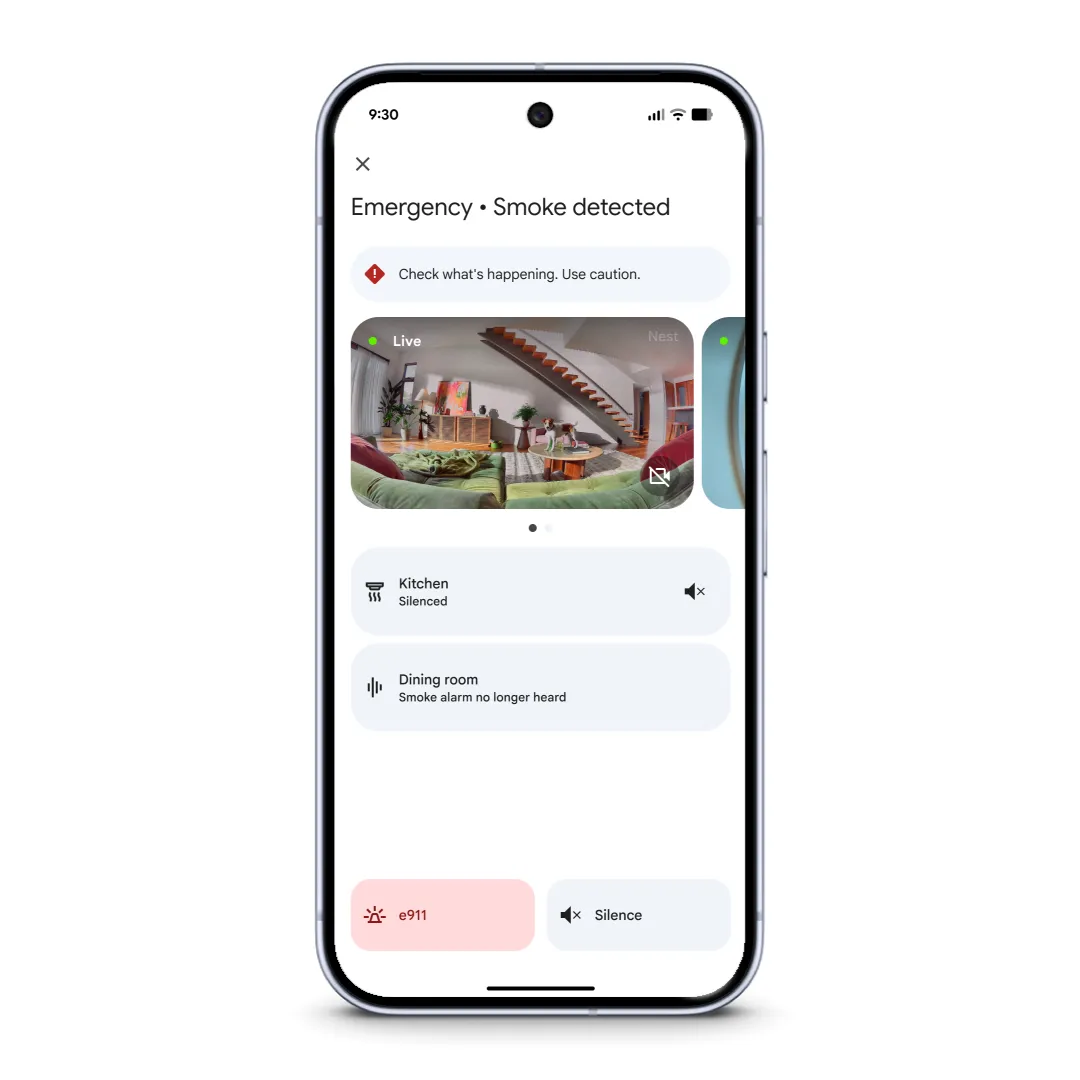
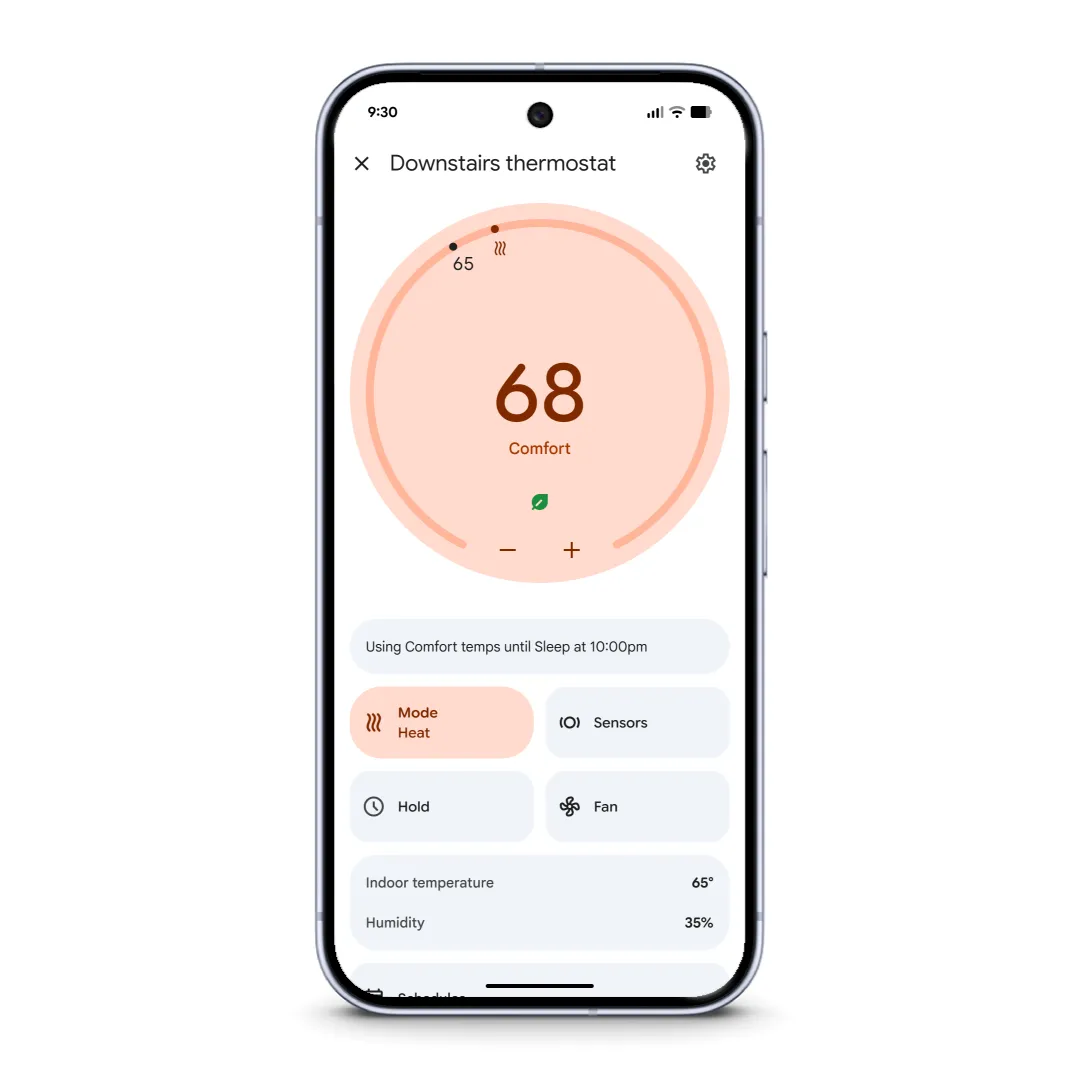
Now, everything lives in one place. All Nest Thermostat models dating back to 2015 are fully supported. Critical safety features like smoke and CO emergency alerts for Nest Protect are readily accessible. Even specialized functions like passcode management for the Nest x Yale Lock have been seamlessly integrated.
Previous generations of Nest cameras and doorbells, which sometimes felt like second-class citizens in the ecosystem, now perform better than ever. Higher frame rates make reviewing events feel fluid and natural, while optimizations to video encoding and processing help even older cameras load faster and more reliably.
The addition of full Nest Protect support ensures that home safety monitoring is as seamless as controlling lights or adjusting the thermostat.
New UI with Gemini AI
The redesigned interface reflects a fundamental shift in philosophy. Rather than cramming features into endless menus, Google has streamlined the app into an intuitive three-tab layout that puts Gemini for Home’s capabilities front and center.
The Home Tab: Your Command Center
The Home Tab serves as mission control for your entire smart home ecosystem. It provides a consolidated overview and access point for everything under your roof. New gesture controls make single-handed operation effortless—users can swipe between Favorites, all devices, and dedicated dashboards without constantly switching tabs. This fluidity transforms quick device checks from a multi-step process into a natural, flowing interaction.
The Activity Tab: Your Home’s Timeline
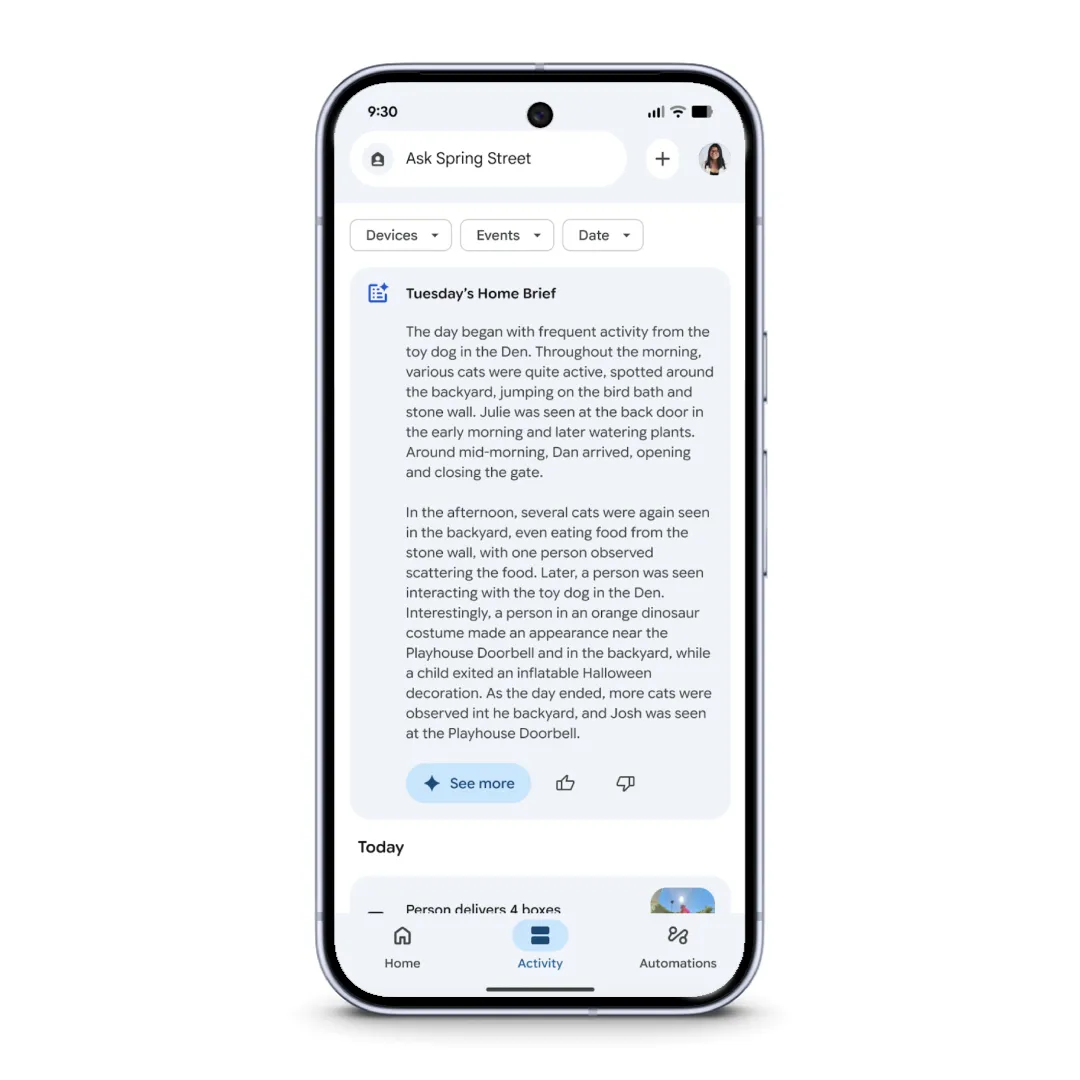
The Activity Tab represents a unified history of everything happening in your home. It aggregates events from all connected devices, whether they’re first-party Google products or third-party integrations. This comprehensive timeline makes it easy to review what happened and when.
The Home Brief feature provides quick daily summaries, offering at-a-glance insights into your home’s activity without requiring deep dives into individual device logs.
The Automations Tab: Smarter Scheduling
The Automations Tab has been completely rebuilt as a native experience on both iOS and Android, unlocking capabilities previously impossible in the old architecture. Users can now create one-time automations for special occasions or temporary needs.
More impressively, conditional starters allow routines to execute only when specific conditions are met—like running certain automations only when someone is home. The new carousel at the top displays upcoming automations about to trigger, providing transparency and control over scheduled actions.
Camera Intelligence That Actually Understands
The camera experience showcases what Gemini AI brings to the table. Event notifications on both platforms now expand to show rich, animated, zoomed-in previews directly from the lock screen, providing immediate context without opening the app.
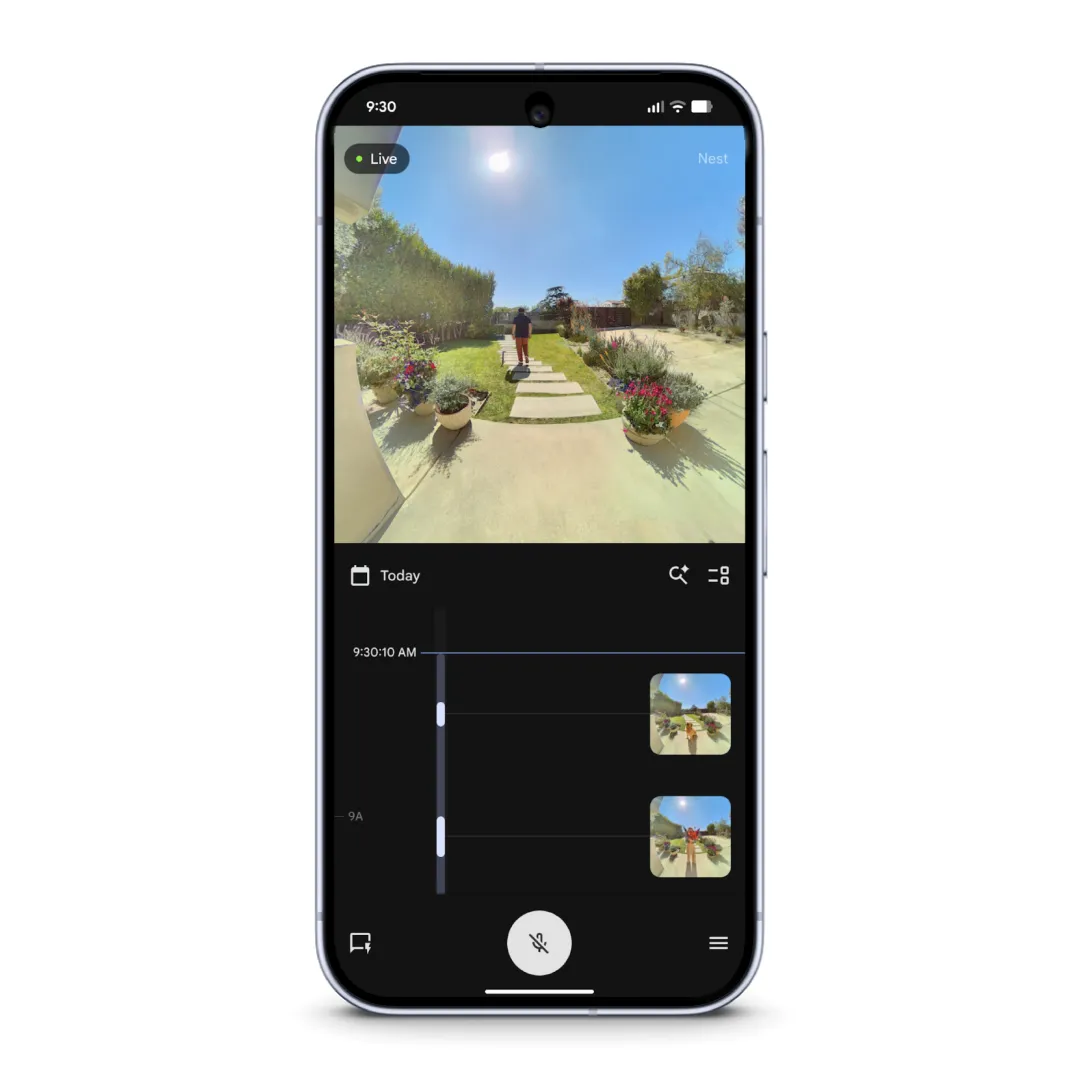
Inside the app, new gestures make navigation intuitive and familiar. Users can swipe between timeline and event list views, or double-tap to fast-forward and rewind—borrowing interaction patterns from YouTube that users already understand.
But the real game-changer is Gemini’s deeper understanding of what cameras see. Instead of generic “person detected” alerts that provide minimal useful information, cameras can now generate contextual descriptions like “Robin walking with flowers.” This specificity transforms notifications from mere alerts into actionable intelligence, helping users quickly determine whether something requires attention.
Ask Home: New Natural Language Commands
Tying the entire experience together is Ask Home, now persistently accessible from the header navigation throughout the app. It’s more than just a search box—it’s a natural language interface to your entire smart home.
Start typing “lights” or “living room,” and relevant devices and automations appear for quick access. But its capabilities extend far beyond simple device lookup. Users can find specific camera clips by asking questions, control multiple devices simultaneously with commands like “turn off all the lights and close the blinds in the family room,” or create complex automations simply by describing what they want.
Premium Subscription
While many features are available to all users, some of Gemini’s most advanced capabilities—like the detailed contextual camera descriptions—require a Google Home Premium subscription. This tiered approach allows Google to offer a solid free experience while reserving cutting-edge AI features for paying subscribers.
The redesigned Google Home app began rolling out globally today, October 28, 2025. The phased deployment means some users may receive updates before others. Same goes for Gemini.
Download Google Home 4.2 APK
Google released the Google Home v4.2.51.1 update for Android and iOS, featuring the new login, revamped UI, and Gemini AI integration. today. Get the latest update from the App Stores.


APK Download
Download Google Home 4.2 (arm64-v8a) (640dpi) (Android 9.0+) APK available today. Get the latest APK below.
Starting with Android 11, Google released apps in Split APKs (multiple APKs) format. This means the app is split into several packages, including the base and config APK files. This resolves the compatibility issue and enables the installation of apps like the Google Camera APK on any Android device with varying DPI, screen resolution, screen size, architecture, and more.
- Google Home 4.2 APK
- APK Download (rename .apkm to .zip)
- Installation
