
Android Auto 15.5 Beta Fixed Bugs & App Crashing (APK Download)

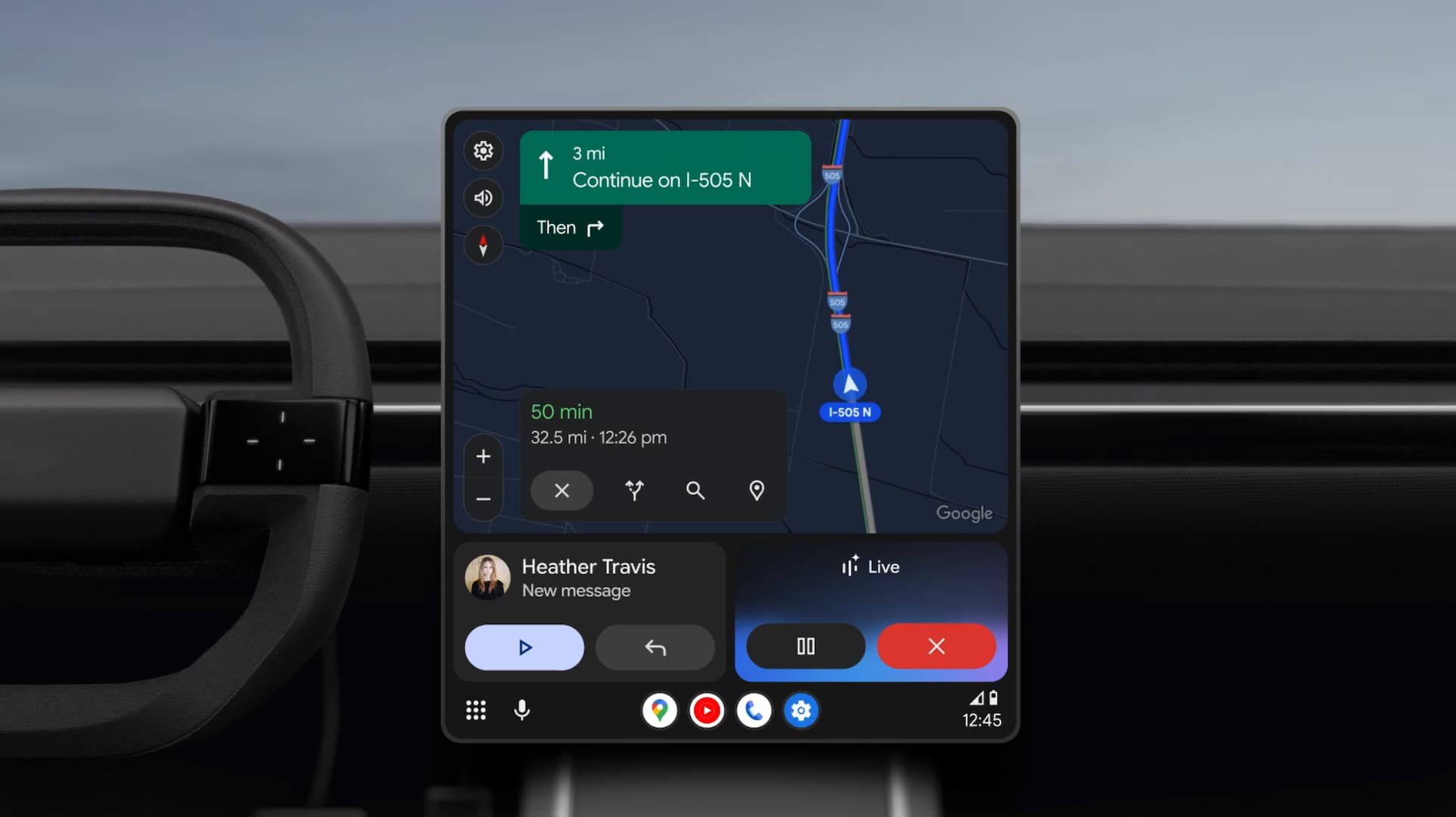
Google has released Android Auto 15.5 beta, focused on resolving critical connectivity issues affecting several Android phones. It also lays the groundwork for Material 3 Expressive Design and Gemini AI. This update arrives following the controversial Android Auto 15.1 stable release, which introduced Material 3 theming but faced user pushback on certain design choices.
The Android Auto platform has undergone substantial changes in recent months, with version 15.1 introducing a comprehensive Material 3 Theme overhaul. This update featured new colors, redesigned icons, modified toolbar shapes, and fresh animations. However, user feedback prompted Google to revert certain changes.
Users should note that some reports indicated that certain Android Auto 15.x beta version configurations may cause crashes or fail to open. Those experiencing stability issues should update to the latest version of Android Auto (15.5) or revert to the latest stable version through the Play Store by uninstalling updates.
What’s new in Android Auto 15.5 Beta?
Android Auto 15.5 beta release prioritizes bug fixes, stability, and user experience over new features. It addressed critical user-facing issues, particularly for Google Pixel and Samsung Galaxy devices. This includes resolution of grey screen problems, audio control malfunctions, and system audio failures, eliminating major usability barriers and safety concerns.
However, ongoing issues with voice commands, device-specific disconnections, and third-party app integration remain in Android Auto, across diverse hardware configurations and vehicle implementations.
Android Auto 15.5 Beta brings critical bug fixes for Android phones. Here are the changes:
Grey Screen Problem Eliminated
The most significant fix in Android Auto 15.5 beta is the grey screen issue that plagued Android users. This problem prevented car displays from functioning properly when connected to your phone, showing only a grey screen with the Android Auto watermark. The issue was officially resolved, but the latest beta includes additional stability improvements for this fix.
Users reported that despite following standard troubleshooting procedures including cache clearing, data deletion, and factory resets of car entertainment systems, the problem persisted until the official update. The update further solidifies these fixes and addresses edge cases that may have slipped through initial patches.
Audio Control Functionality Restored
Music playback controls represent a critical safety feature for Android Auto, allowing drivers to manage audio without manual phone interaction. The 15.5 update resolves fast-forward and rewind functionality issues that forced drivers to physically handle their phones while driving—a dangerous practice that defeats Android Auto’s core safety purpose.
This fix extends across multiple music streaming platforms and podcast applications, ensuring consistent behavior regardless of the audio source. The restoration of these controls eliminates a significant safety hazard and improves the overall user experience for those who rely on Android Auto for entertainment during commutes.
Complete Audio System Restoration
Early 2025 saw widespread reports of complete audio loss following Android Auto updates. Users found themselves unable to hear navigation instructions, phone calls, or media playback through their vehicle’s audio system. The 15.5 beta includes comprehensive audio pipeline improvements that address these critical failures and ensure reliable sound delivery across all supported vehicle models.
SiriusXM Navigation Improvements
Satellite radio subscribers using SiriusXM through Android Auto experienced menu navigation difficulties that hampered their ability to browse channels and content. The integration repairs in version 15.3 restore full functionality to SiriusXM’s interface, allowing seamless navigation through channels, favorites, and content categories.
Connectivity fixes
Some Android users continued experiencing broader connection problems. These issues may have been fixed, mostly on devices running the latest version of Android 16.
Voice Command Malfunctions
Voice commands serve as Android Auto’s primary safety feature, enabling hands-free operation while driving. Some Android users reported non-functional voice commands despite confirmed microphone enablement. This forces dangerous manual interaction with devices, undermining Android Auto’s safety mission. Google acknowledged this critical issue and is prioritizing a solution.
Google Assistant Error Messages
Generic “oops, something went wrong” errors when using Google Assistant through Android Auto should also have been fixed with this update. These errors prevented voice-based control of navigation, communications, and media, forcing manual phone interaction while driving.
- Also read:
Download Android Auto 15.5 Beta APK
Android Auto 15.5 beta is available through multiple distribution channels to accommodate different user preferences and technical capabilities.
Google Play Store Beta Program
The most straightforward installation method involves joining the Android Auto Beta Testing program through the Google Play Store. This provides automatic updates as new beta versions release and allows easy rollback to stable versions if issues arise. The phased rollout means the update may take several days to appear for all beta program participants.
The official Android Auto listing is now available on Play Store. However, the latest version takes some time to reflect as it is a phased update.


Manual APK Installation
Advanced users can manually install Android Auto 15.4 using split APK installers. The application now uses bundled APK format, requiring specialized installation tools like SAI Installer to properly install all application components. Manual installation allows immediate access to the latest beta without waiting for phased rollout completion.
- Android Auto 15.5 beta download
- APK Mirror (rename .APKM to .ZIP)
- Then Install Split APKS/XAPK/APKM/ZIP using SAI Installer (FOSS)
