
Samsung One UI 8.5 Beta Rolled Out for Galaxy S23 Series Phones


Subscribe for Updates
Samsung has opened the beta program for One UI 8.5. Following Samsung’s announcement about expanding One UI 8.5 beta programme to more devices – including Galaxy S24 series, Galaxy Z Fold6, Galaxy Z Flip6, Galaxy S25 FE, Galaxy S24 FE, Galaxy Tab S11 – the electronics giant also rolled out the beta program for Galaxy S23, S23+, and S23 Ultra devices starting today!
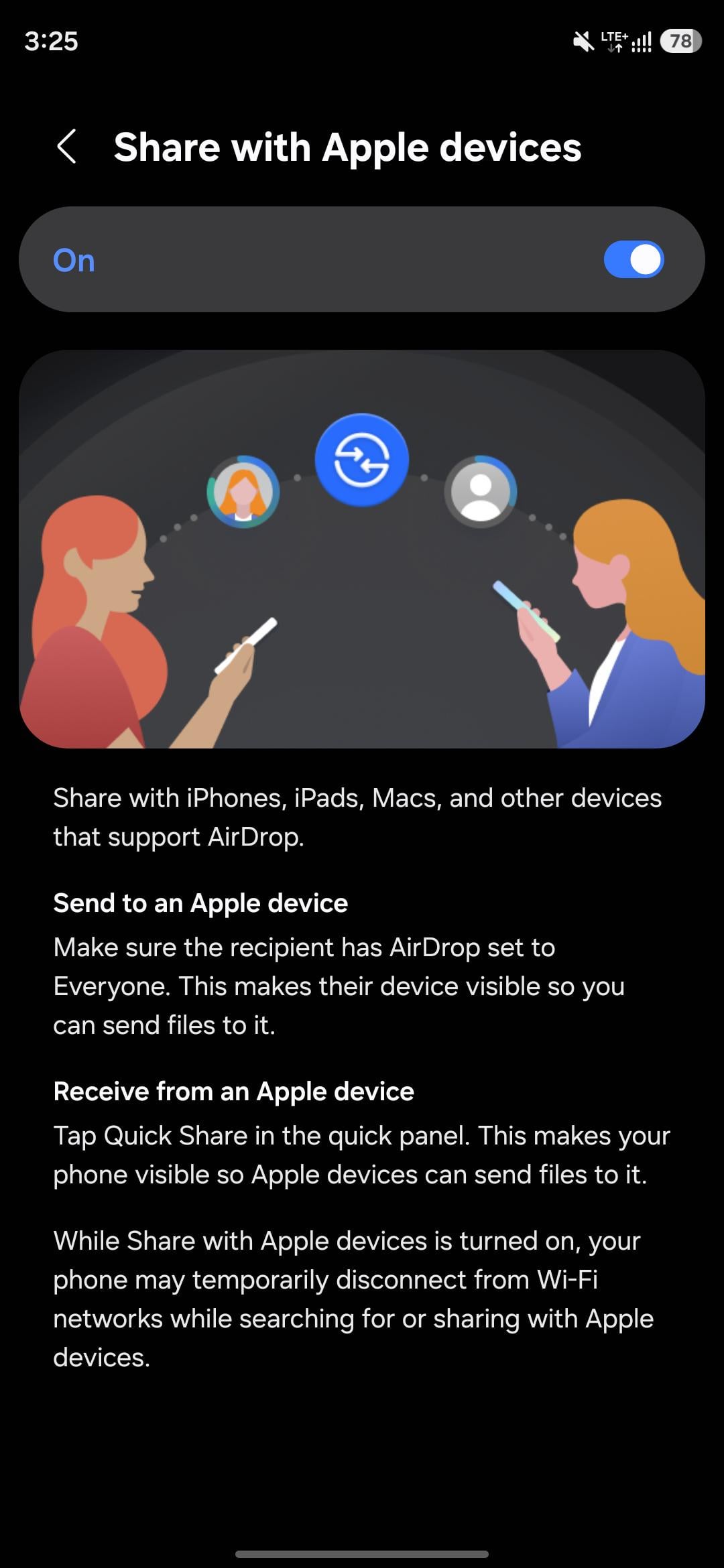
The update weighs 4 GB in size, depending on the device you have, and the AI features Samsung implemented for the device. OneUI 8.5 still runs on Android 16 and bumps the security patch level to March 5, 2026. It also brings the highly anticipated feature to the Samsung Quick Share app, which now supports transferring files to and from Apple Airdrop
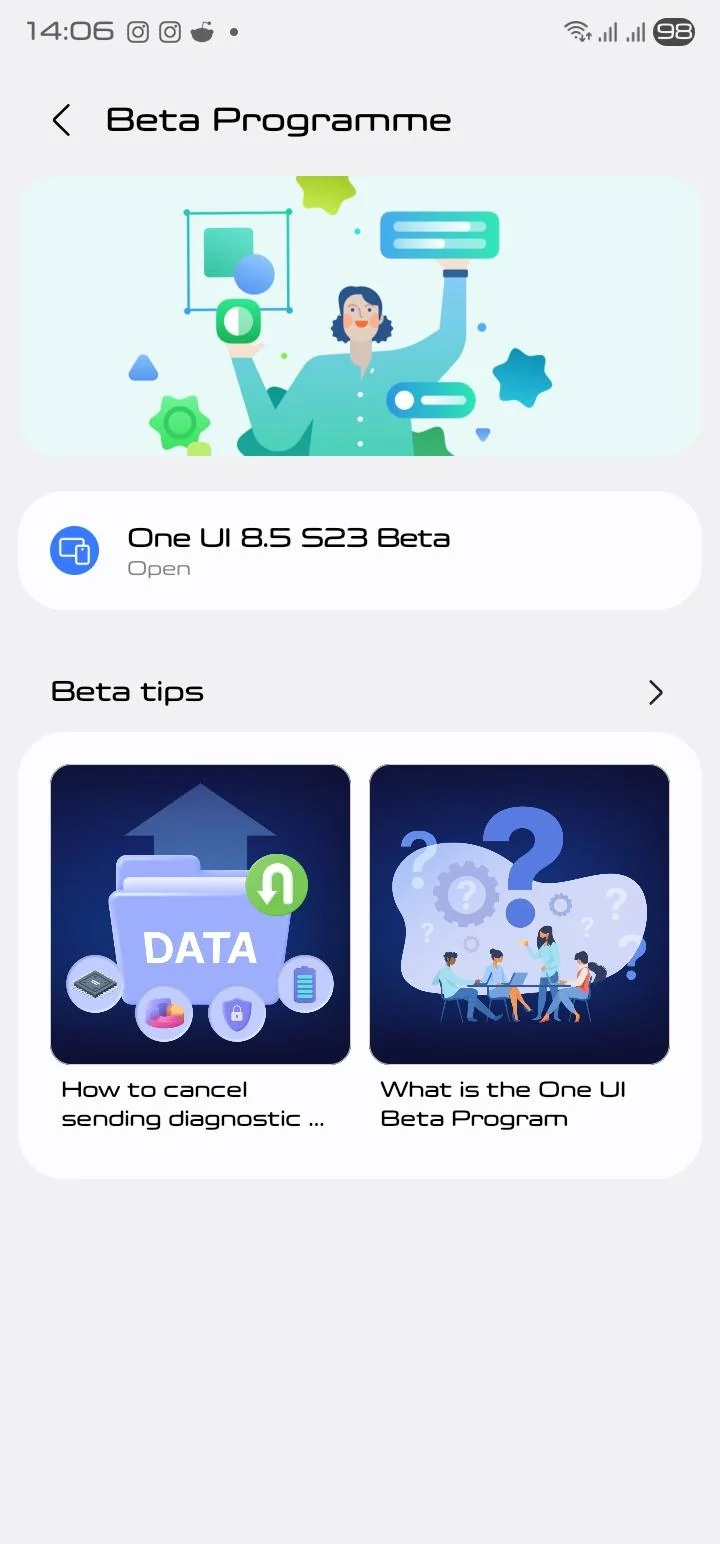
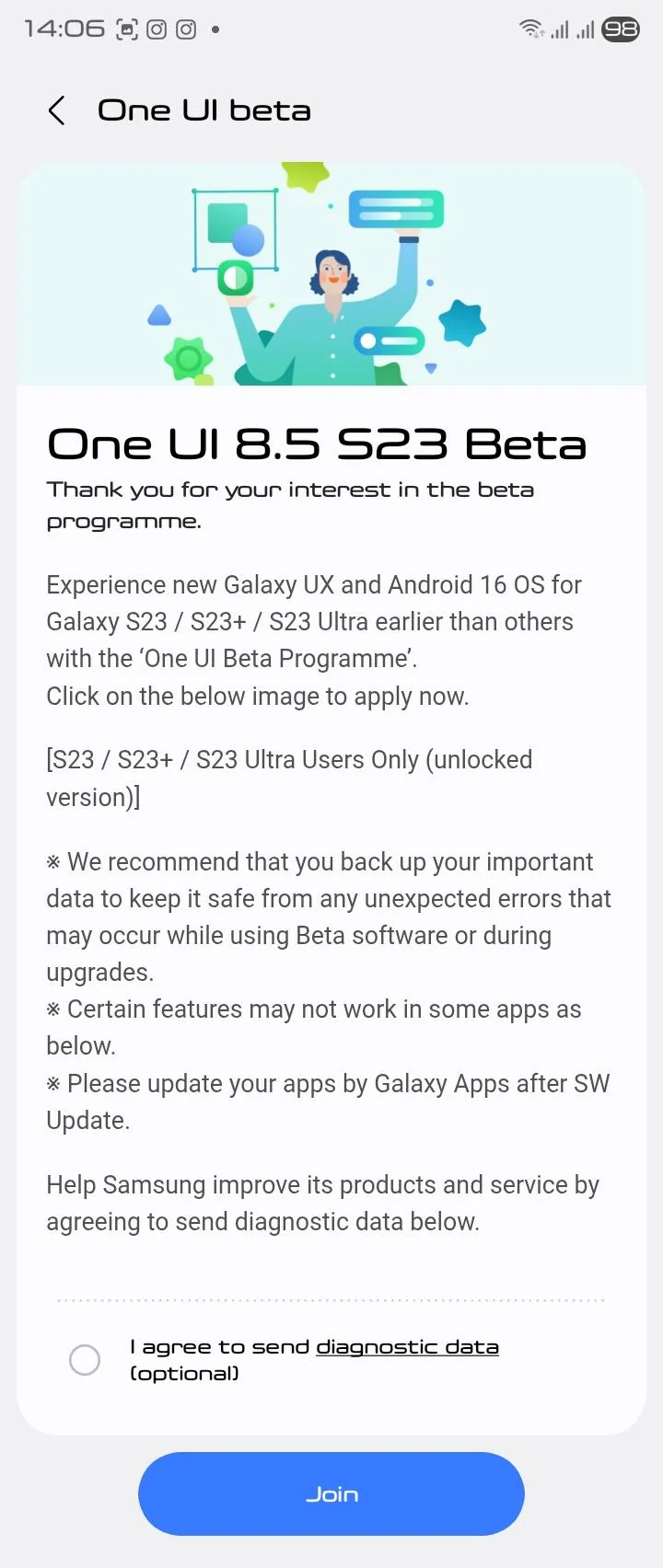
Samsung One UI 8.5 Beta for Galaxy S23 phone is here – What’s New?
While Samsung is beta testing the One UI 8.5 firmware update, the full changelog is already available featuring a refined and more polished experience across system performance, design, and overall usability. The firmware enhances device stability, improves animations, and optimizes memory and power management for smoother day-to-day performance. Core system components have been optimized for enhanced responsiveness, resulting in faster app launches and more fluid transitions. Users will also notice improvements in connectivity, including more stable Wi-Fi, Bluetooth, and seamless ecosystem device interactions.
A major focus of One UI 8.5 is the expansion of Galaxy AI, with upgrades across multiple AI-powered tools. The update enhances language processing speed and accuracy, while features like Chat Assist, Browser Assistant, Interpreter, Note Assist, and Live Translate receive improved performance and reliability. Photo editing, video editing, transcription, and smart suggestions are now more consistent thanks to enhancements in Samsung’s AI algorithms. Overall, Galaxy AI becomes more deeply integrated across the interface, making everyday tasks quicker and more intuitive.
The Camera and Gallery apps also receive significant improvements. Image quality is enhanced with better stabilization, sharper details, and more reliable low-light performance. AI-powered editing tools in the Gallery now offer more accurate suggestions, improved object recognition, and faster loading times. Widgets such as the battery and weather widgets have also been upgraded with more precise data, cleaner layouts, and better animations, contributing to a more informative and visually appealing home screen experience.
Lastly, several native Samsung apps, including Samsung Health, Samsung Internet, Samsung Wallet, and Samsung Keyboard, are updated to align with the One UI 8.5 feature set. Users can expect UI refinements, more reliable performance, and enhanced security across these apps. With improvements to haptic feedback, thermal management, multitasking, and wallpapers, the One UI 8.5 update delivers a comprehensive upgrade that focuses on both functionality and user experience. The update is rolling out gradually, with availability depending on region, device, and carrier.
The most notable addition this time around is a new story type in the Gallery app — Samsung is introducing monthly, quarterly, and annual “rewind” collections, giving users a more curated way to look back at their memories.
Full Changelog
- Version
- One UI 8.5, ZZD5
- Bugs that have been fixed
- Support for AirDrop connection with Apple devices
- Applied 3 new camera filters (Classic Film, Pop Film, Blanc)
- Improved issue where Bluetooth connection disconnects and reconnects periodically
- Improved issue where the top part of the notification card was cut off
- Improved issue where the screen flickers and colors are distorted when changing zoom level during dual recording
- Improved stuttering issue when entering gallery albums under certain conditions
- Improved issue where AOD time information was displayed incorrectly in certain situations
- Improved notification card UI when the device is rotated
- Improved issue where the lock screen briefly appeared during an incoming call before transitioning to the call screen
- Version One UI 8.5, ZZCD
- Bugs that have been fixed
- Providing a new story type in the gallery (monthly/quarterly/annual rewind)
- Improved camera quick view thumbnail breakage issue when cloud-exclusive videos are the latest
- Fixed the issue where setting value does not be initialized when the original was restored after changing the save resolution in Studio
- Fixed an error where the original was not restored to the initial value after changing the save resolution in Studio
- Improved flickering when updating real-time notification cards
- Improved the issue where the bubble notification badge does not disappear after checking the received bubble notification
- Fixed an error where the clock shortcut disappears when the screen turns off while running Now Brief
- Improved the error where the date is displayed incorrectly when saving after editing a video with metadata errors
- Improved the error where scrolling captures in Naver Map are broken or do not capture
- Improved the issue where certain folders cannot be copied when connecting to share storage with Galaxy Book4
Samsung Quick Share app updated with Support for Apple Airdrop
Share with iPhones, iPads, Macs, and other devices that support AirDrop.
Send to an Apple device
Make sure the recipient has AirDrop set to
Everyone. This makes their device visible so you can send files to it.
Receive from an Apple device
Tap Quick Share in the quick panel. This makes your phone visible so Apple devices can send files to it.
While Share with Apple devices is turned on, your phone may temporarily disconnect from WiFi networks while searching devices.
How to download One UI 8.5 Beta?
Eager to be among the first to experience One UI 8.5? You can sign up through the Samsung Members app available on your compatible Galaxy device. Beta participants will get early access to the new features and can provide feedback to help refine the final release.
- How to Sign up for One UI 8.5 Beta Program
- One UI 8.5 beta leaked firmware downloads
- Samsung One UI 8.5 full changelog
- One UI 8.5 Beta features

