
How to Join Android Auto Beta and Activate Gemini AI Today


Google has rolled out Android Auto 16.2 into the beta program, introducing several significant updates. The latest Android Auto update brings new features, including redesigned Home Screen widgets, Material 3 Expressive design, WiFi connection fix, Bluetooth connectivity fixes, alongside Gemini AI integration for select users.
Gemini now replaces the traditional Google Assistant on Android Auto, reflecting Google’s ongoing shift away from its original voice assistant. Since Gemini’s announcement, Google Assistant’s capabilities have been gradually diminished, and the company recently confirmed plans to remove the native assistant entirely from Android in favor of Gemini.
However, Gemini has not replaced Google Assistant on every device yet, possibly because it’s not as versatile an assistant as the native assistant.
The rollout remains uneven across regions. While some users in the United States and Germany have successfully accessed Gemini on their vehicle head units, many others continue defaulting to Google Assistant despite running the latest Android Auto versions.
Here is a trick that will instantly get you into the Android Auto beta program and enable Gemini AI.
How to Instantly Activate Gemini in Android Auto Using Auto Refresh Plus
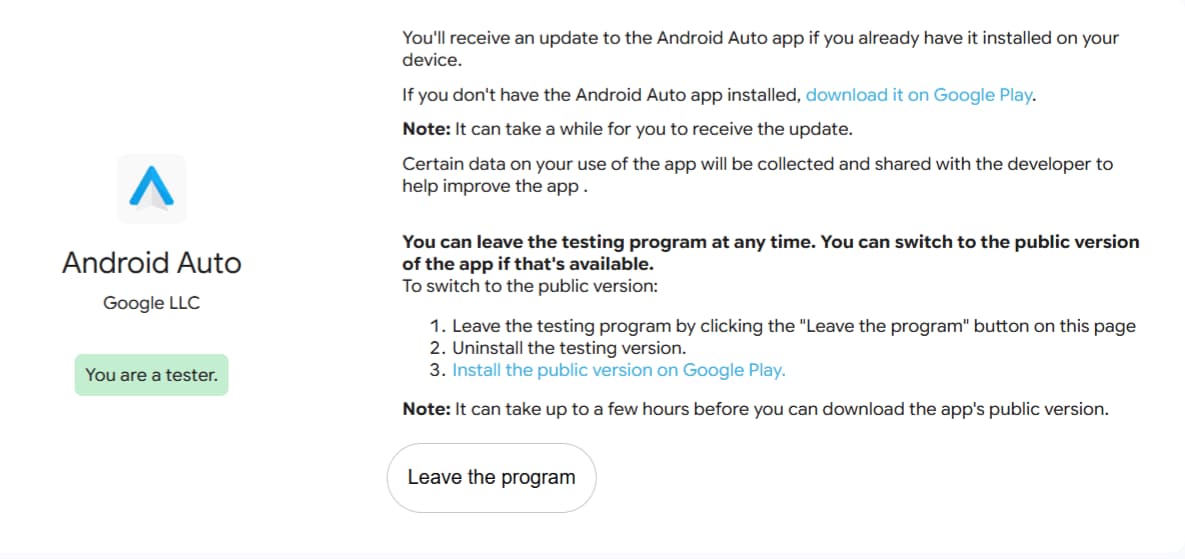
Here’s an ingenious workaround to activate Gemini in Android Auto without the typical waiting period for server-side switches or staged rollouts. This method involves enrolling in the Android Auto beta program using a browser extension. This automatically refreshes the beta program enrollment page and gets you into the AA beta program.
This uses a tool called “Auto Refresh Plus” on the Android Auto beta program enrollment link. Their approach was remarkably simple:
- Activated the Auto Refresh Plus extension on the beta enrollment page
- Leave it running for a while
- Once you get into AA beta program, update the app and
- Possibly find the Gemini instantly activated in their Android Auto
According to the original poster, this method completely bypassed the need to wait for any server-side switch or gradual rollout that Google typically implements for new features.
Activate Gemini in Android Auto
Visit Beta Enrollment Link
The key to this workaround is the Android Auto beta program enrollment page:
https://play.google.com/apps/testing/com.google.android.projection.gearhead/join?hl=en-US
Visit the Android Auto beta program from Chrome browser on a desktop PC.
How Auto Refresh Plus Works
Install the Auto Refresh Plus browser extension that automatically reloads web pages at specified intervals. In this context, continuously refreshing the beta enrollment page.
- This catches the exact moment when beta slots become available
- Forcing the system to recognize the enrollment more quickly
- Set the refresh interval between 3 and 5 seconds
- Go to Page Monitor and select Auto Click On Link. This will accept the Android Auto beta program as soon as it is available.
- Once enrolled, update the AA app from the Play Store.
- Check for Gemini activation.
Note that Gemini is part of Google Apps and Play Services. So make sure they are updated as well.
Download Android Auto 16.2 APK
Get the latest Android Auto 16.2.1606 beta from the official Play Store or download the APK from below.


APK Download
Starting with Android 11, Google released apps in Split APKs (multiple APKs) format. This means the app is split into several packages, including the base and config APK files. This resolves the compatibility issue and enables the installation of apps like the Google APK on any Android device with varying DPI, screen resolution, screen size, architecture, and more.
- Android Auto 16 beta download
- APK Download (rename .APKM to .ZIP)
- Then Install Split APKS/XAPK/APKM/ZIP using SAI Installer (FOSS)
