
VLC Media Player brings Dark Mode with 3.0.23 Vetinari Update (Download)

Subscribe for Updates
VLC Media Player has long been the go-to choice for users seeking a reliable, versatile, and free media playback solution. The latest release, VLC 3.0.23 Vetinari, continues this tradition while bringing important improvements and expanding platform support. This update denotes the twenty-fourth iteration of the Vetinari branch, building upon the solid foundation established with VLC 3.0.
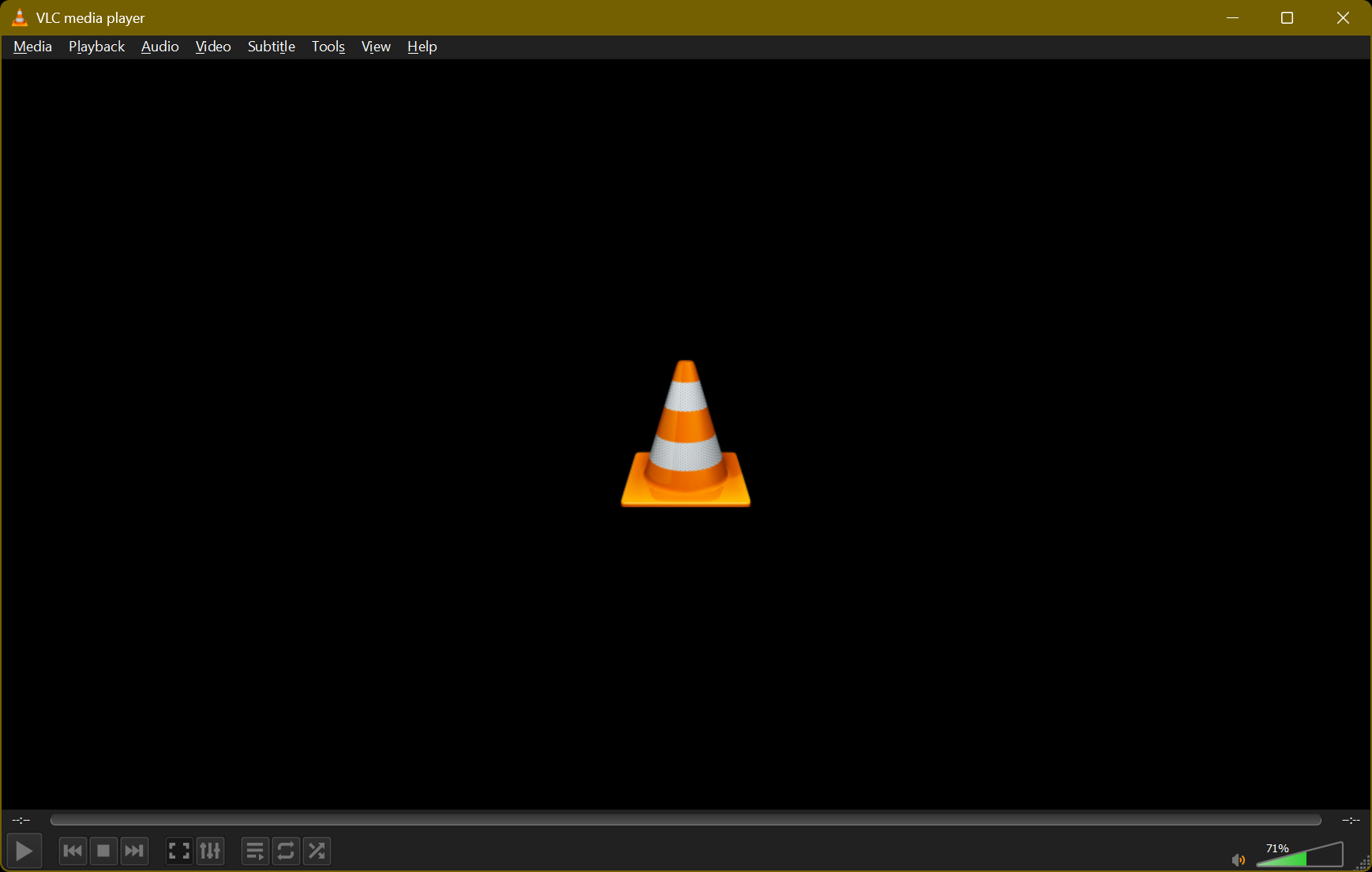
The highlight of the update is the addition of Windows ARM64 support and Dark Mode, which shows that the development team remains responsive to changing technology and user preferences. Meanwhile, it also brings critical security and stability improvementsto media playback.
For users seeking a capable, free, and open-source media player, VLC 3.0.23 is the best video player so far. It also supports 8K video, streaming to a Chromecast, playing Blu-Ray discs with full menu support, or simply opening a video file in an obscure format. VLC remains the versatile solution that handles it all.
VLC is available across all platforms including macOS, Linux, Android, iOS, and more. Here, download a legit copy of VLC Media Player directly from the developer’s servers.
What’s new in VLC 3.0.23 Vetinari Update?
The latest version brings several meaningful enhancements that improve both performance and user experience across multiple platforms.
Enhanced Playback and Codec Support
VLC 3.0.23 focuses heavily on improving playback capabilities across various formats. The update includes enhanced rendering for certain subtitle formats, ensuring better compatibility and display quality. Additionally, significant codec updates have been implemented, including improvements to dav1d (the AV1 decoder), FFmpeg, and libvpx, which collectively enhance video playback quality and efficiency.
Windows ARM64 Support
One of the most significant additions in this release is native support for Windows ARM64 architecture. This opens VLC to a new category of devices, requiring a minimum of Windows 10 RS5 17763 (version 1809). As ARM-based Windows devices become more prevalent, this support ensures VLC remains accessible across the evolving hardware landscape.
Dark Mode Comes to Desktop
Responding to user preferences and modern design trends, VLC 3.0.23 introduces a Dark Mode user interface option for both Windows and Linux platforms. This feature reduces eye strain during extended viewing sessions and provides a more contemporary aesthetic that many users prefer, especially in low-light environments.
Stability and Security Improvements
The development team has prioritized stability in this release, implementing numerous improvements to demuxers based on reports from rub.de and oss-fuzz. These enhancements make VLC more robust when handling edge cases and potentially problematic media files.
Security remains a top priority, with the team addressing multiple security issues in this release. Users concerned about specific vulnerabilities can review detailed information through VideoLAN’s security bulletins.
Practical Windows Enhancement
A quality-of-life improvement for Windows users allows renaming, moving, or deleting files that are currently playing. This seemingly small feature removes a common frustration and demonstrates the team’s attention to user feedback.
Updated Third-Party Libraries
The foundation of VLC has been strengthened through updates to most third-party libraries, ensuring compatibility with modern systems and improved performance across the board.
The VLC 3.0 Vision: Hardware Acceleration and Modern Media
While version 3.0.23 represents an incremental update, it’s worth revisiting the revolutionary features introduced with the VLC 3.0 series, as they remain central to the player’s capabilities.
Hardware Decoding by Default
VLC 3.0 activated hardware decoding by default, a game-changing decision that enables smooth playback of 4K and even 8K content. By leveraging GPU capabilities rather than relying solely on CPU processing, VLC can handle high-resolution video streams that would otherwise be unplayable on many systems.
HDR and Advanced Color Support
The Vetinari branch supports 10-bit color depth and HDR (High Dynamic Range) content, ensuring that users can enjoy modern video content as intended by creators. This support for extended colorspaces means VLC can properly display the enhanced contrast and color range that HDR provides.
Immersive Media Experiences
VLC 3.0 embraced emerging media formats with support for 360-degree video and 3D audio, including Ambisonics up to third order. This positions VLC as a player capable of handling immersive content, from virtual reality videos to spatial audio experiences.
Streaming and Network Capabilities
The addition of Chromecast support allows users to stream content to compatible devices, even when those devices don’t natively support the source format. This flexibility extends VLC’s usefulness beyond the desktop to the living room entertainment setup.
Network browsing capabilities for SMB, FTP, SFTP, and NFS shares make VLC a practical solution for accessing media libraries stored on network-attached storage devices or shared folders.
Blu-Ray and HD Audio
Support for Blu-Ray Java menus (BD-J) brings full Blu-Ray playback capabilities to VLC, while audio passthrough for HD audio codecs like E-AC3, TrueHD, and DTS-HD ensures high-quality audio for home theater enthusiasts.
Download VLC 3.0.23 Vetinari
The latest VLC Media Player available for download is version 3.0.23 Vetinari for Windows, macOS, Linux, and for Android.
