
Major Android Auto 16 Beta Update Released! (Download Here)


Subscribe for Updates
Google just released a major Android Auto 16 version to the beta channel, featuring Gemini Live, a feature for the dashboard to display as left-hand drive or right-hand drive, and support for more car models and car head units. Google rolled out Gemini AI assistant across Pixel phones, Wear OS 6, Google TV, Google Home, and Google Maps. Android Auto has also now joined this growing list of AI-powered platforms.
Android Auto received a bunch of new features recently, with new Home Screen widgets and Gemini AI activations for some. Yes, Gemini AI is now available on Android Auto, replacing the native Google Assistant. The Google Assistant has been deprecated in functionality ever since Google announced Gemini AI. More recently, the search giant stated it will completely remove the native assistant code from Android in favor of Gemini. Looks like the day has finally arrived.
Some users in the United States and Europe (Germany) have seen Gemini on their car head units popup with the newer Android Auto versions.
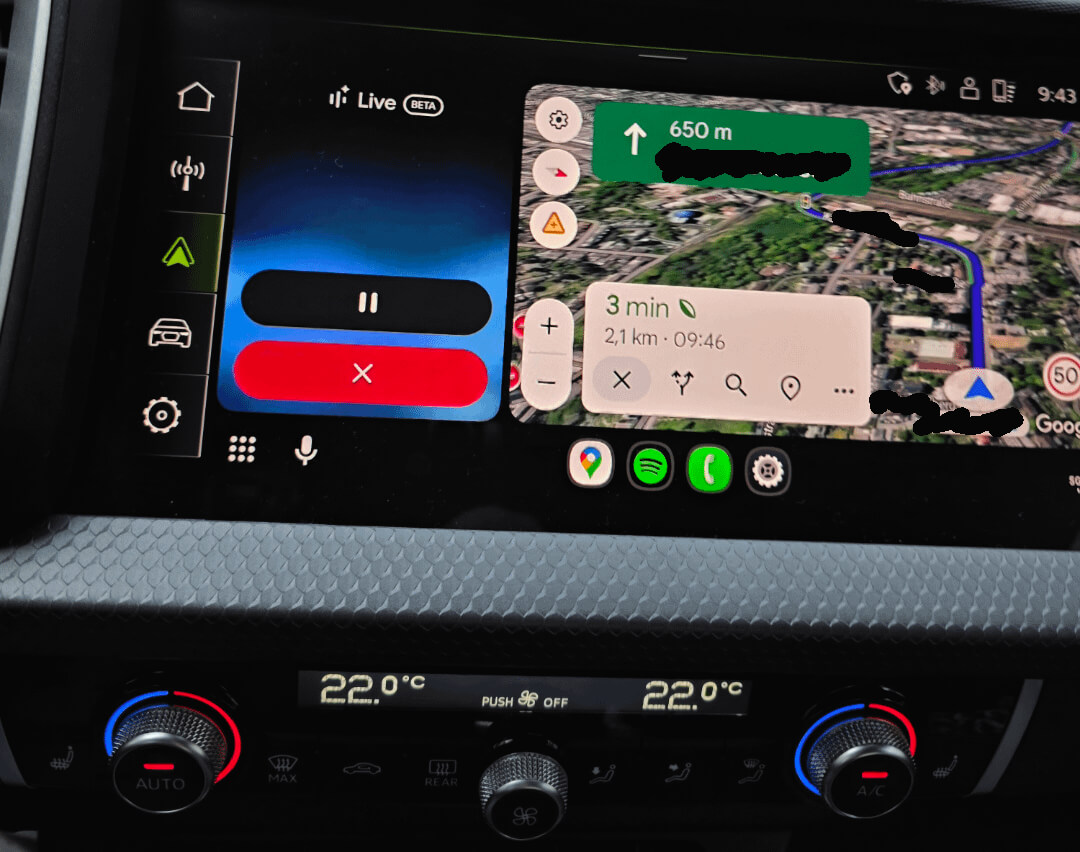
One user in Germany, as an Android Auto Beta Tester, received Gemini Live. This replaced the native Google Assistant mic icon with Gemini’s live icon, as shown in the picture below.
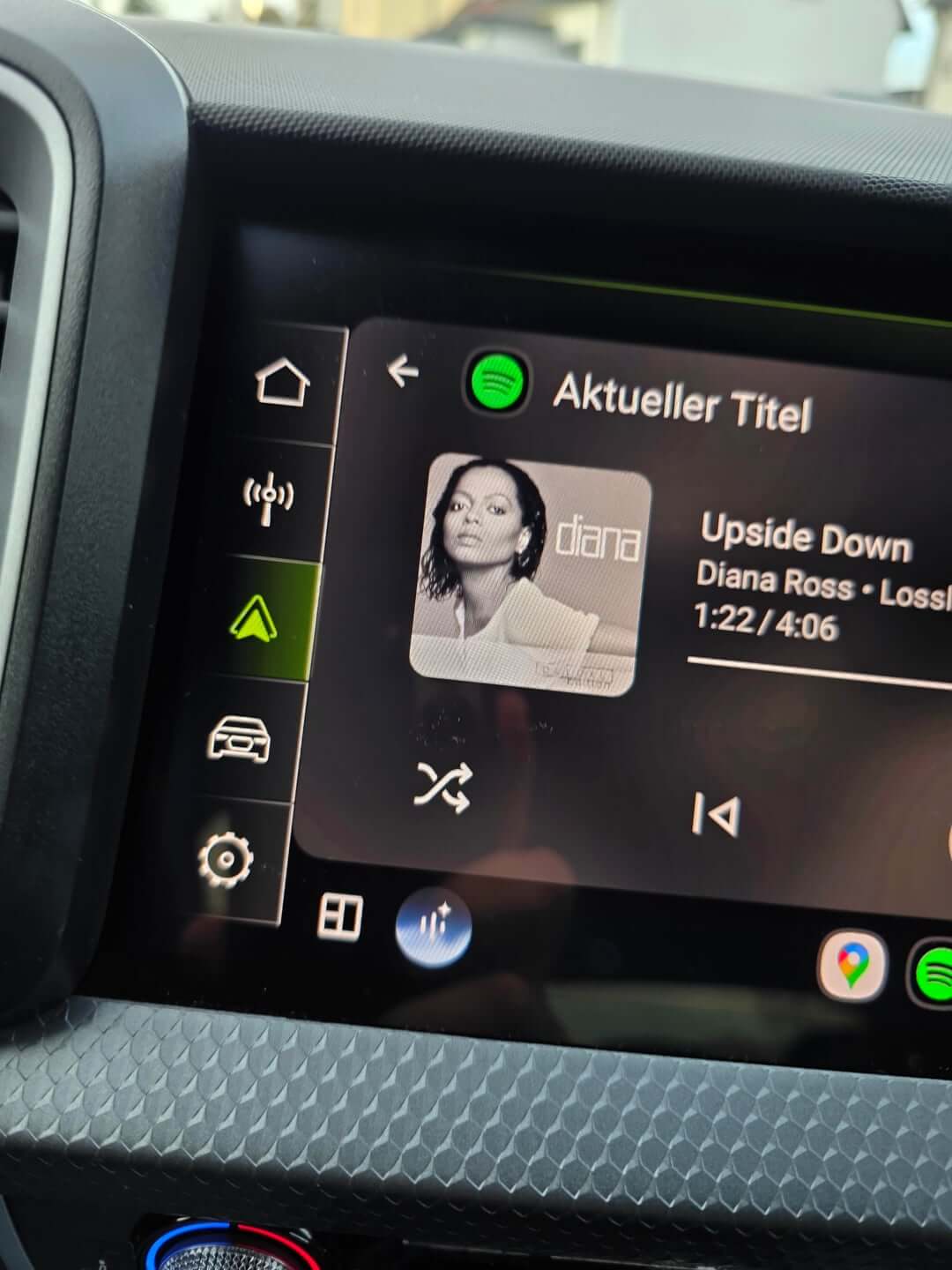
Another user got it on their 2014 Nissan X-Trail connected to a Google Pixel 7 running Android 16.
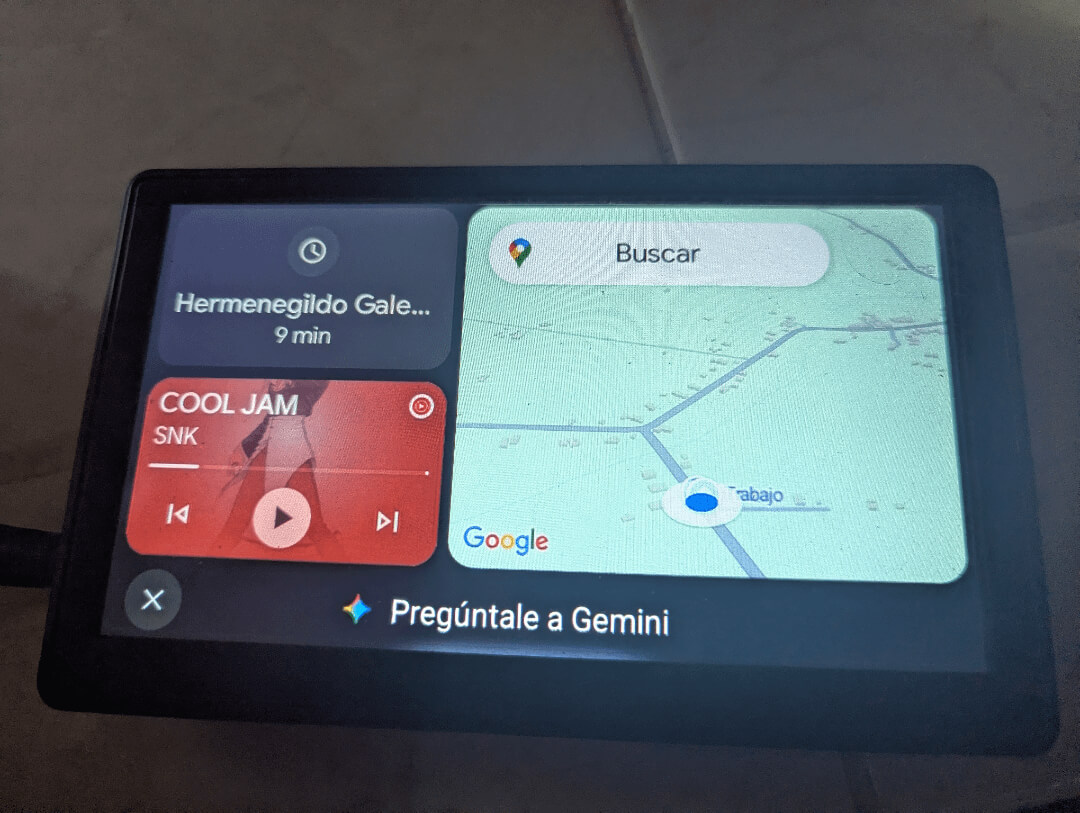
Google is also testing custom widgets for Android Auto that enable the addition of several widgets to Android Auto’s home screen.
The custom homescreen widgets we showcased previously have also received an upgrade. Android Auto 16 now allows more customizations to the widgets.
The feature is hidden under EarthCompanion, which can be accessed either through Android Auto settings or on some devices through Activity shortcuts.
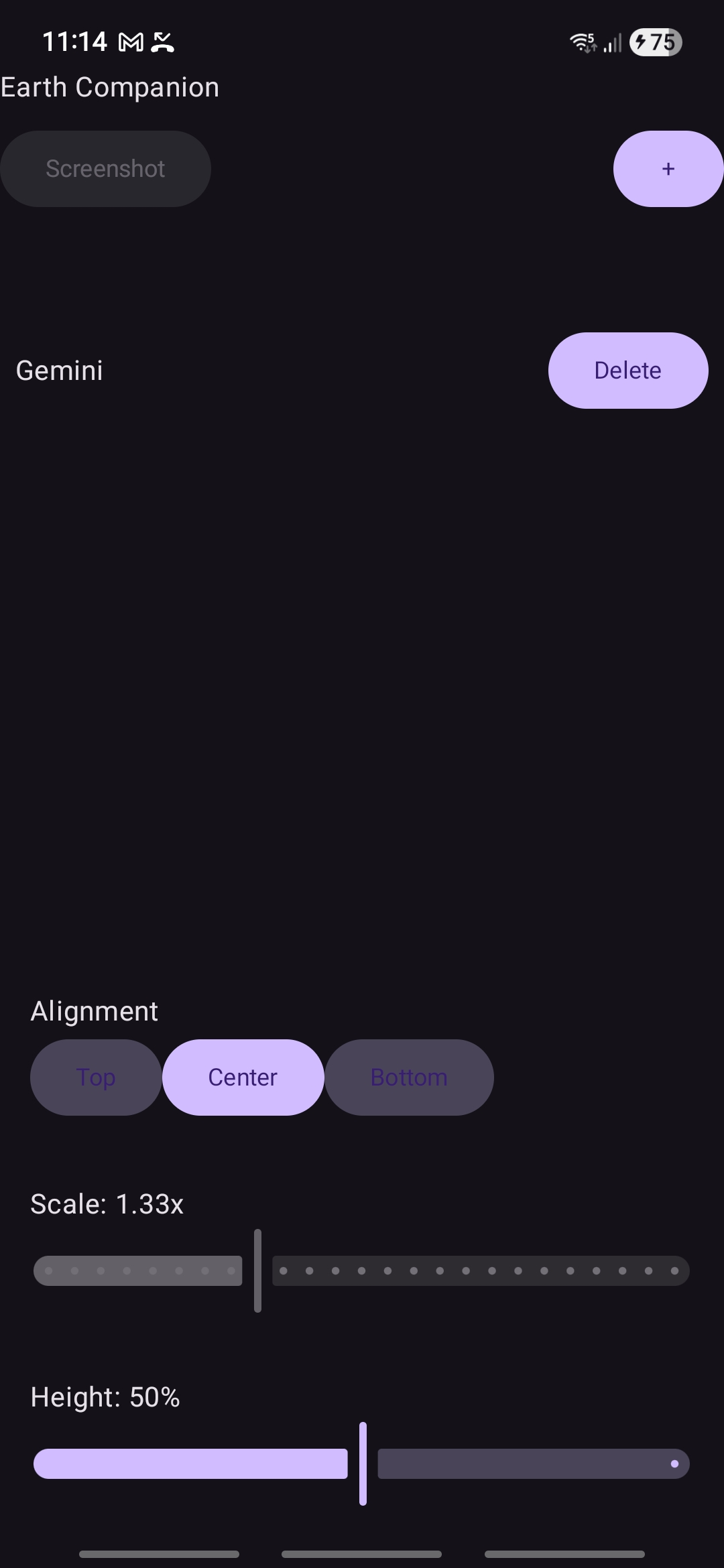
As you can see, the homescreen customization now gets new options, including Alignment and Height. You can choose to put the Gemini widget at the top, center, or bottom and set its height to even 50% or 100% to cover the entire sidebar.
This is how it looked before:
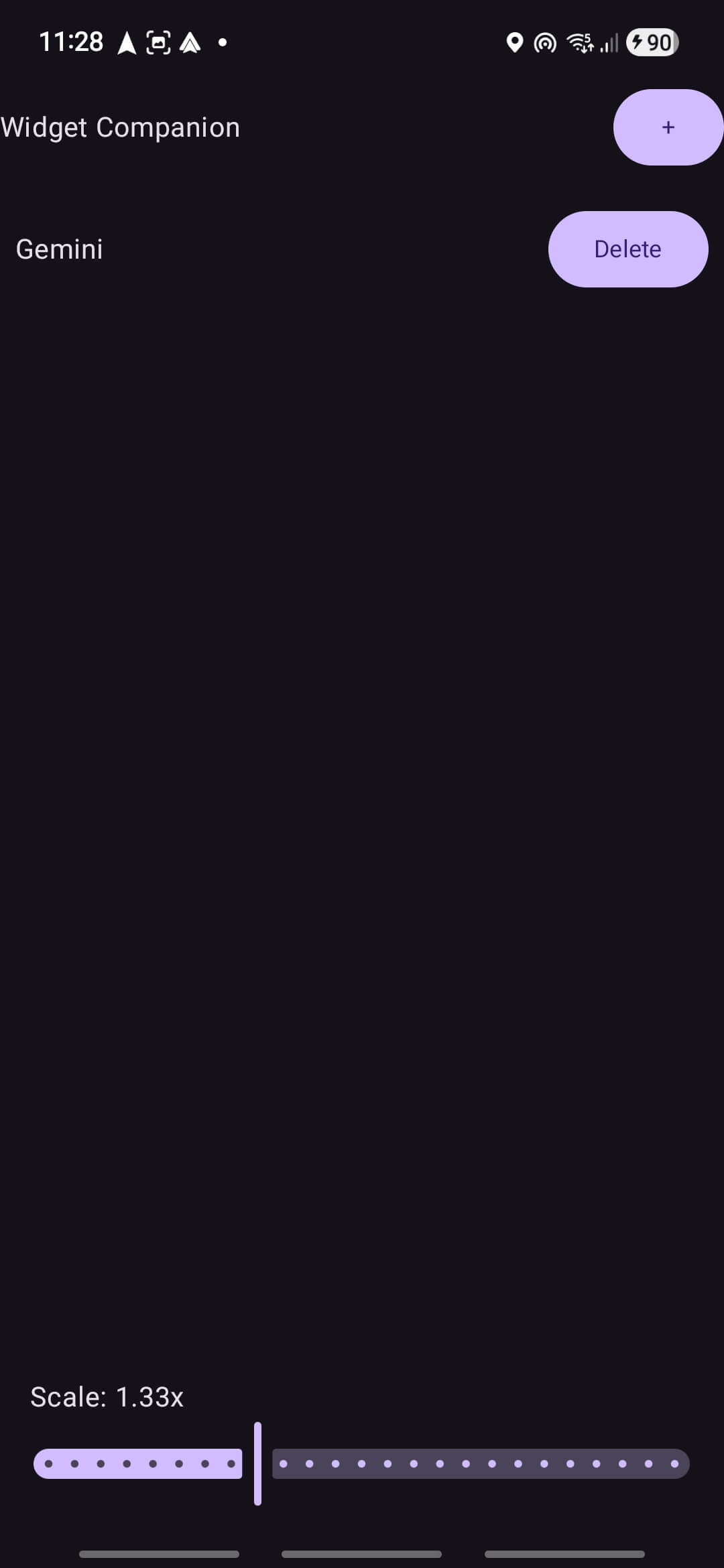
What’s new in Android Auto 16?
Our APK Analysis series breaks down what’s included in the latest APK of the updated Android apps.
Here is the new code we found:
<public type=”drawable” name=”cielo_dashboard_landscape” id=”0x7f080191″ /> <public type=”drawable” name=”cielo_dashboard_lhd” id=”0x7f080192″ /> <public type=”drawable” name=”cielo_dashboard_rhd” id=”0x7f080193″ />
The dashboard LHD and RHD suggest Android Auto is adjusting to left-hand driving as well as right-hand driving and will change features accordingly. While this may be specific to a Cielo dashboard, we may see adoption in more cars.
<public type=”string” name=”settings_customize_add_gemini_shortcut_activity_title”/>
<public type=”string” name=”settings_customize_add_gemini_shortcut_query_helper_text”/>
<public type=”string” name=”settings_customize_add_gemini_shortcut_query_hint”/>
The first shortcut available for activation is Google Gemini. However, it may only show up on Google Pixel devices for now.
Apart from the custom widgets, Google is making it easier for Android Auto to reconnect and now shows a notification if your phone is wirelessly connected. A WiFi notification text will be displayed for wireless reconnect or wireless turn-on.
This will make it easier to diagnose connectivity issues on Android Auto. Here is the code we found:
<public type=”string” name=”android_auto_reconnect_wifi_action_text”/>
<public type=”string” name=”wireless_reconnect_wifi_notification_text”/>
<public type=”string” name=”wireless_turn_on_wifi_notification_title”/>
Another useful feature is getting more information on Android Auto. Instead of just time and body, you will now get time, sender, and body.
Download Android Auto 16 APK
Get the latest Android Auto 16.0.160204 beta from the official Play Store or download the APK from below.


APK Download
Starting with Android 11, Google released apps in Split APKs (multiple APKs) format. This means the app is split into several packages, including the base and config APK files. This resolves the compatibility issue and enables the installation of apps like the Google APK on any Android device with varying DPI, screen resolution, screen size, architecture, and more.
- Android Auto 16 beta download
- APK Download
- APK Mirror (rename .APKM to .ZIP)
- Then Install Split APKS/XAPK/APKM/ZIP using SAI Installer (FOSS)
