
Google Rolling Out Gemini AI for Android Auto Starting Today (Download)

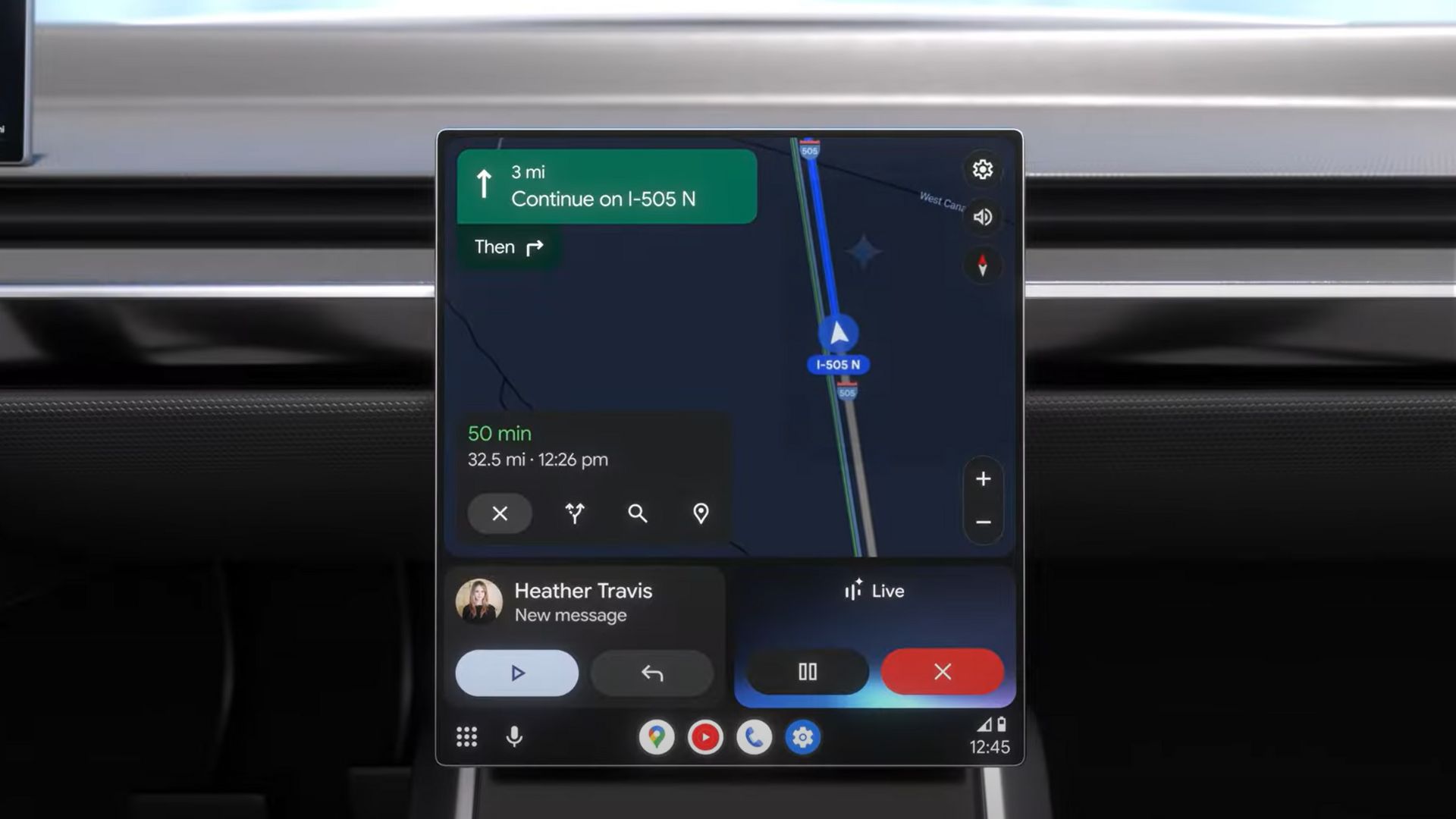
Google expanded Gemini AI across Pixel phones, Wear OS 6, Google TV, Google Home, and Google Maps. Android Auto has now joined this growing list of AI-powered platforms.
Yes, Gemini AI finally comes to Android Auto, replacing the native Google Assistant. The Google Assistant has been deprecated in functionality ever since Google announced Gemini AI. More recently, the search giant stated it will completely remove the native assistant code from Android in favor of Gemini. Looks like the day has arrived.
Users in the United States have been seeing Gemini on their car head units. One user got it on their 2014 Nissan X-Trail connected to a Google Pixel 7 running Android 16.
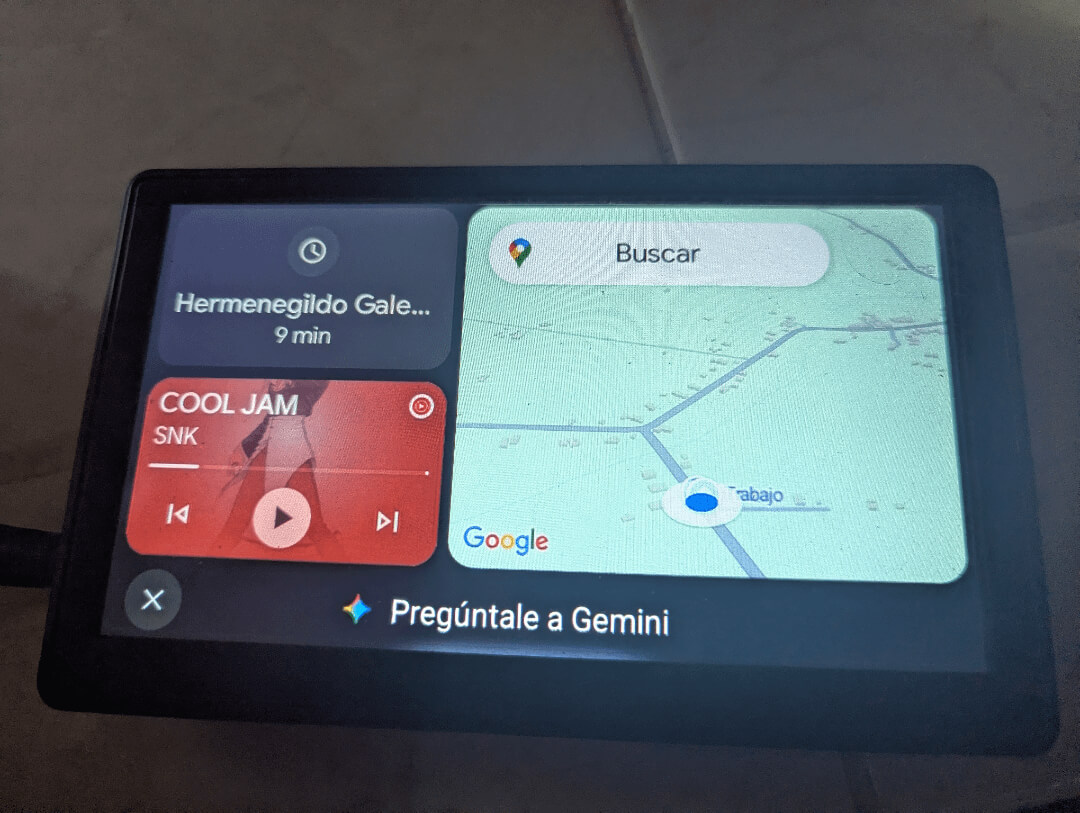
Gemini features for cars
Gemini enables drivers to break through language barriers with automatic message translation across more than 40 languages, discover restaurants and points of interest using conversational requests such as “find some good taco places along the way,” retrieve information from reviews and get answers about businesses you’re planning to visit, integrate smoothly with Google Maps, YouTube Music, Spotify, Calendar, and other applications, and even pull up details from your Gmail, like finding the location of your child’s next soccer game.
Gemini: Your AI Co-Pilot on the Road
Google’s sophisticated AI assistant, Gemini, is set to revolutionize vehicle interaction through natural dialogue and smart assistance. Bridge language gaps with automatic message translation across more than 40 languages Find restaurants and attractions along your route using natural requests like “find some good taco places along the way”
Retrieve review information and answers to common questions about destinations you’re considering Integrate effortlessly with Google Maps, YouTube Music, Spotify, Calendar, and other platforms Access information from your Gmail, such as details about your child’s upcoming soccer game.
With Gemini, you can:
- Communicate across language barriers by having messages automatically translated into over 40 different languages
- Search for restaurants or points of interest along your route with natural language queries like “find some good taco places along the way”
- Access information from reviews and answer common questions about businesses you’re interested in visiting
- Connect seamlessly with Google Maps, YouTube Music, Spotify, Calendar, and other apps
- Even locate information buried in your Gmail, such as the location of your child’s upcoming soccer game
Gemini Live: Conversations on the Go
Gemini Live introduces a conversational AI experience designed specifically for driving. Simply say “Hey Google, let’s talk” to engage Gemini in brainstorming or problem-solving discussions.
For instance, while planning a surprise for your partner’s birthday, you could consult Gemini for guidance on your approach. The AI delivers thoughtful suggestions and can refine its recommendations based on follow-up questions like “When is the best time of day for this surprise?”
This feature will roll out to Android Auto-compatible vehicles in the coming months, with availability extending to cars with Google built-in later this year, including models such as the new Lincoln Nautilus, Renault R5, and Honda Passport.
How to get Gemini on Android Auto?
Gemini activation is server-side. The latest Android Auto 15.7 already has the has the code for Gemini. It will soon start replacing the legacy Google Assistant with Gemini AI on Android Auto starting today!
Download Android Auto 15.7 APK


APK Download
Starting with Android 11, Google released apps in Split APKs (multiple APKs) format. This means the app is split into several packages, including the base and config APK files. This resolves the compatibility issue and enables the installation of apps like the Google APK on any Android device with varying DPI, screen resolution, screen size, architecture, and more.
- Android Auto 15.7 beta download
- APK Mirror (rename .APKM to .ZIP)
- Then Install Split APKS/XAPK/APKM/ZIP using SAI Installer (FOSS)
