
Download the Gemini September 2025 Drop: New Features and More

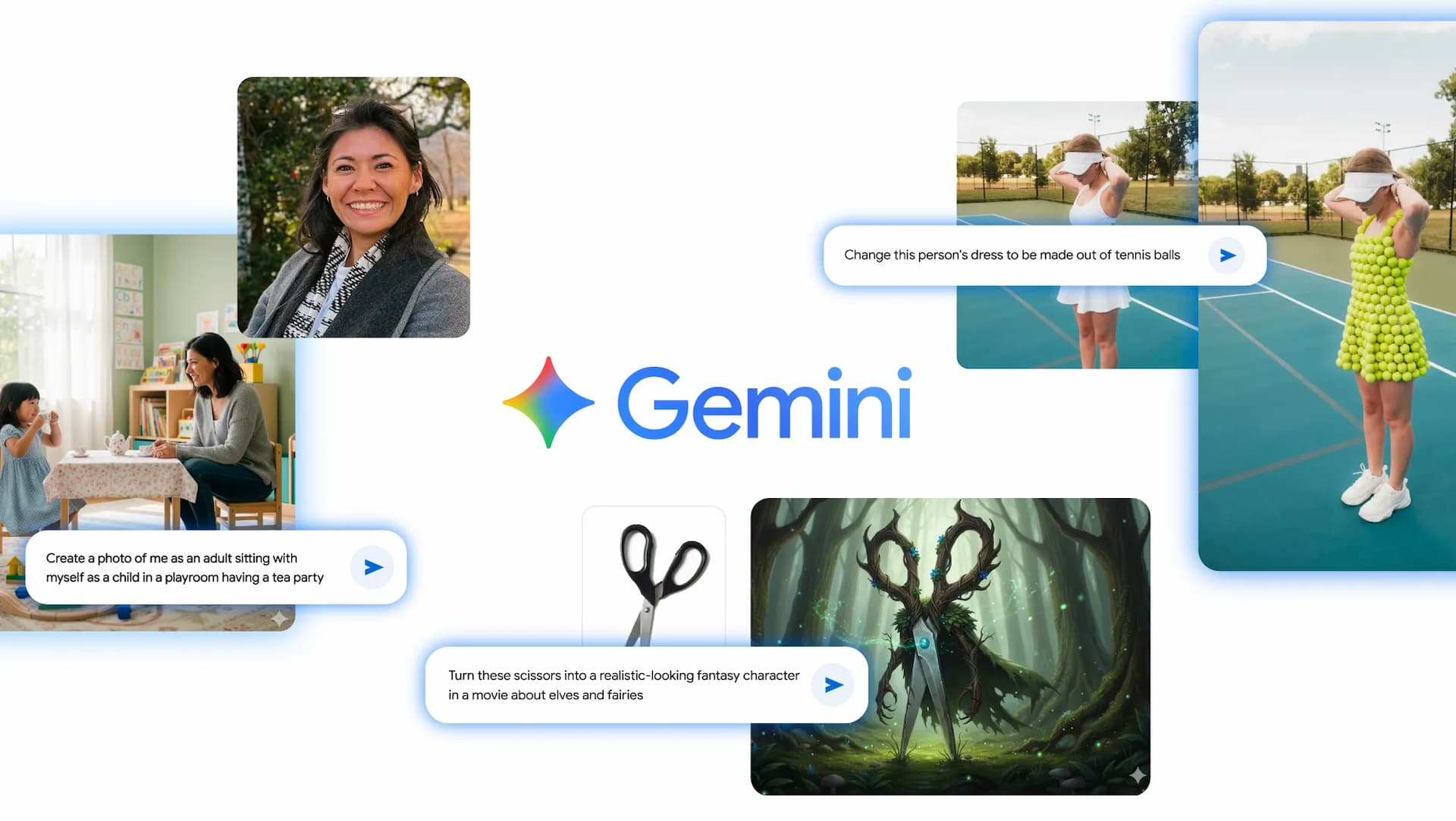
Google is gearing up for Gemini 3.0, followed by the success of Gemini 2.5 Pro, 2.5 Flash, and Gemini Nano Banana image generator. Today, the search giant released the monthly September 2025 Gemini Drop featuring Nano Banana image editing for all, Gemini Live camera highlight, Chrome on desktop, and more!
Google’s September 2025 Gemini Drop has arrived with a powerhouse of updates that signal a significant leap forward in Google’s AI-powered chatbot and generative app. The update focuses on productivity and creativity. This monthly update series continues to push useful updates for artificial intelligence, getting closer to professional-grade tools and everyday user accessibility.
The latest Gemini Drop introduces five major updates, including revolutionary image editing capabilities, seamless collaboration tools, and many more. Some of these features may be activated server-side or for some specific devices like the Pixel lineup.
The Nano Banana: AI Image Editing Goes Viral
The standout feature of this month’s update is undoubtedly the Nano Banana image editing model, which has already captured global attention and become a cultural phenomenon. This transforms any image into a professional Photoshop-grade image editor.
Google also lists a comprehensive Gemini Nano Banana prompt guide here.
The Nano Banana mode, unlike traditional image editing software that requires extensive technical knowledge, democratizes professional-level image manipulation through natural language commands. Users can now describe their desired edits in plain English, and the AI handles the complex technical execution.
The model’s popularity stems from its ability to understand context and intent rather than just following rigid commands. Whether you’re adjusting lighting for a professional headshot or creating whimsical modifications for social media, Nano Banana adapts to your creative vision with remarkable accuracy.
The widespread adoption of Nano Banana across social platforms has created entirely new categories of content creation. From small business owners creating professional marketing materials to artists experimenting with surreal visual narratives, the tool has found applications far beyond its original scope.
The viral nature of content created with Nano Banana has also sparked important conversations about AI-generated imagery and digital authenticity. As these tools become more sophisticated and accessible, they’re reshaping our understanding of digital creativity and authorship.
Gemini Live Highlights: Real-Time Camera Integration
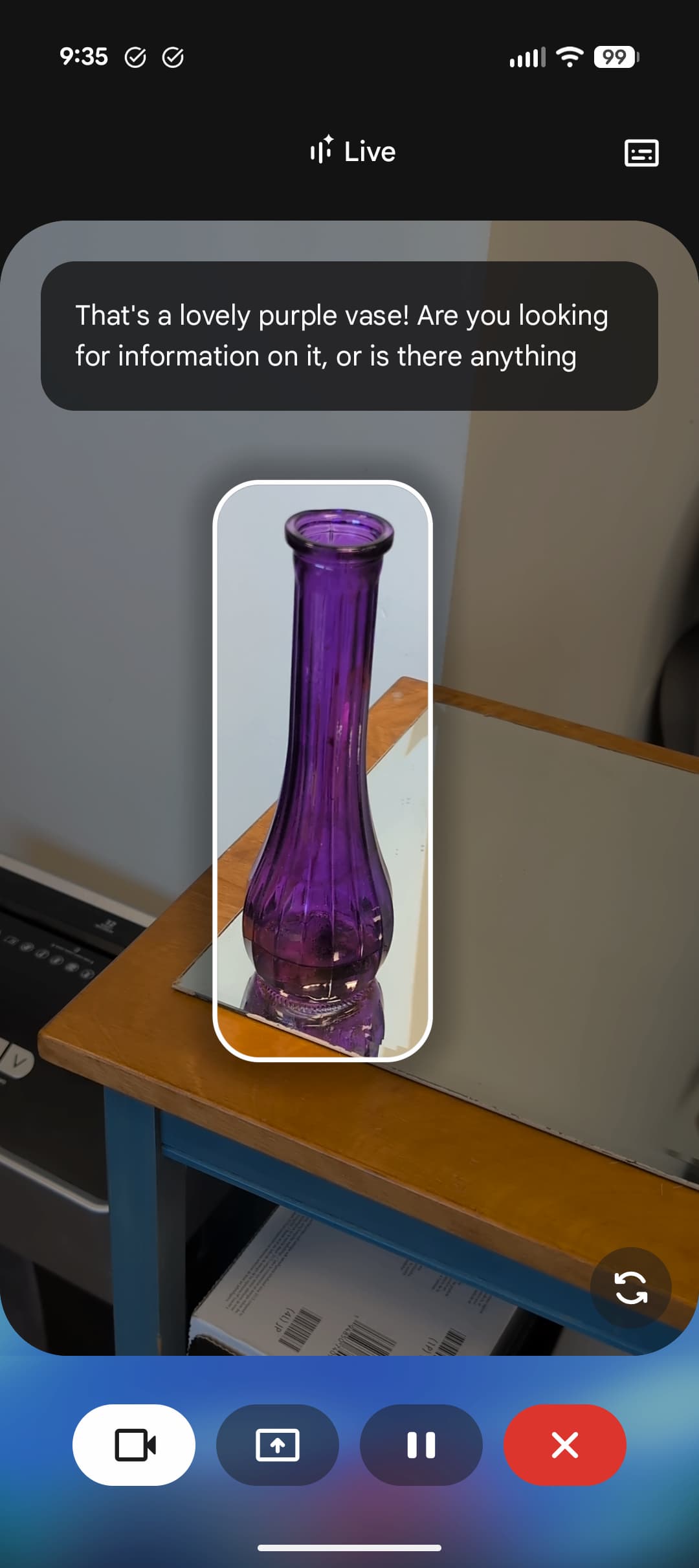
Perhaps the most practically transformative update is the expansion of Gemini Live’s capabilities to include camera sharing. This feature transforms your smartphone into an intelligent visual assistant that can provide real-time guidance and analysis of your physical environment.
The long-awaited Gemini Live Highlight & Native Audio is rolling out now!
Desktop Integration: Gemini Comes to Chrome
Google announced that Gemini will be available on Chrome desktop for U.S. Google Chrome is receiving its biggest upgrade in history with comprehensive AI integration through Gemini, introducing 10 new features that make browsing more intelligent, secure, and automated – including an upcoming agentic assistant that can perform tasks on behalf of users.
What can Gemini in Chrome do?
- The browsing assistant will handle repetitive tasks like booking appointments and ordering groceries while users focus on other activities
- Gemini can now work across multiple tabs to compare and summarize information from different websites, useful for travel planning and research
- Users will be able to ask Gemini to recall previously visited websites using natural language queries about past browsing activity
- Deep integration with Google apps (Calendar, YouTube, Maps) allows users to perform actions without switching tabs or leaving their current page
- AI Mode search is accessible directly from Chrome’s address bar, enabling complex queries and follow-up questions
- Contextual page analysis allows users to ask questions about current webpage content with AI-powered suggestions and responses
- Enhanced security features use Gemini Nano to detect tech support scams, fake virus warnings, and fraudulent giveaways
- Chrome now automatically identifies and filters spammy notifications, reducing unwanted interruptions by approximately 3 billion per day on Android
In the coming months, Gemini in Chrome will handle those tedious tasks that take up so much of your time, like booking a haircut or ordering your weekly groceries. You tell Gemini in Chrome what you want to get done, and it acts on web pages on your behalf, while you focus on other things.
No-Code App Development with Gemini Canvas Visual Editor
Users can create an app in Canvas with no coding experience, and now you can visually edit any part of your web app just by clicking an element and describing the change.
The visual editing feature allows users to modify web applications by simply clicking on elements and describing desired changes in natural language.
Download Gemini September 2025 Update
The new Google Gemini app update has just been released featuring all the features listed above. Gemini is also now being tested in Android Auto 14 or later, Wear OS 5.1, and could also come to smart devices like Google Home in the future.

